

Author
Charlotte Gupta
Director of Customer Success at Synap
Charlotte Gupta leads Customer Success at Synap. Her product announcements help teams discover new features and make the most of the platform.
Product updates
 AnnouncementProctoring
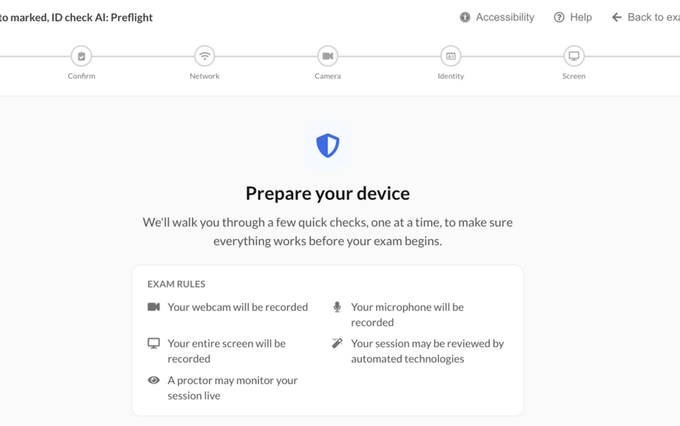
New: Synoptic Pre-flight Experience
Guide candidates through their device and connection checks before a proctored exam, with repeatable system checks ahead of exam day.
Read announcement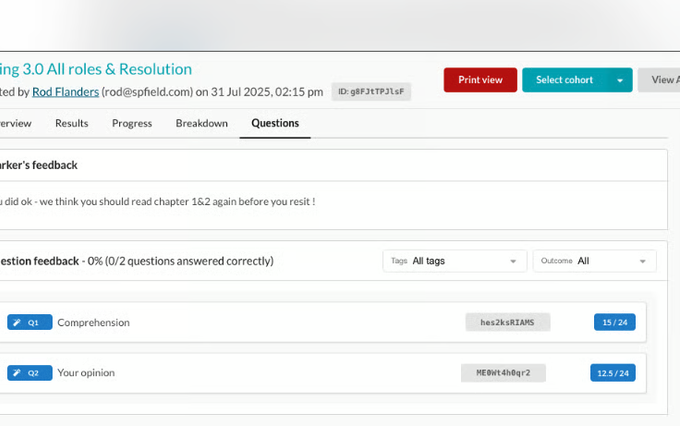 AnnouncementExams
New: Overall attempt feedback & internal notes
Markers can now leave feedback on a candidate’s attempt as a whole, not just on individual questions. What’s new Overall feedback button on the marking…
Read announcement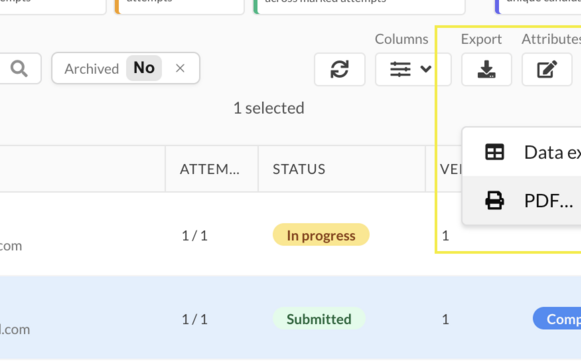 AnnouncementExams
New: PDF exports for exams 📄
You can now export exam PDFs directly from Synap, with no need for a separate reporting tool. Export specific attempts. Select one or more attempts in the…
Read announcement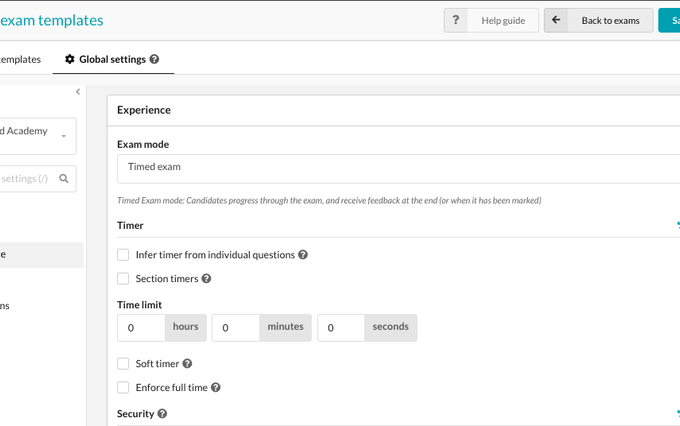 AnnouncementExams
New: Exam Templates & Global Settings
Setting up the same exam configuration again and again? Exam Templates are here to make that a quicker. You can now save your preferred exam settings as…
Read announcement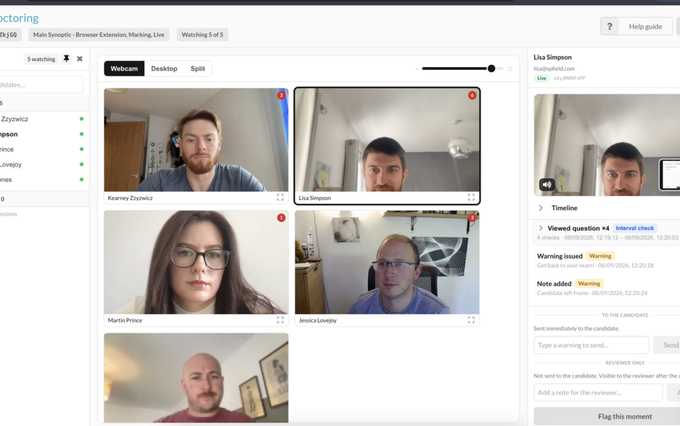 AnnouncementProctoring
New: Live proctor Synoptic exams
Keep an eye on candidates while their exam is happening with Synoptic Live Proctoring. Proctors can now monitor up to 16 candidates each at the same time,…
Read announcement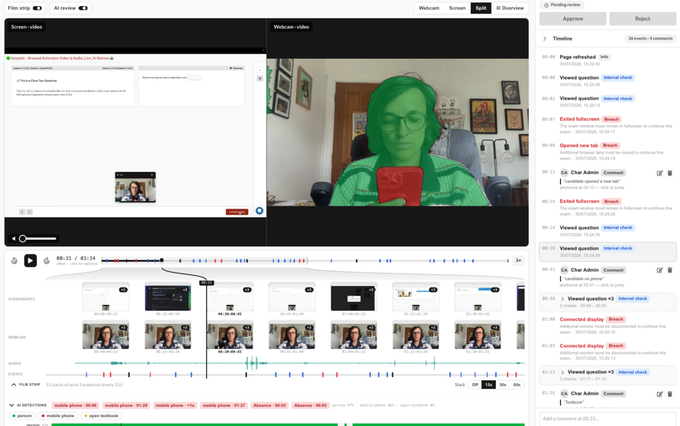 AnnouncementProctoring
New: Synoptic AI Review
Review proctored exams faster with Synoptic AI Review. Synoptic AI analyses recorded webcam footage and automatically highlights moments that may need…
Read announcement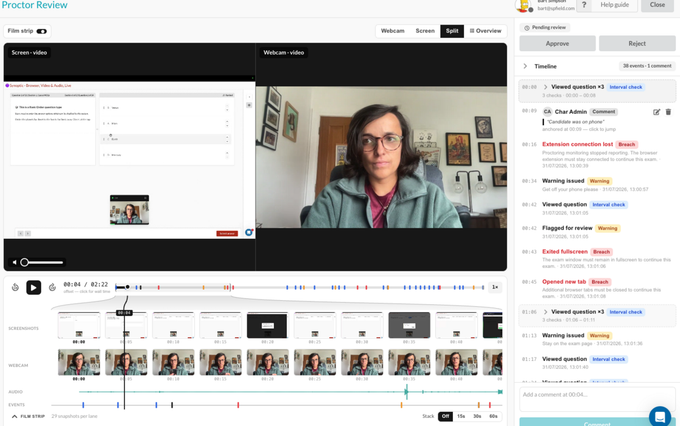 AnnouncementProctoring
New: Synoptic Proctoring Review Features
Faster, easier reviewing of proctored sessions. View toggles — Webcam, Screen, Split, and Overview Playback bar — 10s skip, 1x–8x speed,…
Read announcement AnnouncementImprovements
Enforced Multi-Factor Authentication (MFA)
We're pleased to introduce enforced Multi-Factor Authentication (MFA) for Pro plans and above, giving administrators greater control over account security…
Read announcement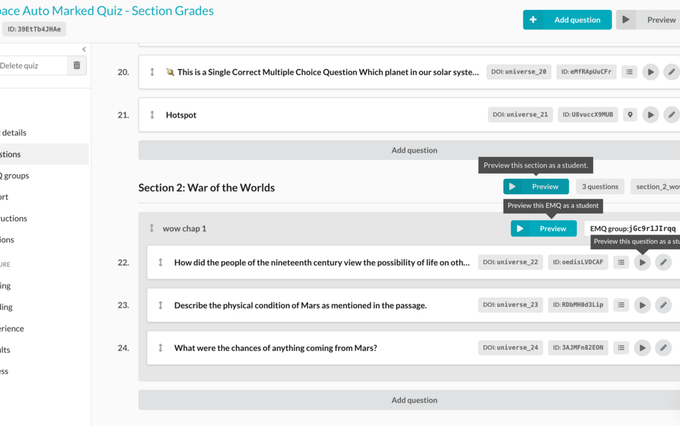 AnnouncementQuestion Types
Preview by section, EMQ or question
You can now preview an individual section, EMQ or question within a quiz or exam. This new functionality will allow you quickly see how a question or…
Read announcement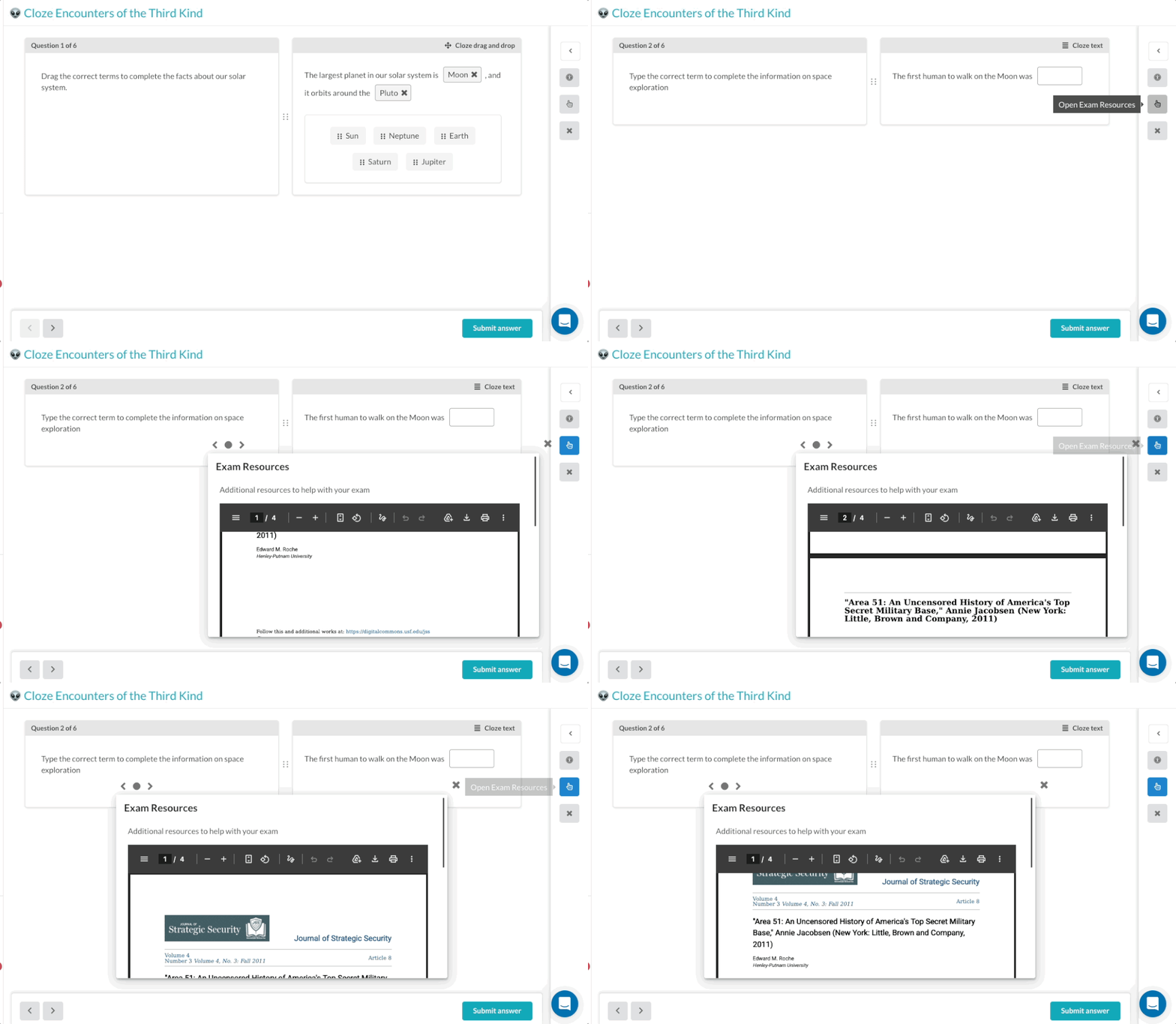 AnnouncementQuestion Types
New: Additional Information for Quizzes & Exams
Provide learners with everything they need—without leaving the assessment. You can now add Additional Information to quizzes and exams, giving learners…
Read announcement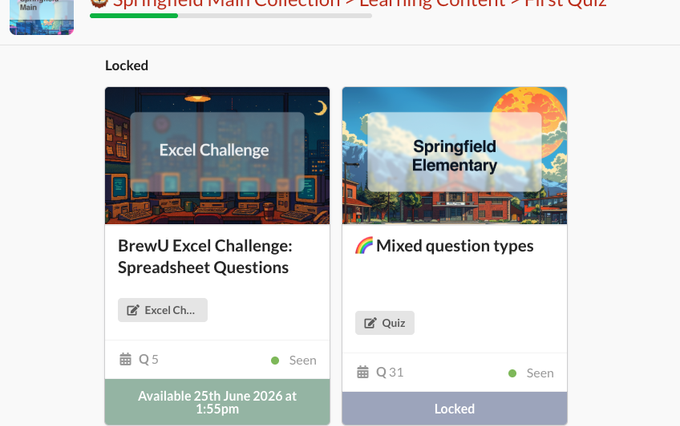 AnnouncementImprovements
New: Access Schedules for Collection Items
Give learners access to content exactly when you want. You can now set Access Schedules on individual collection items, allowing you to control when…
Read announcement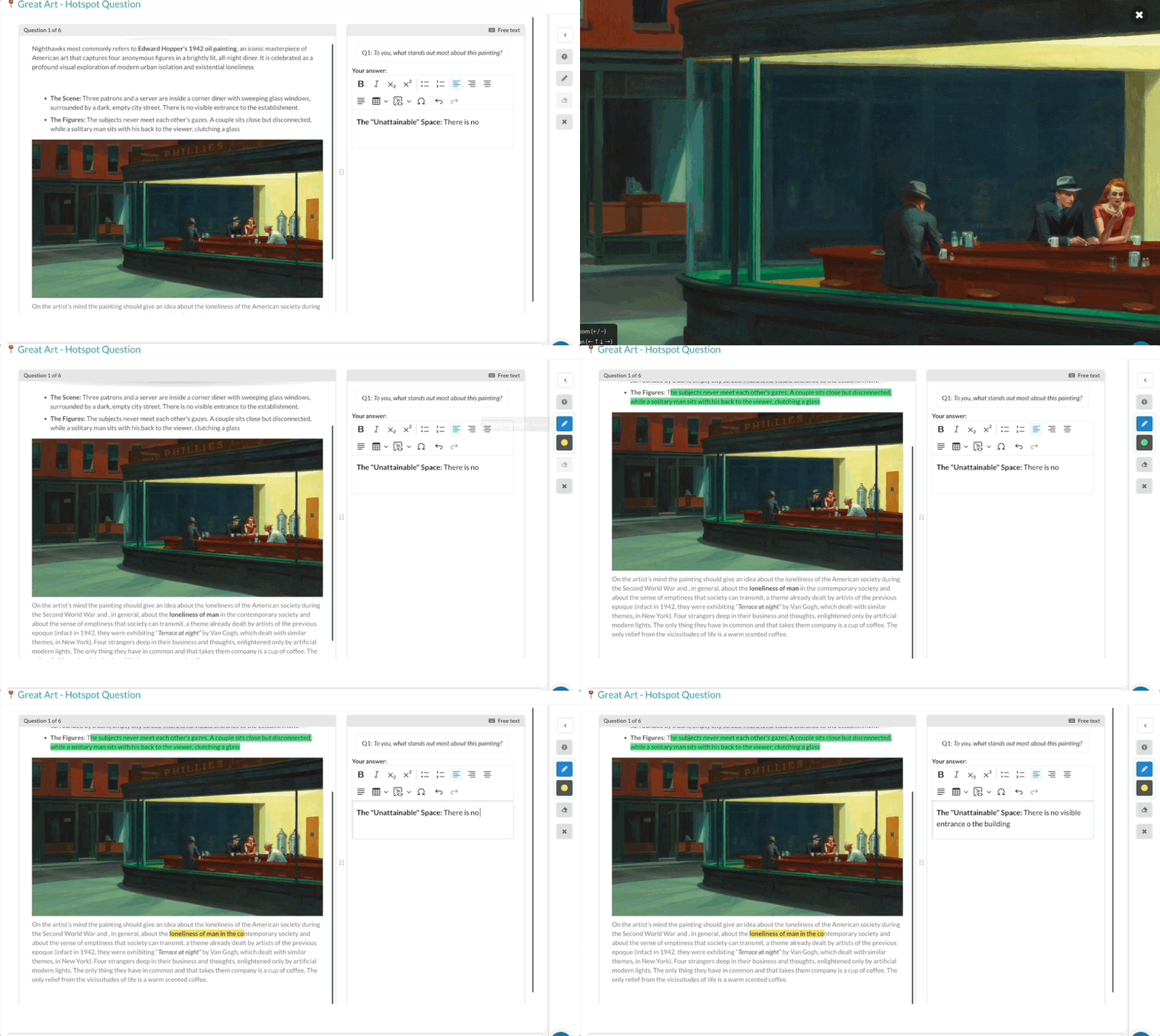 AnnouncementImprovements
New Features: Highlighter colours & Zoom into images
We've added two new tools to exams and quizzes to boost users engage with questions: Highlighters in different colours Zoom into images in questions…
Read announcement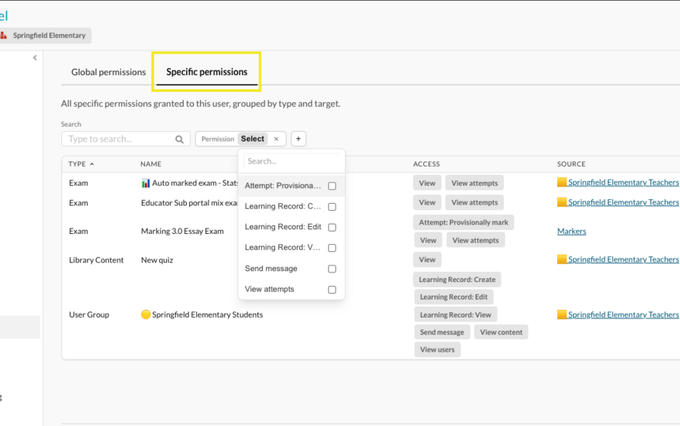 AnnouncementImprovements
New Feature: View Individual Educator Permissions
We’ve released a new permissions visibility update, making it easier to understand exactly what access an individual Educator has across your portal. You…
Read announcement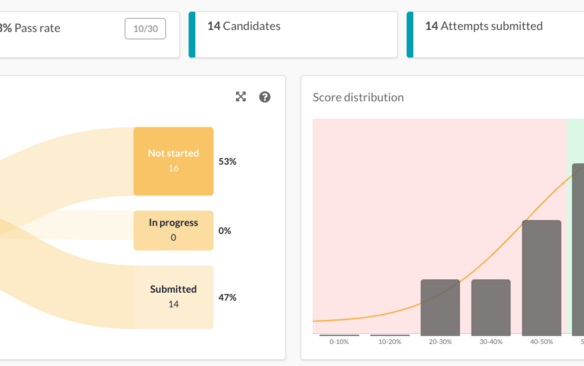 AnnouncementExams
New: Exam statistics pages
We’ve upgraded the question statistics page on exams to give you Exam, Question and Tag statistics on different tabs. To have a more detailed view of your…
Read announcement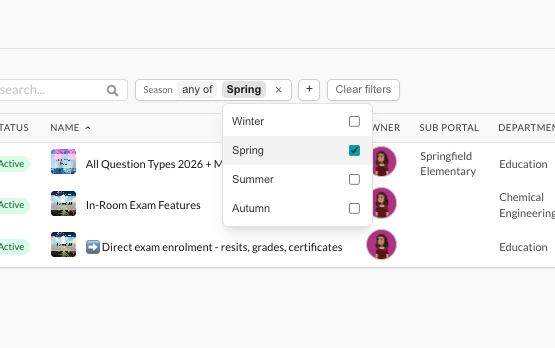 AnnouncementImprovements
New: Filter by attributes on primary pages
One of our most requested features is out now! You can now filter and organise your data using custom attributes across key pages like Exams, User Groups,…
Read announcement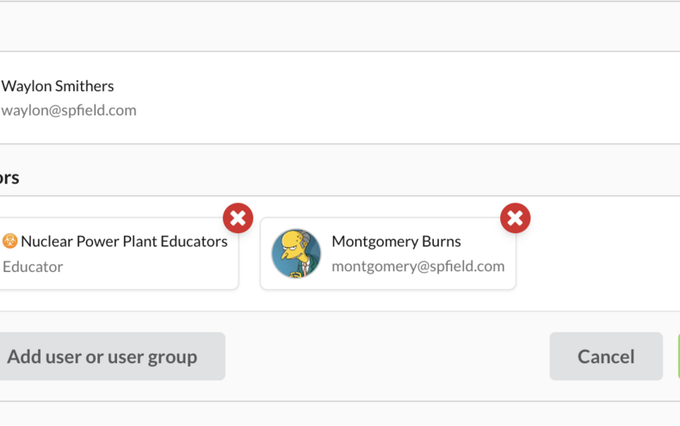 AnnouncementImprovements
New: Collaborators
We’ve introduced Collaborators — a new way to make working together on content and exams simpler and more flexible. When an educator creates content or an…
Read announcement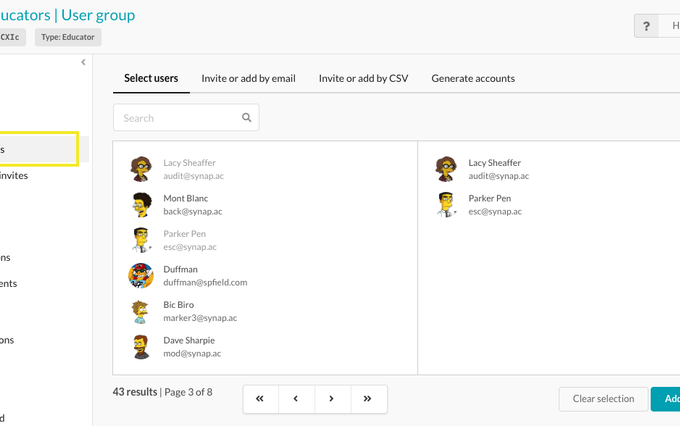 AnnouncementImprovements
Update: Add users page for invite, generate, add existing
We’ve streamlined how you add users to groups by introducing a single “Add users” page. Previously, adding users was split across “Add existing users” and…
Read announcement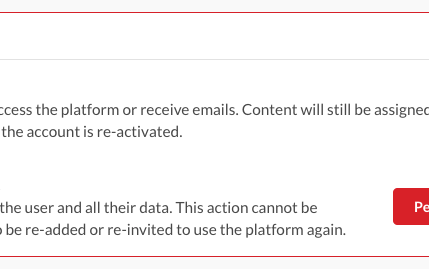 AnnouncementImprovements
New: Disable and Re-activate User Accounts
You can now disable user accounts from the Administration page, giving you greater control over access across your platform. What happens when an account…
Read announcement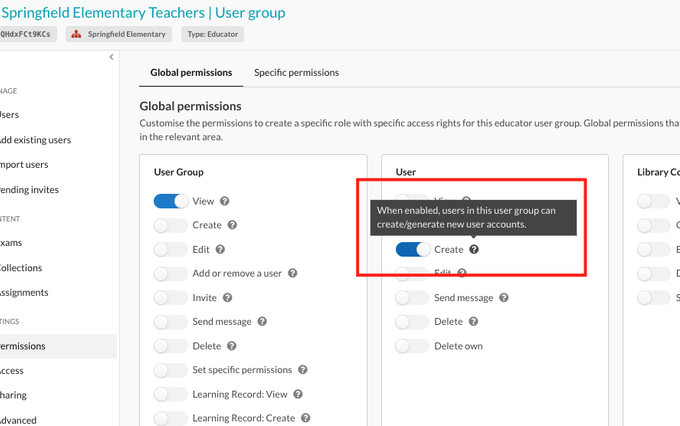 AnnouncementImprovements
New Create permission needed to generate user accounts
ℹ️ Important please read if you have educators who need to be able to generate accounts We’ve introduced a new “Create User” permission, giving you more…
Read announcement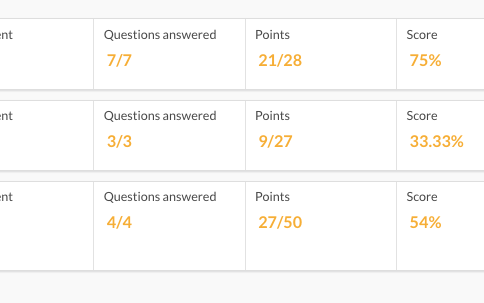 AnnouncementExams
New: Section Grades & Advanced Grading Criteria
We’re excited to introduce Section Grades and Advanced Grading Criteria, giving you greater flexibility and control over how assessment results are…
Read announcement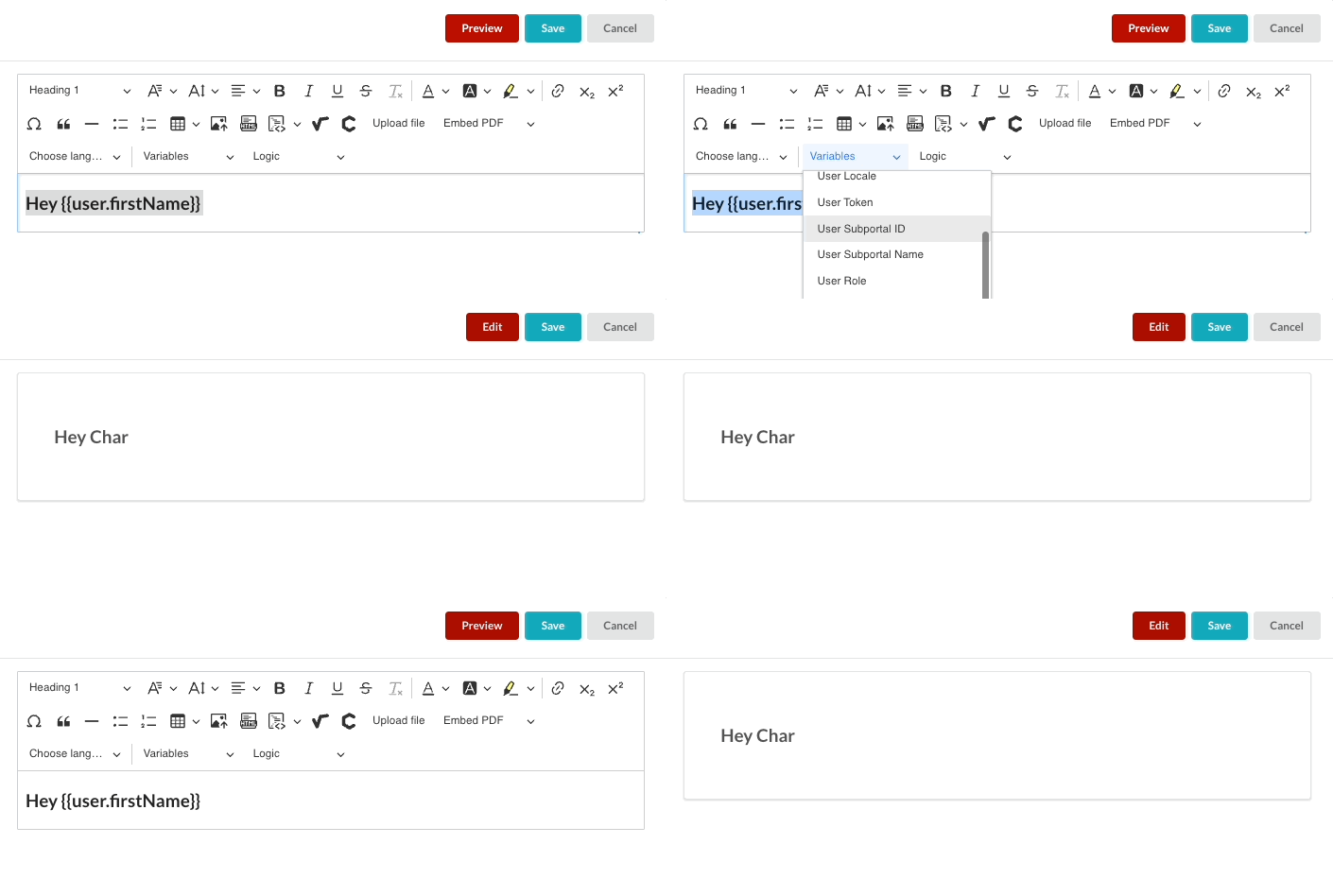 AnnouncementImprovements
New Feature: Dynamic Text Variables
You can now use dynamic variables in Notes to automatically personalise content for your users. This allows you to display user-specific information —…
Read announcement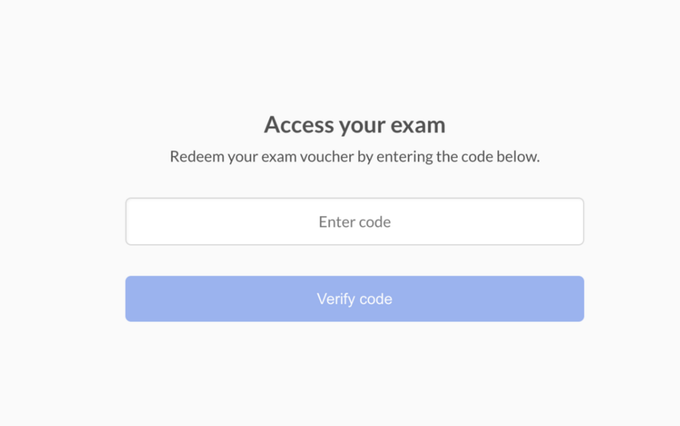 AnnouncementExams
New: Exam Vouchers
We’re excited to introduce Exam Vouchers — a flexible new way to manage how candidates access your exams. With exam vouchers, you can generate and share…
Read announcement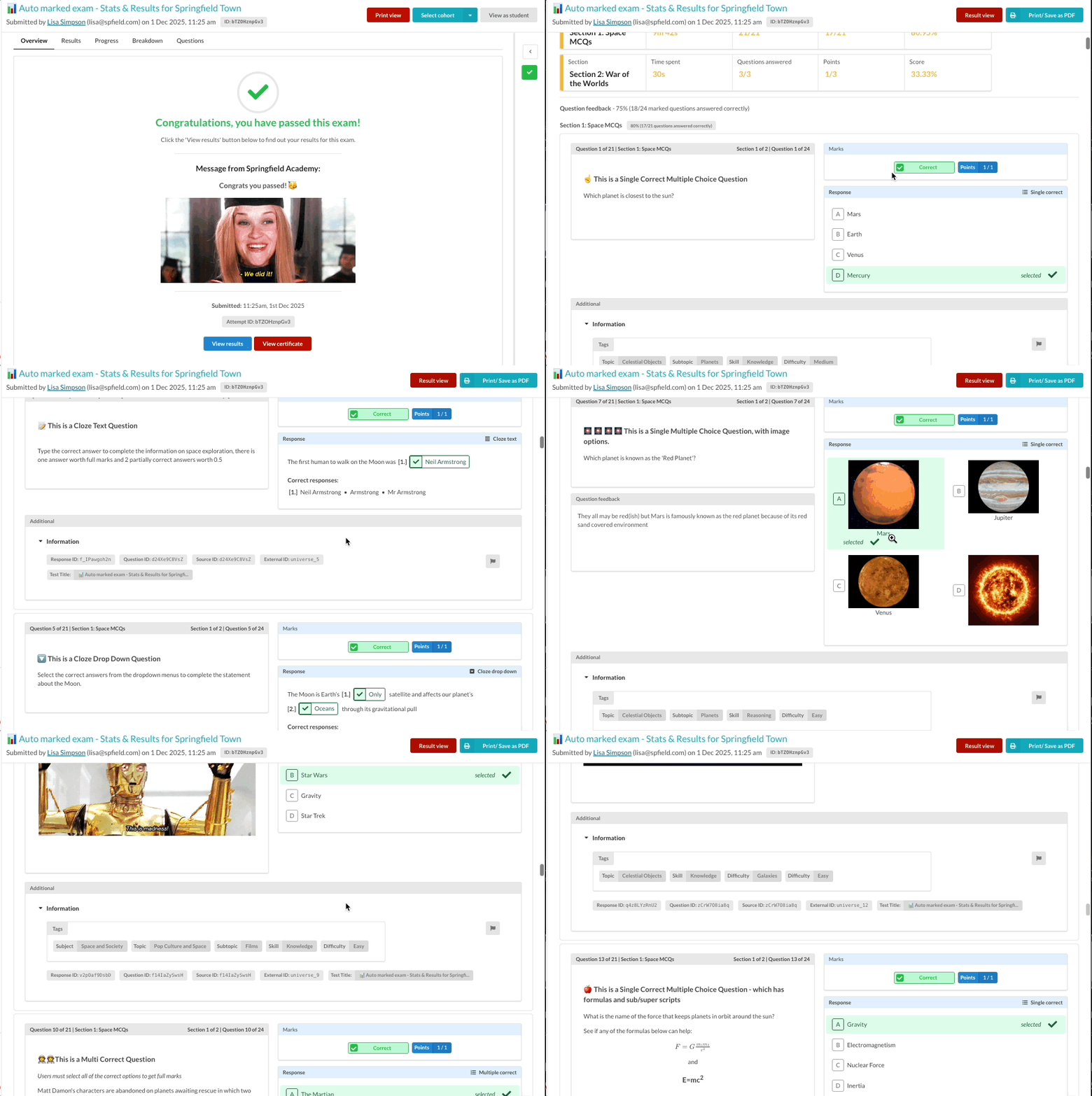 AnnouncementExams
New: Full results view for printing and PDF export
You can now open a full results view from the Results page, bringing section performance and every question together on a single, easy-to-read page. This…
Read announcement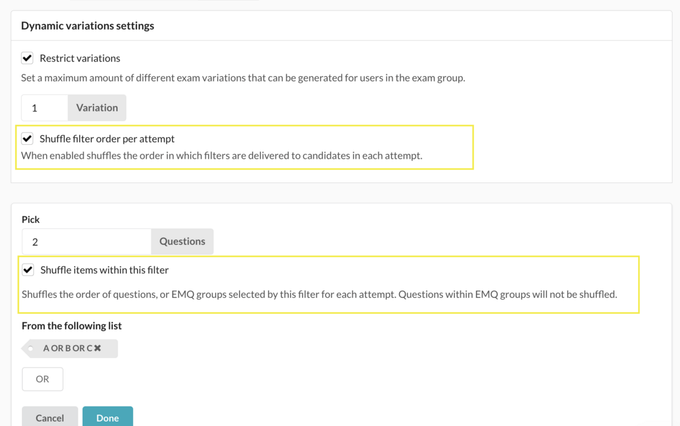 AnnouncementExams
New Shuffling options for Dynamic Exams
You can now shuffle both the order of filters and the items within each filter when generating dynamic exam attempts. This allows you to deliver the same…
Read announcement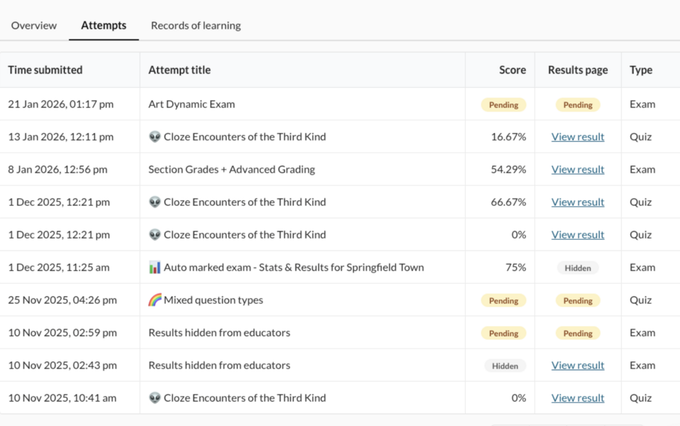 AnnouncementExams
Score & Results page visibility controls
We’ve improved how result visibility works once results are released. You can now see the current result visibility status directly in the Result…
Read announcement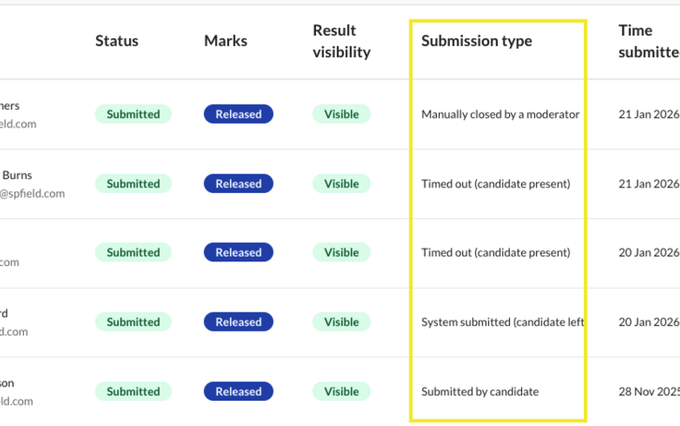 AnnouncementExams
Exam submission type column on the attempt management table
See at a glance how an attempt was submitted, to help with timer queries and give you better insights into what was happening during an attempt Submitted…
Read announcement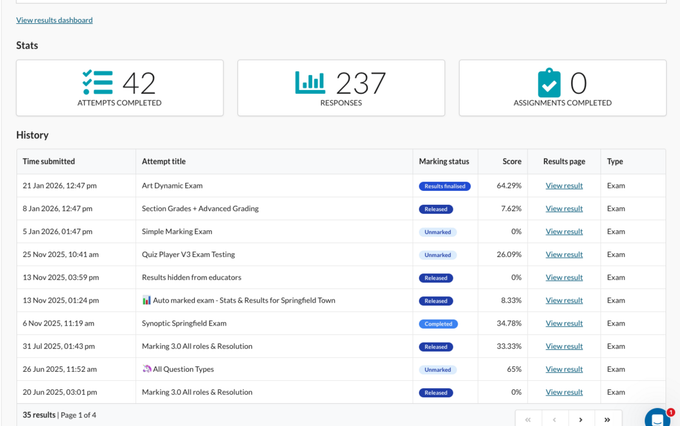 AnnouncementExams
User attempt marking status visibility for Admins/Educators
Admins, Educators, Managers can now see on the users administration progress pages or insights at a glance where the attempt is up to with marking. For…
Read announcement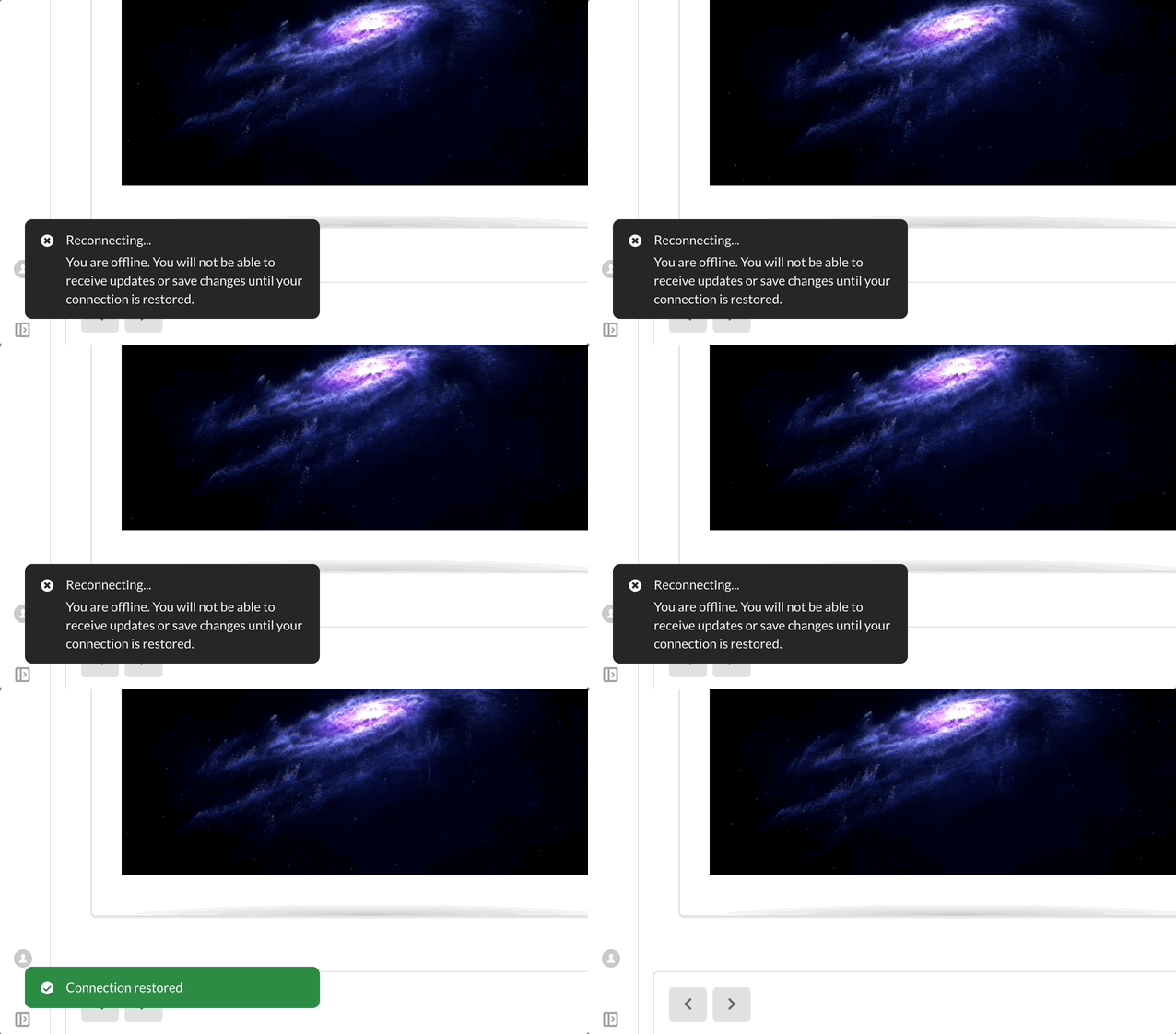 AnnouncementImprovements
Connection status alerts
Synap now shows connection alerts in attempts and all pages on platform when internet connection is lost, helping exam-takers resolve issues quickly and…
Read announcement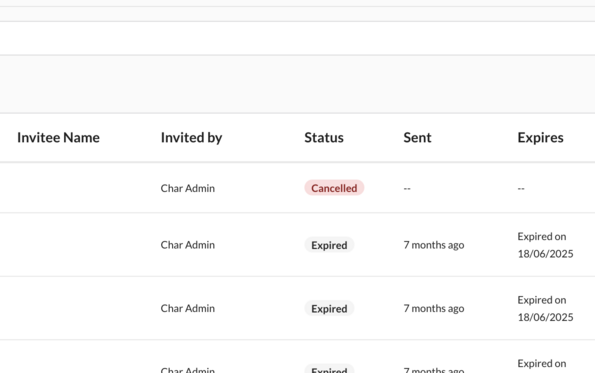 AnnouncementImprovements
Bulk Invite Actions
You can now bulk Resent or Revoke invites for user groups or globally from the Invites manager page in settings!
Read announcement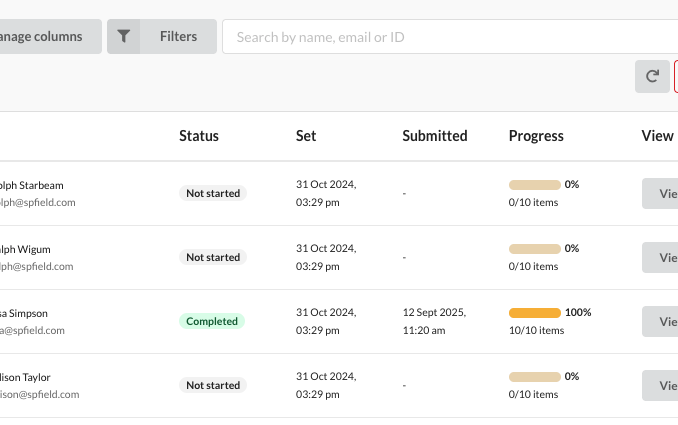 AnnouncementImprovements
Assignment Management Improvements
Assignments groups just got some new updates! Added Preview mode to test assignments as a student (data not recorded). New Deadline types: Indefinite,…
Read announcement AnnouncementQuestion Types
Answer Templates for Free Text Questions
We've just launched Answer Templates — a powerful new way to guide learners when responding to free text questions. Whether it's a structured table for…
Read announcement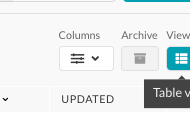 AnnouncementImprovements
🏓 Table View
You can now toggle between Table and Card view on all primary pages as an Admin / Educator / Manager on Synap. Designed to make managing content more…
Read announcement AnnouncementQuestion Types
↕️ New Controls for Cloze Drag & Drop
You can now configure Cloze Drag & Drop questions with greater flexibility using three distinct response modes: 🔒 Strict Match – One-time use, correct…
Read announcement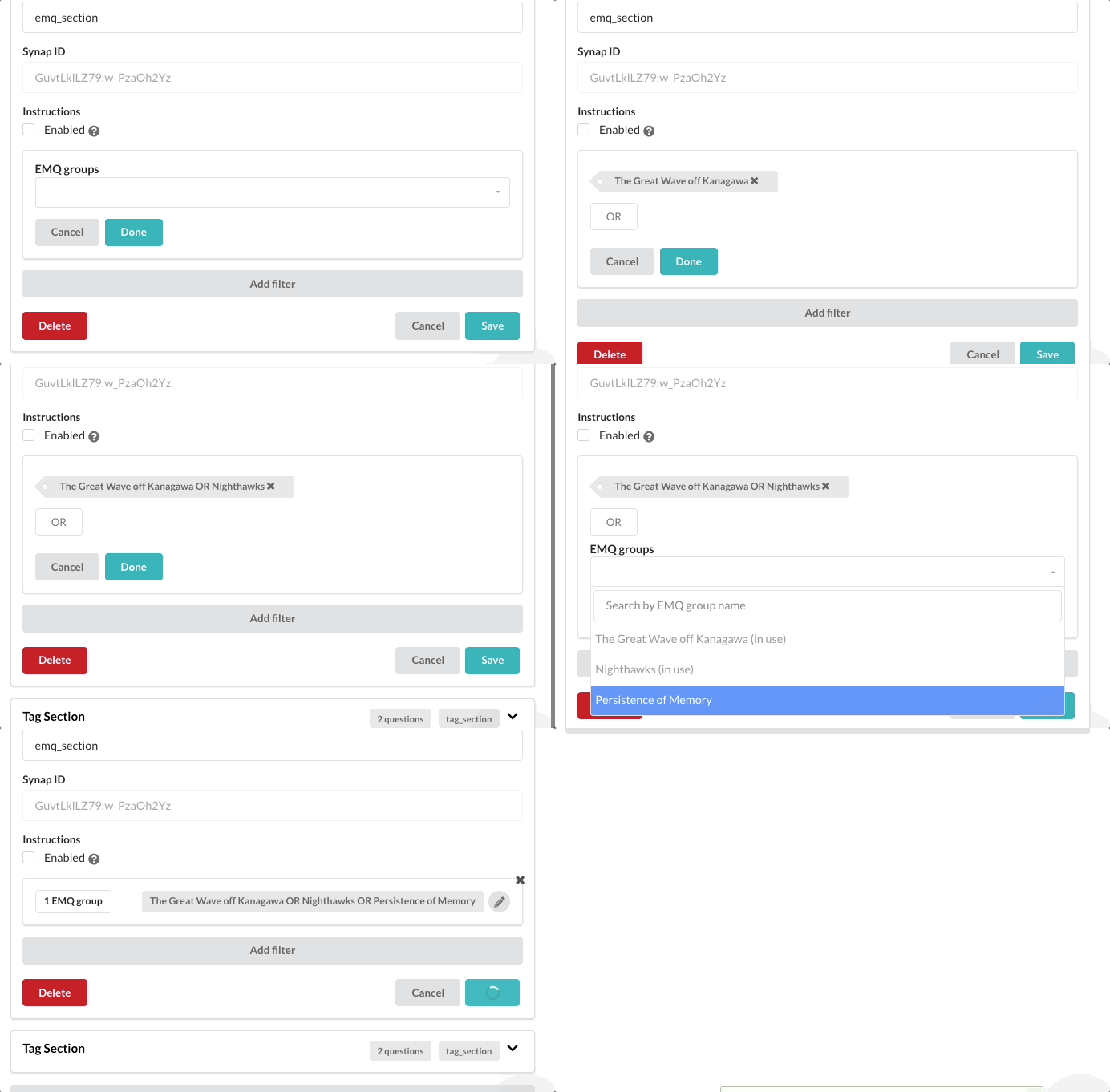 AnnouncementQuestion Types
🎱 EMQ group dynamic exam filter
We've added EMQ Group Filter to Dynamic Exams — now you can include full EMQ sets in their original order, keeping multi-part question groups together.…
Read announcement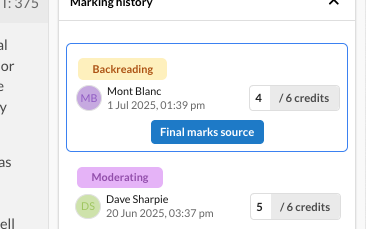 AnnouncementExams
✍️ Advanced Marking
We've finished rolling out one of our biggest features we've ever done - Advanced marking! a major upgrade to Synap’s marking system designed to support…
Read announcement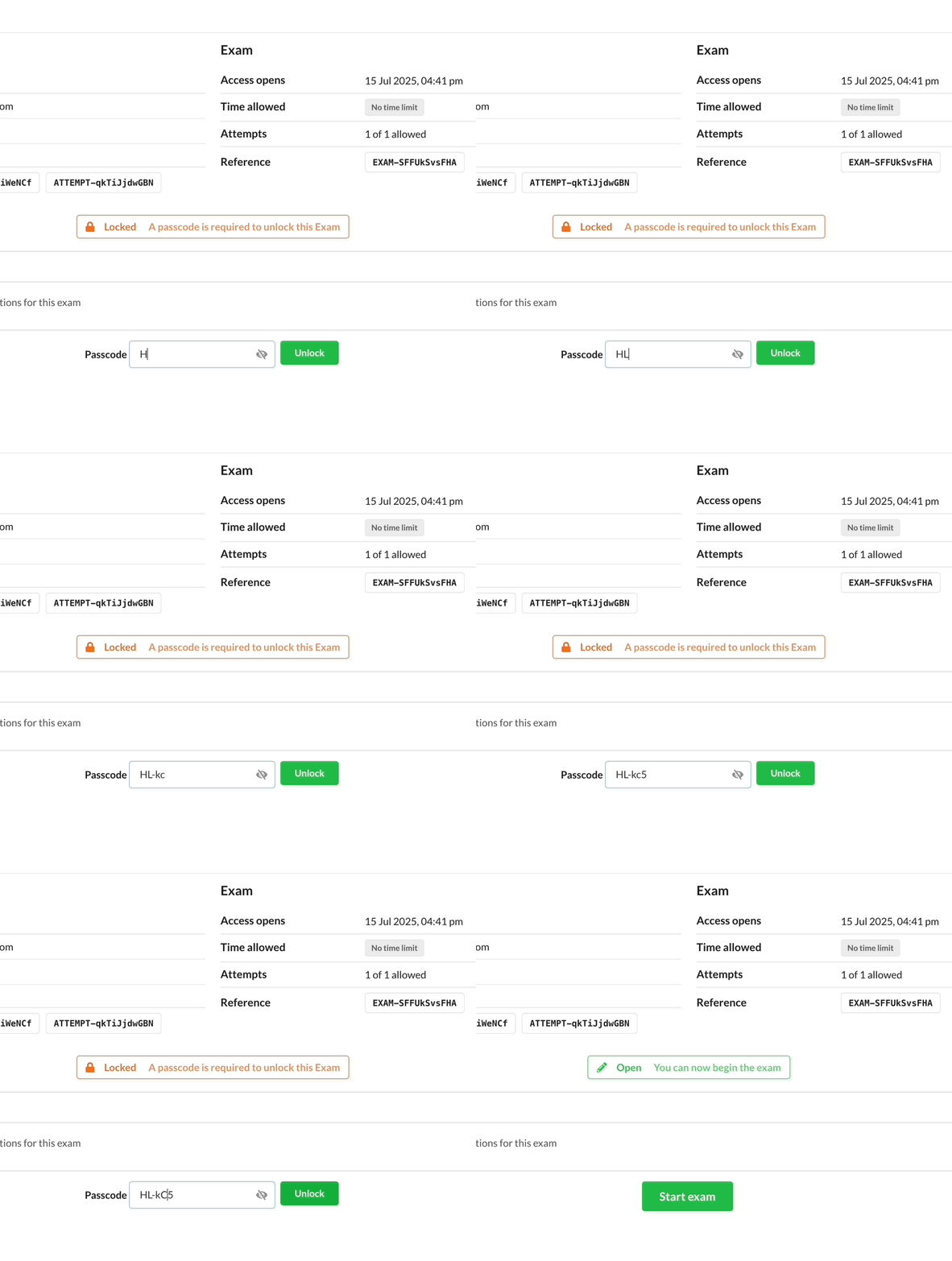 AnnouncementExams
🔐 Exam attempt passcodes
You can now add Exam Attempts Passcodes for locked exams. Share passcodes with invigilators to control when and where candidates can start their attempt.…
Read announcement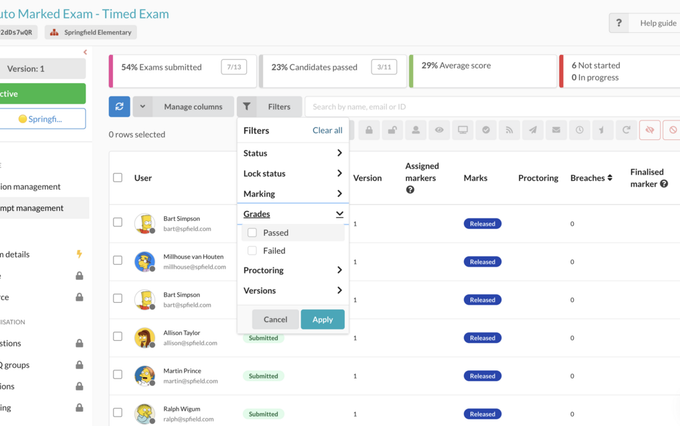 AnnouncementExams
Filter by grade type
We have added a filter option on the attempt management page of exams to allow filtering by the pass / fail status of the attempts. For example, if you…
Read announcement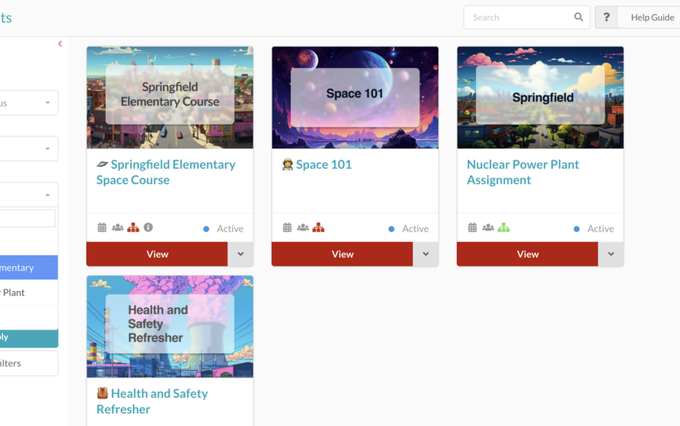 AnnouncementExams
Filter by subportal on exams and assignments
We've added our subportal filter menu to the main exam and assignment pages. This feature will allow you to easily locate all exams / assignments set to…
Read announcement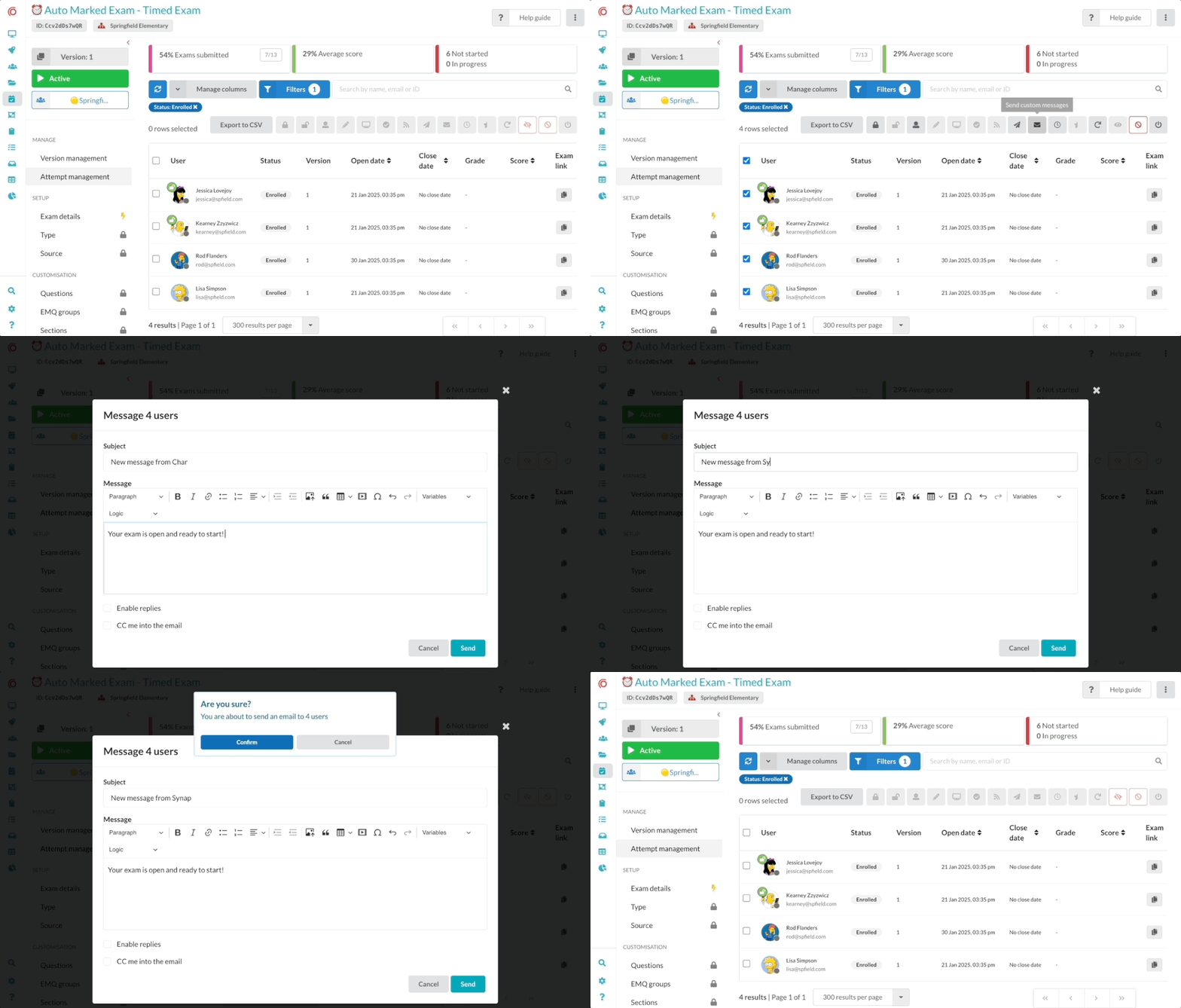 AnnouncementExams
✉️ Send custom messages from the attempt management table
We’ve just released a new feature that gives admins the ability to send custom messages directly to users from the Exam Attempts management table. Whether…
Read announcement AnnouncementImprovements
🎙️📹 Audio / Video Stems in Synap
We’re excited to introduce an official Audio & Video Stem field for all question types and fully supported in the CSV importer. This feature that allows…
Read announcement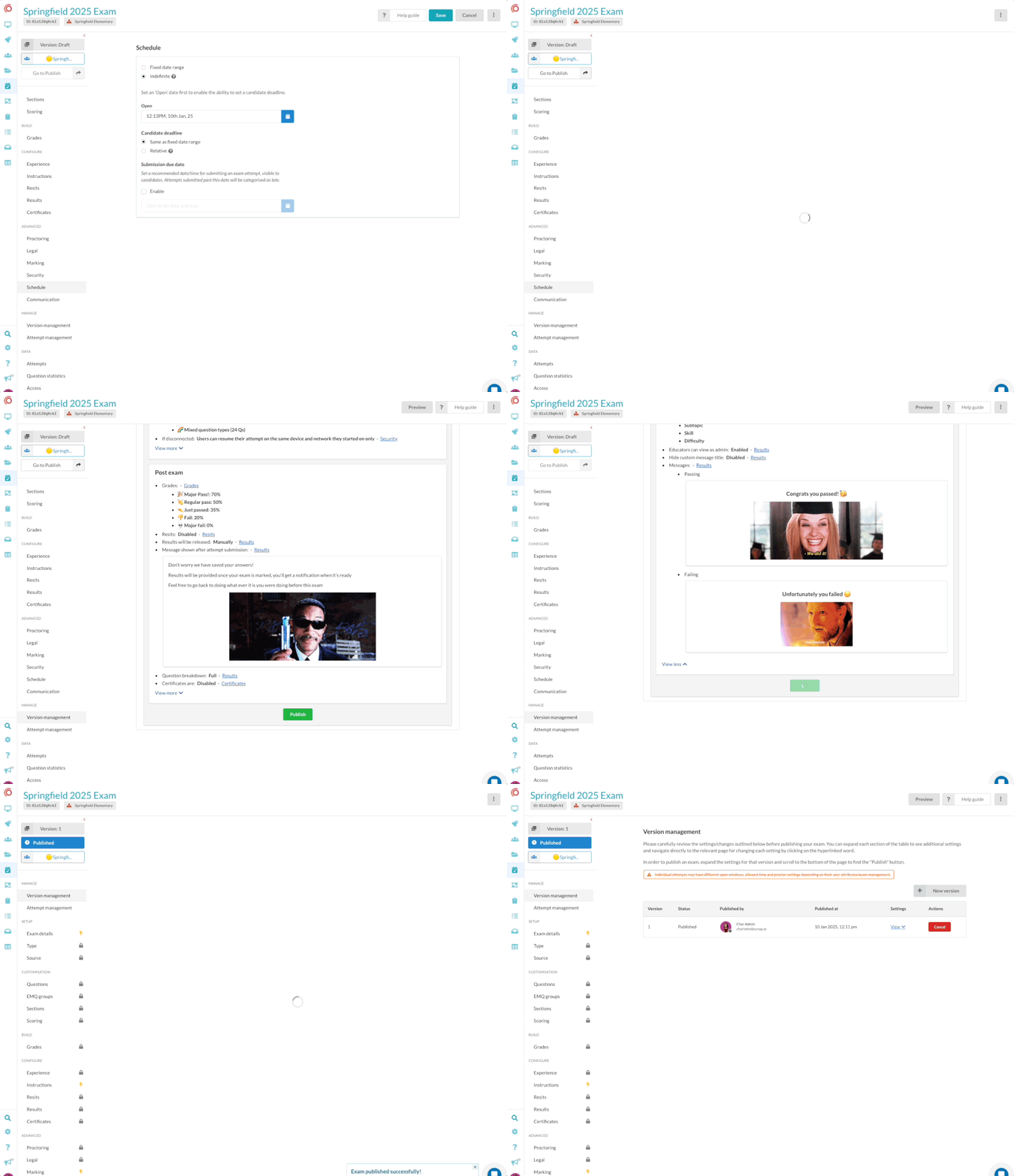 AnnouncementExams
🔀 Exam versioning
We're really excited to let you know about our new Exam Versioning feature along with a new and improved exam builder! Exam Versioning means you can make…
Read announcement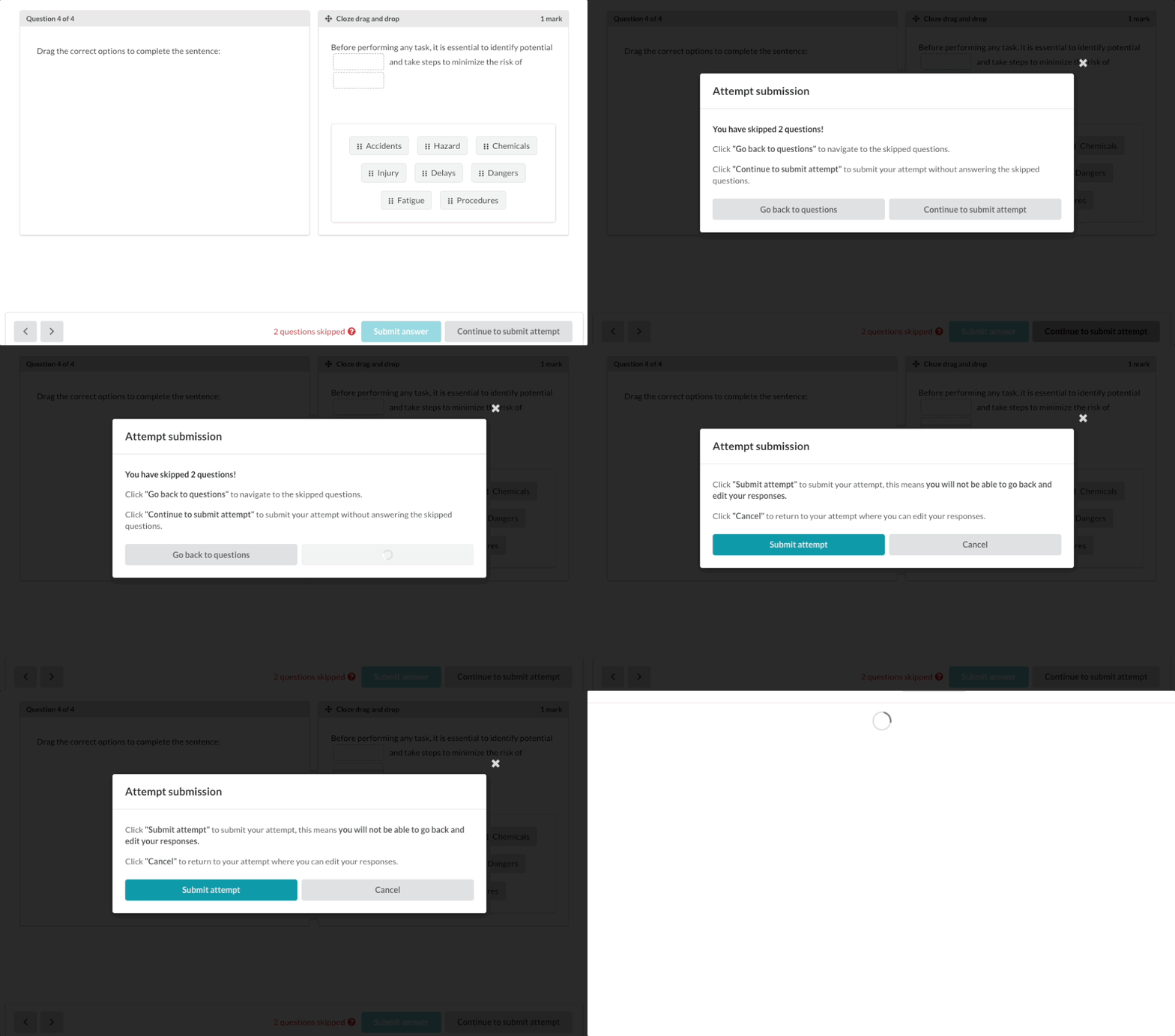 AnnouncementExams
Reduce Accidental Exam submissions
A new improvement to Synap designed to make exam-taking smoother and stress-free. Based on valuable feedback from our admins, we've introduced the 'Reduce…
Read announcement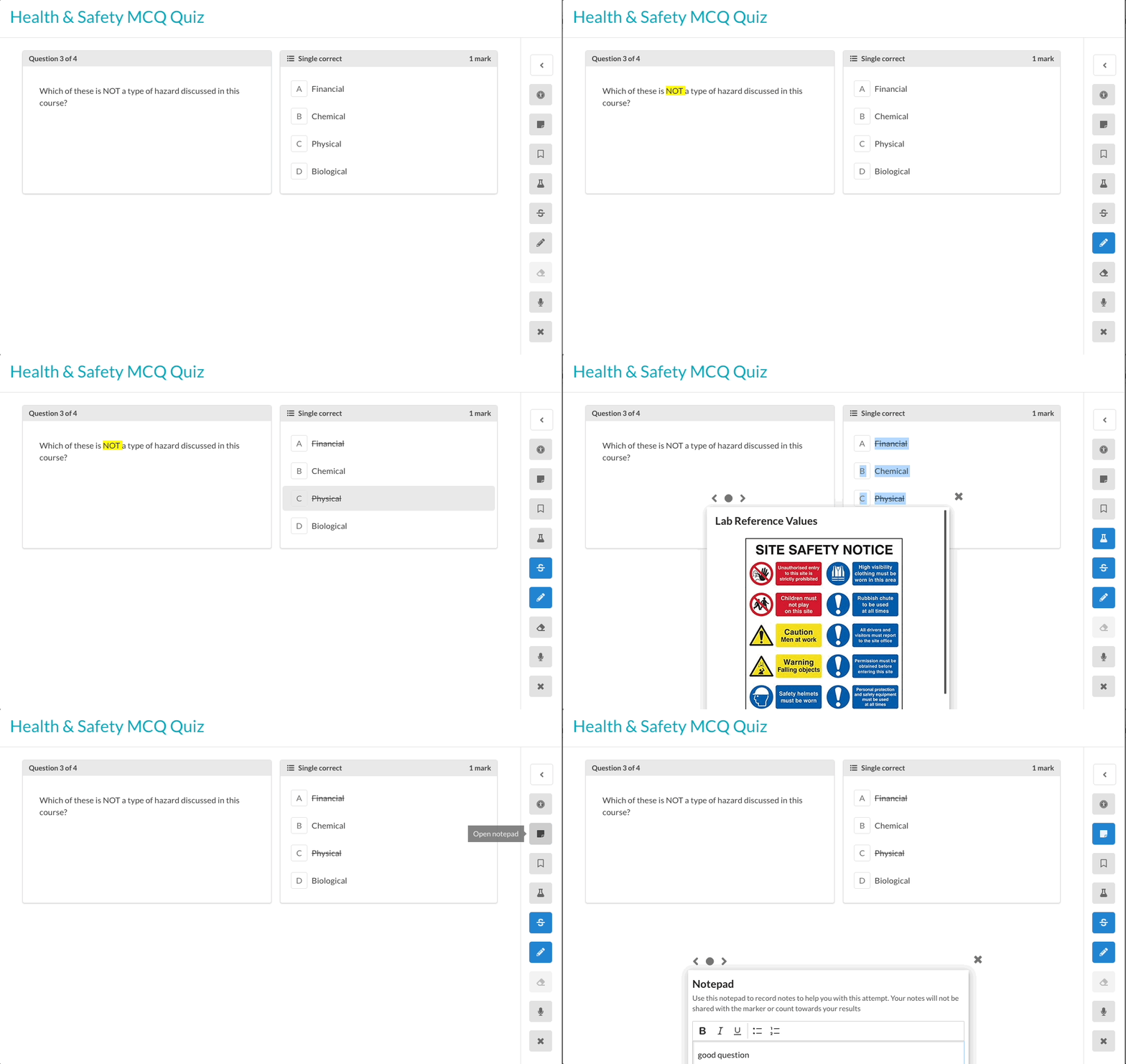 AnnouncementQuestion Types
🖍️ More tools for students in exams & quizzes
We've added loads of helpful tools for students to use in their exam and quiz attempts. Highlighting: Allows students to highlight important information…
Read announcement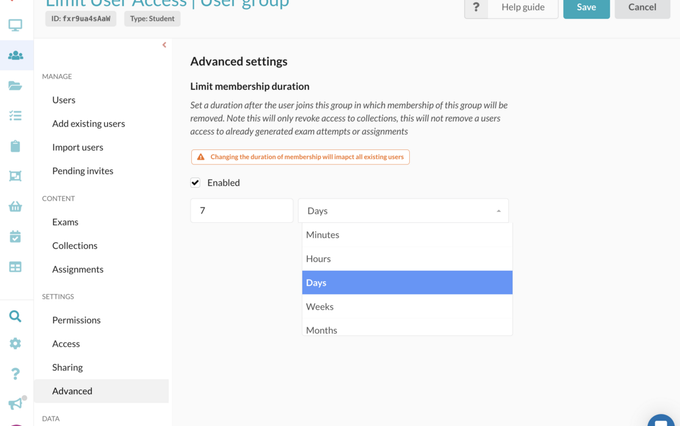 AnnouncementImprovements
⏳ Limit membership duration for user groups
We’re excited to introduce: Limit Membership Duration for non-default user groups. This powerful tool allows you to set a specific time limit on how long…
Read announcement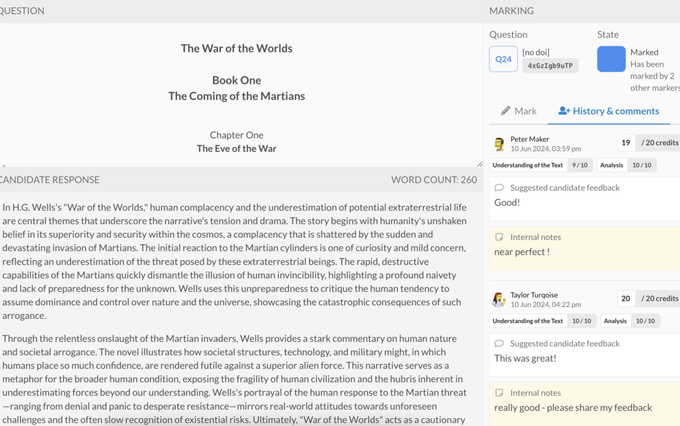 AnnouncementExams
✍️ Exciting New Feature Announcement: Enhanced Exam Marking Process
We are thrilled to announce a powerful update to Synap’s exam marking capabilities! Key Features: Markers inbox page: A dedicated space for all attempts…
Read announcement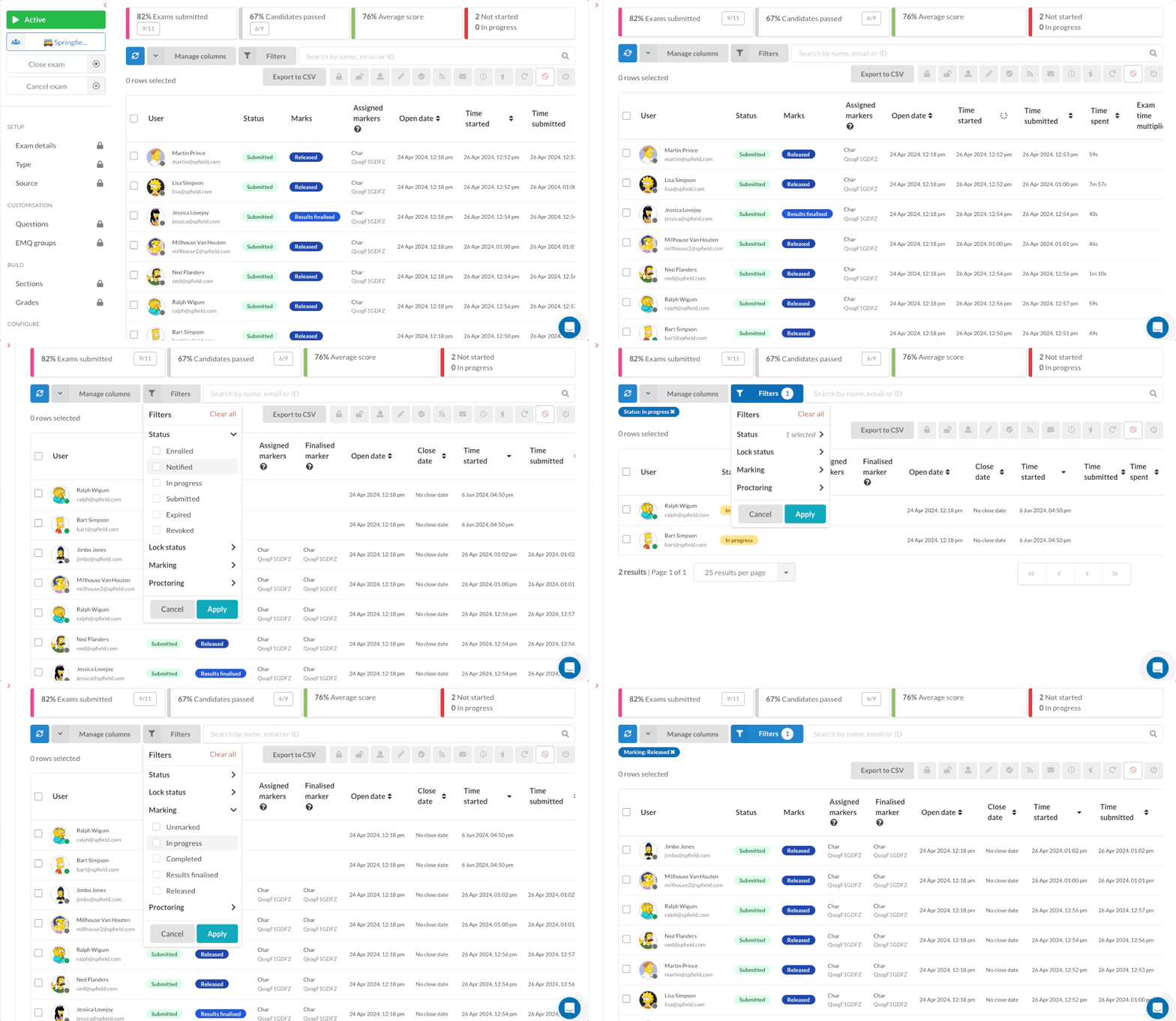 AnnouncementExams
🧙♂️ Sorting and filtering on the exam users table
The much requested sorting and filtering improvements are out on the user exams table! Key Benefits: Advanced Sorting: Easily sort users by name, score,…
Read announcement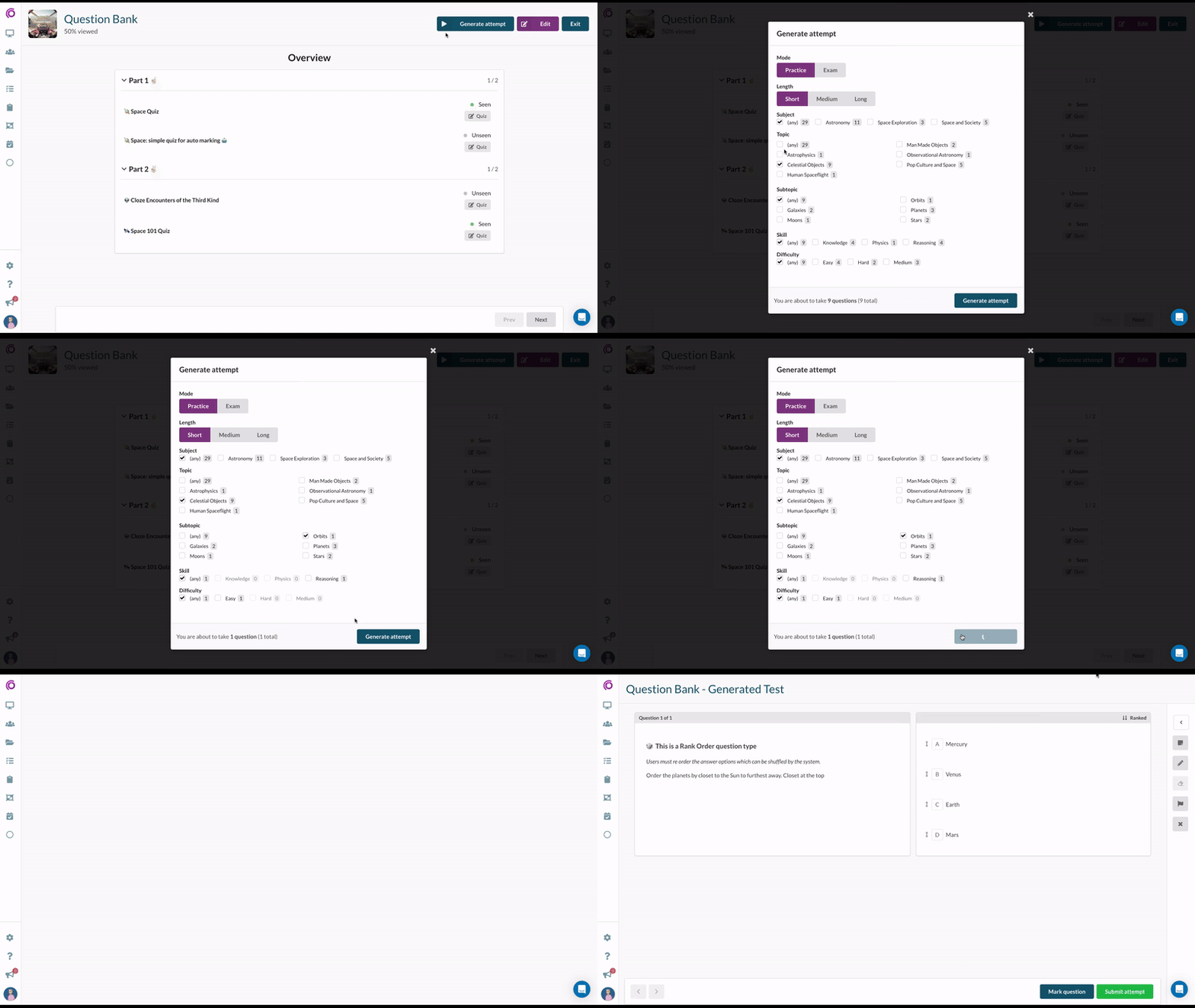 AnnouncementExams
🎳 Select multiple tags when generating attempts
Generated attempts just got even better! Allow users to select multiple tag for their generated attempts! New tag selection display mode: Chose from the…
Read announcement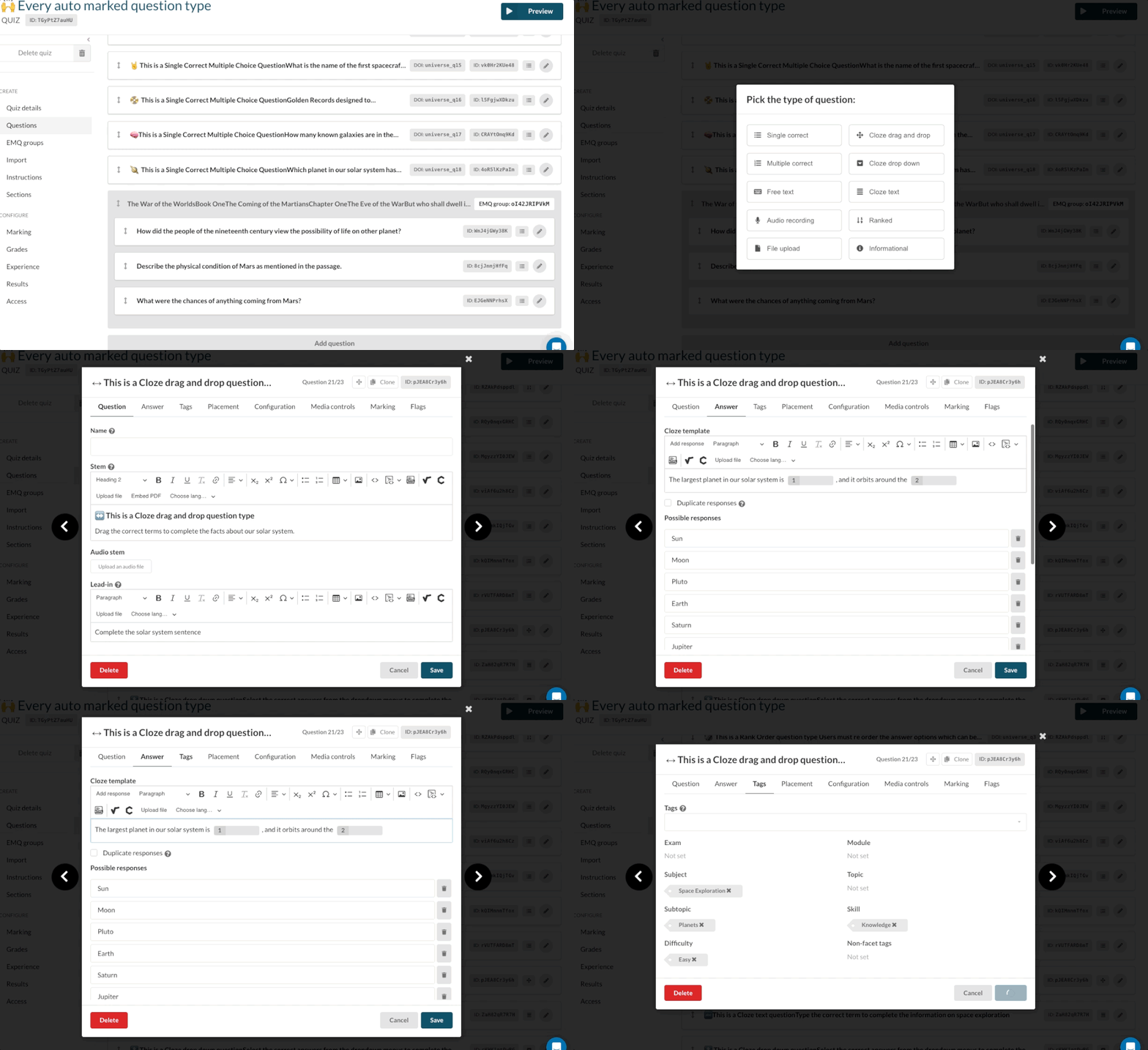 AnnouncementQuestion Types
🥳The new question editor & Cloze question types
We’re so excited to unveil our brand-new question editor and three brand new cloze question types! New Question Editor Streamlined UI: Enjoy a smoother…
Read announcement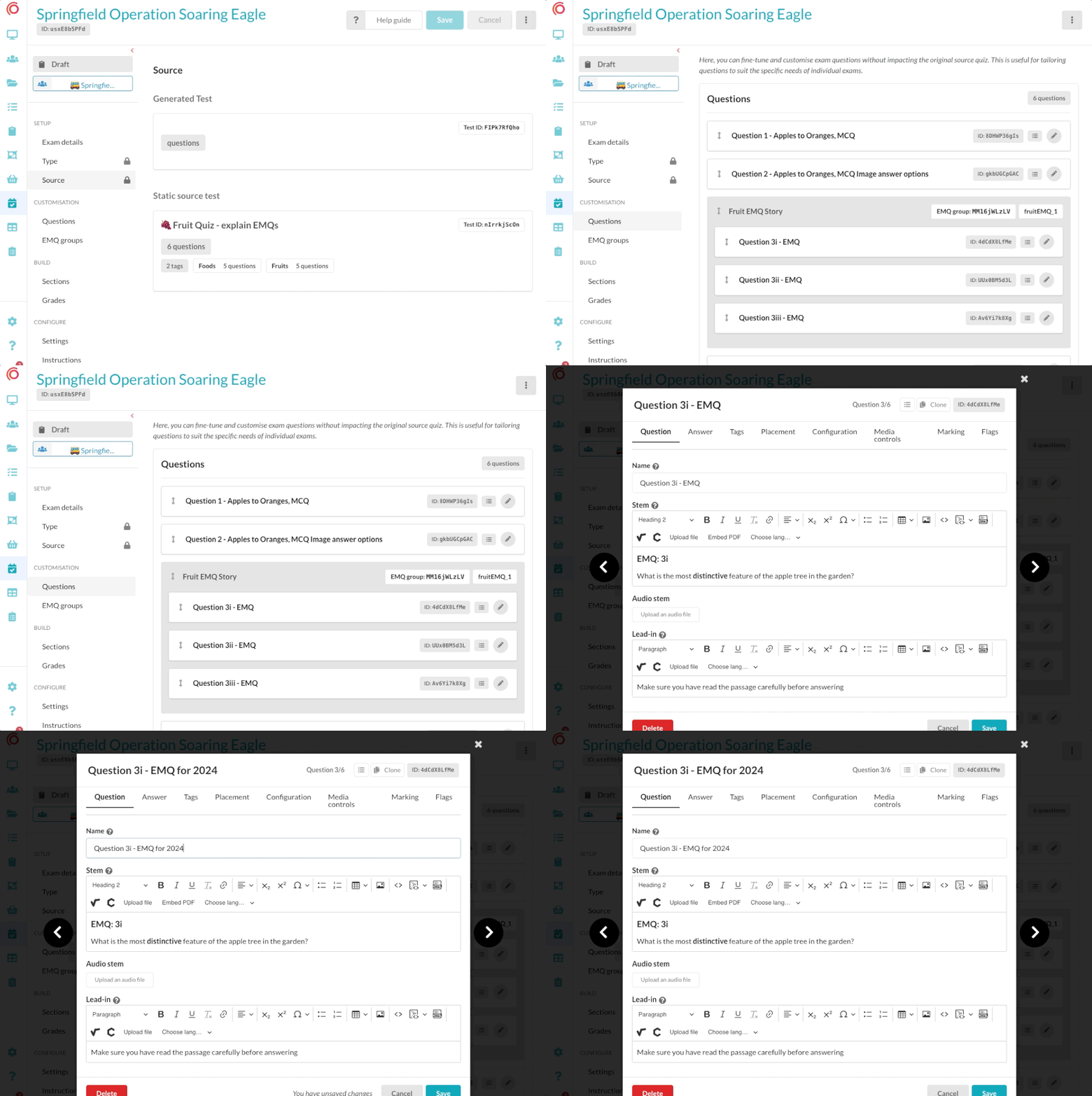 AnnouncementQuestion Types
🐴 ➡️ 🦄 Customise questions in exams
We are thrilled to announce the release of our latest feature on Synap: Customising questions in exams! This new functionality allows educators and admins…
Read announcement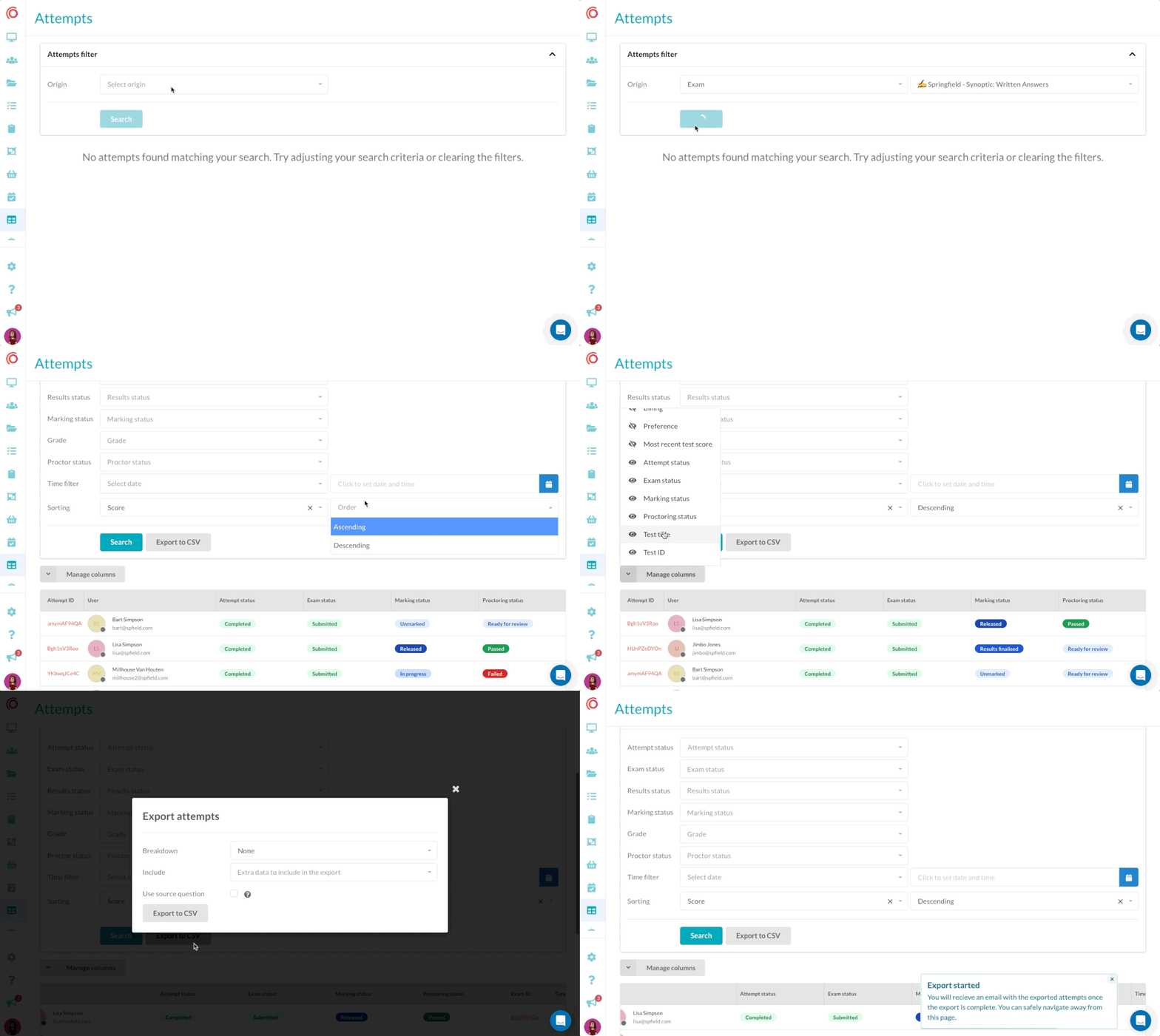 AnnouncementExams
🏓 New attempts table & exports
We’re excited to announce the launch of our upgraded Attempts table feature on Synap! This new functionality is designed to streamline how educators and…
Read announcement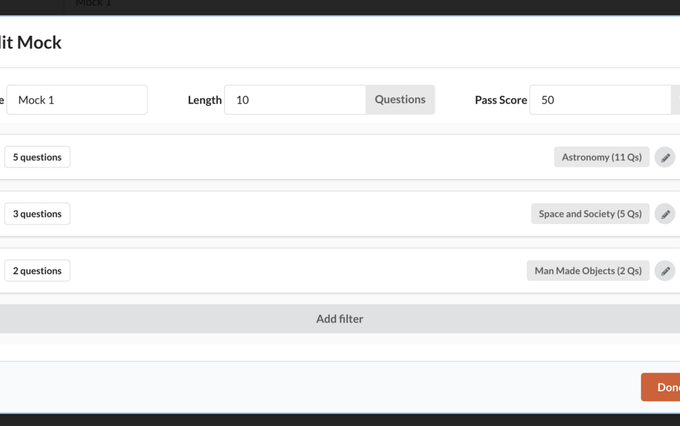 AnnouncementImprovements
🧑💻 Collection Mocks
Introducing Collection Mocks 🎉 our innovative new feature designed to streamline test preparation like never before. With Collection Mocks, you can…
Read announcement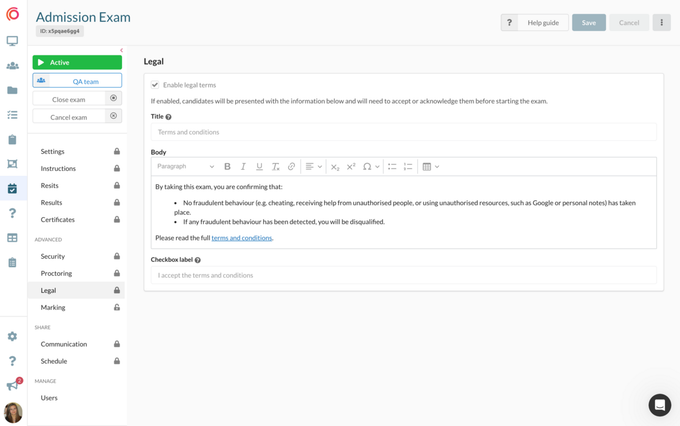 AnnouncementExams
⚖️ Exam Terms & Conditions for Students
We're thrilled to introduce a powerful addition to our online exam platform: the Terms and Conditions Checkbox. Found in the legal submenu of our exam…
Read announcement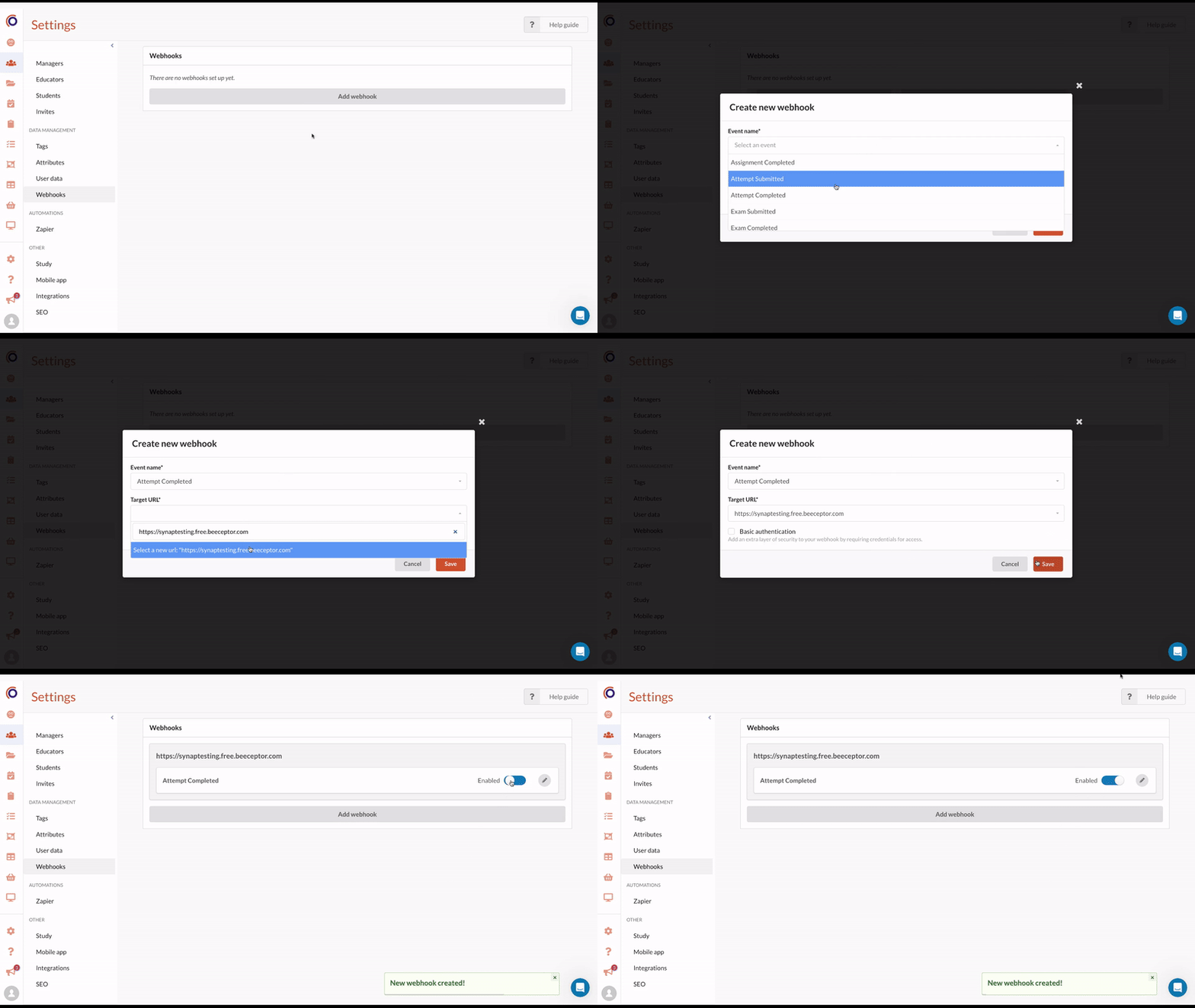 AnnouncementImprovements
🪝Webhook UI
We're excited to unveil our latest feature: the Webhook UI. This intuitive interface transforms how users integrate their data, making it seamless and…
Read announcement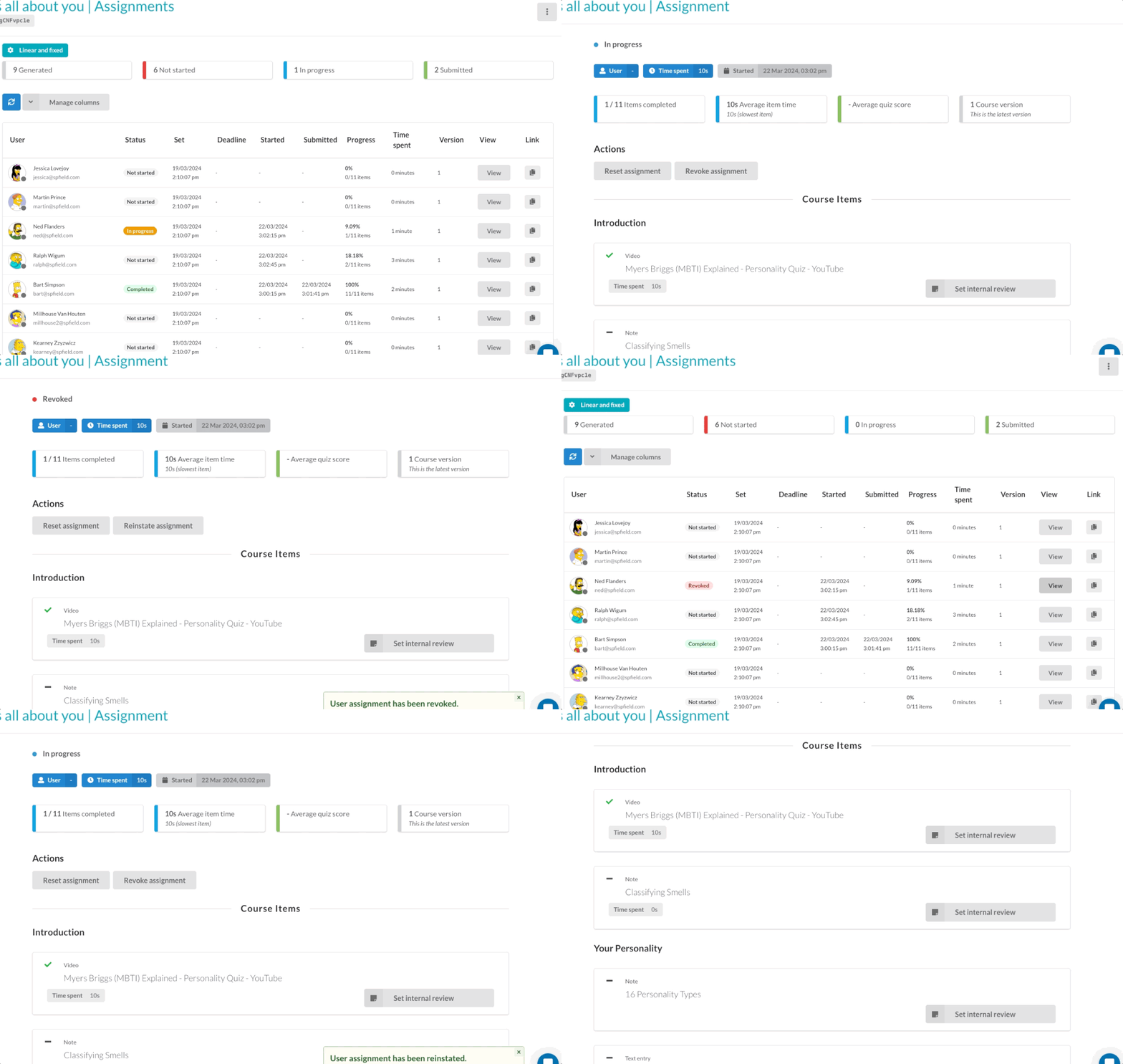 AnnouncementImprovements
🚦 Revoke & Reinstate Assignments
New admin controls to stop user's accessing existing assignments and reinstate access! Use the new revoke assignment button option when viewing a users…
Read announcement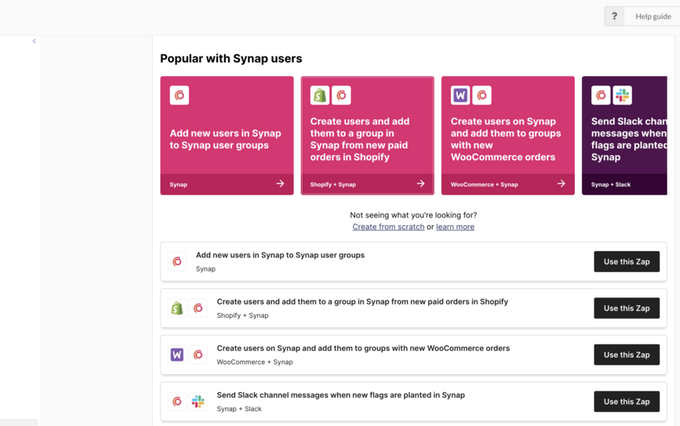 AnnouncementImprovements
Zapier embedded in Synap
We are happy to announce the seamless integration of Zapier directly into your Synap portal. Say goodbye to manual tasks and hello to automated…
Read announcement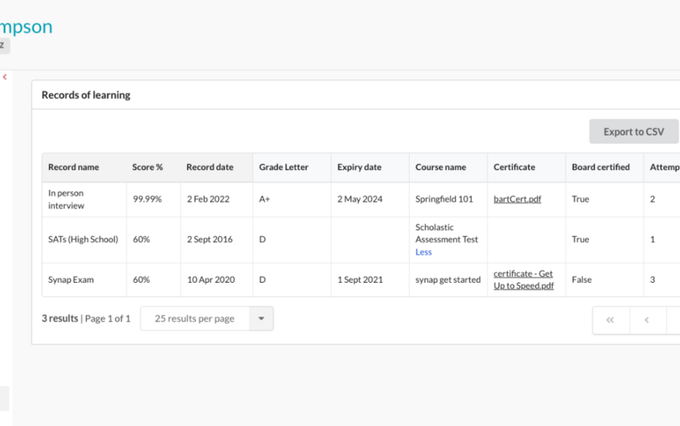 AnnouncementImprovements
💽 Records of Learning
We are thrilled to announce a powerful new feature on Synap: Records of Learning (RPLs). This easy to use addition is designed to make Synap your…
Read announcement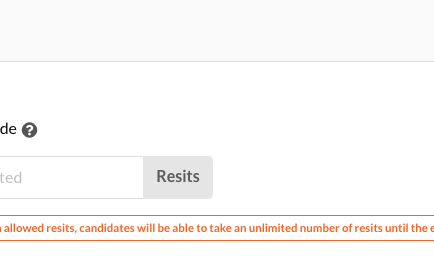 AnnouncementExams
🤸♀️ Flexible Exam Retakes
We're delighted to share a new feature that makes setting resits on exams more flexible than ever. Now, you have the option to allow users to retake an…
Read announcement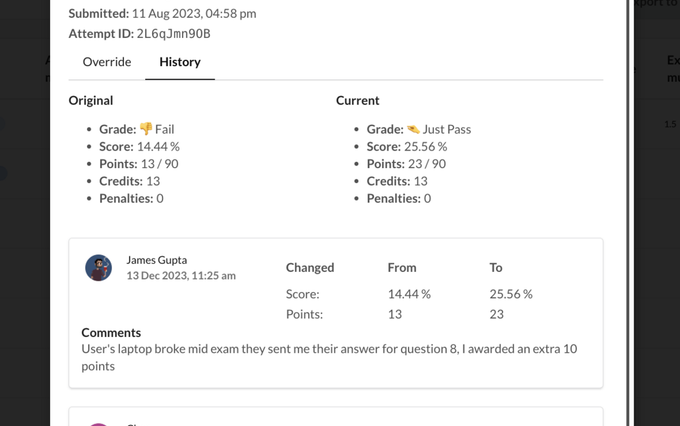 AnnouncementExams
🐎 Override attempt scores, comments & history
Introducing 'Override Attempt Scores, Comments & History,' our latest feature designed to give you complete control over assessment management in Synap.…
Read announcement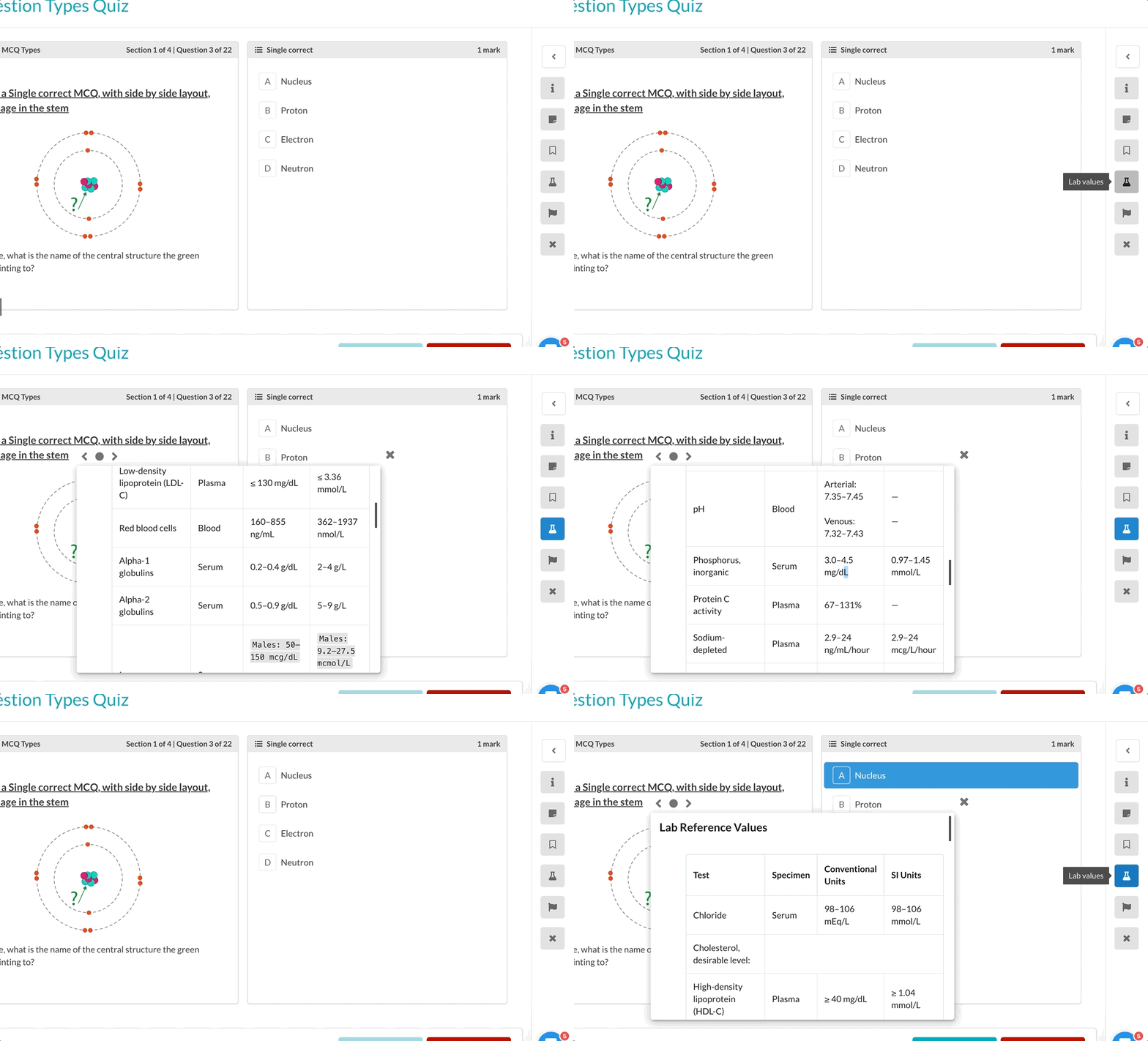 AnnouncementQuestion Types
🧪 Enhance Quizzes and Exams with Lab Values!
With our brand new Lab Values feature, give your students a set of tables, images or any other additional information you want them to have on hand during…
Read announcement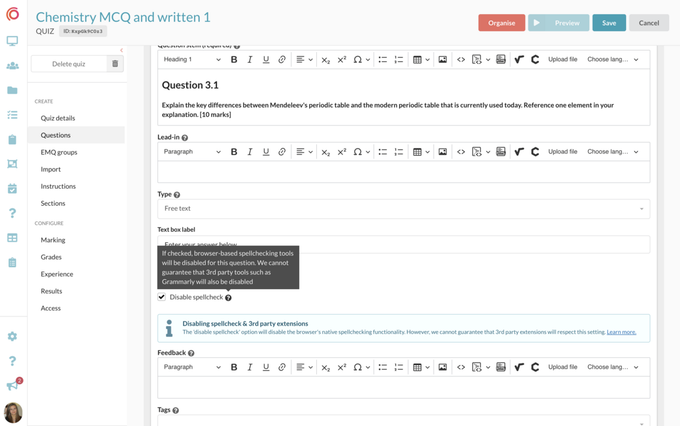 AnnouncementQuestion Types
🪄 Spell Check Customisation for Free Text Questions
When creating a free-text question, you now have the power to enable or disable spell check, ensuring a fair assessment where students tackle spelling and…
Read announcement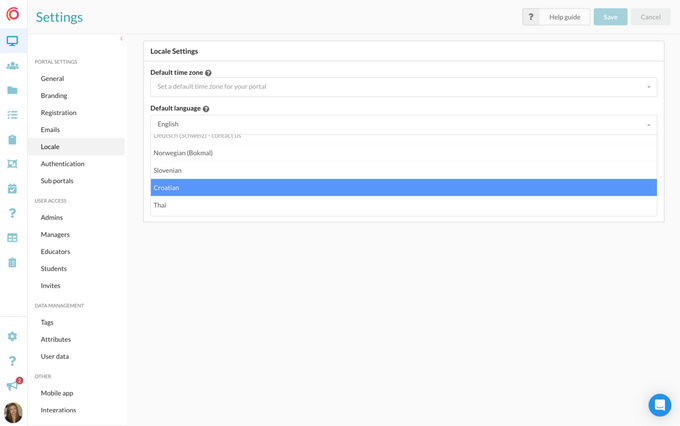 AnnouncementImprovements
🗣 New Portal Languages: Croatian and Thai
We have added two new languages to our default language settings: Croatian and Thai! To change the default language of your portal, go to Settings >…
Read announcement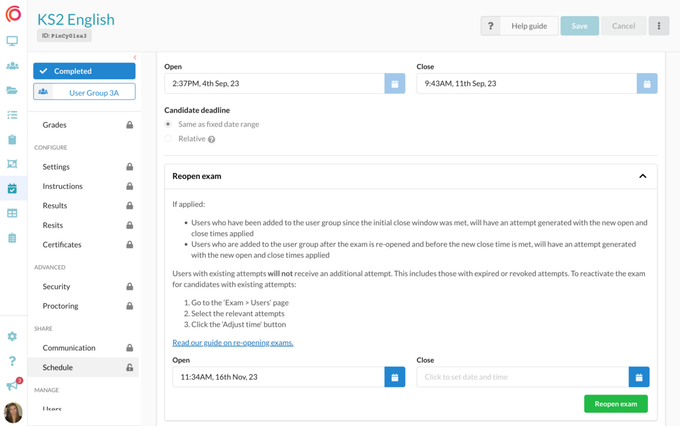 AnnouncementExams
⏰ Flexible Exam Scheduling and Attempt Adjustment
You can now effortlessly reschedule exams on our platform. No more creating new exams for changes – simply set a new open and close date/time even after…
Read announcement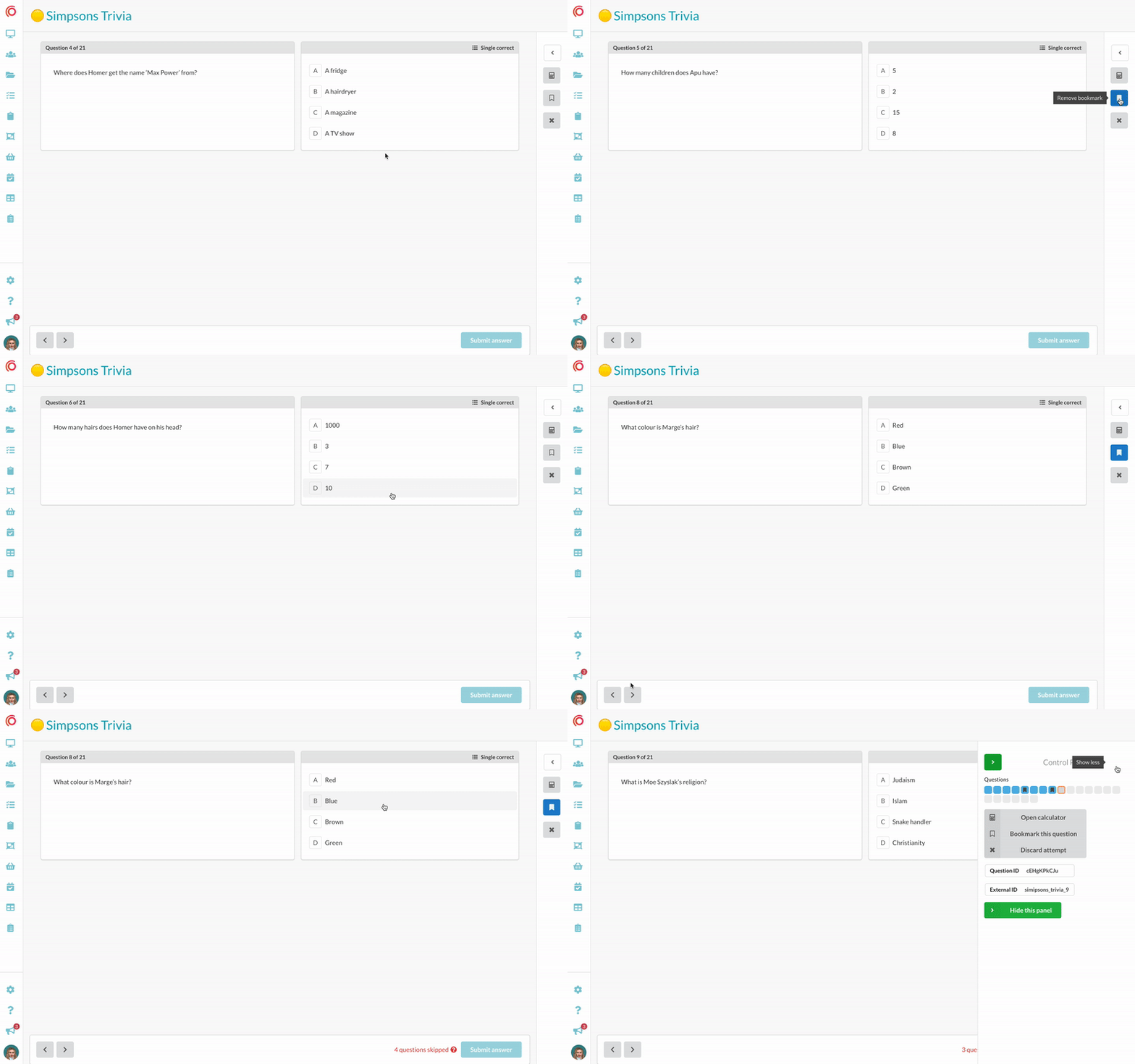 AnnouncementExams
🔖 Introducing Bookmarking for Smarter Studying!
We're thrilled to unveil our latest feature designed to enhance learner's study experience: Bookmarking! Now, you can enable bookmarking for students to…
Read announcement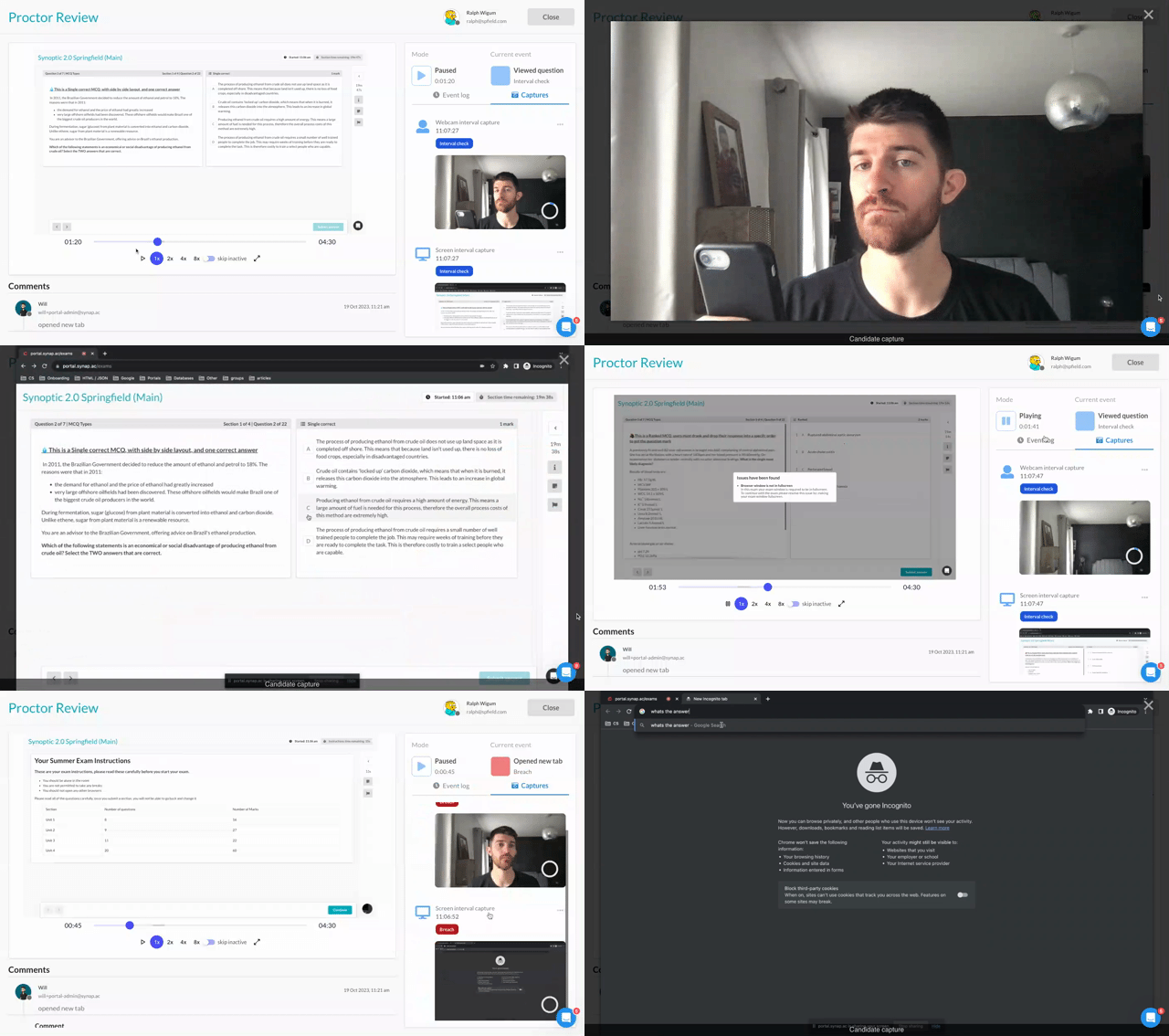 AnnouncementProctoring
📸 Synoptic 2.0 Introducing Enhanced Proctoring with Interval Screen & Webcam Captures
Introducing 2 huge new features to Synoptic : 📸 Webcam and Screen Interval Captures Regular Intervals: Synoptic will now capture both screen and webcam…
Read announcement AnnouncementImprovements
🗣 New Portal Languages: Norwegian and Slovenian
We have added two new languages to our default language settings: Norwegian and Slovenian! To change the default language of your portal, go to Settings >…
Read announcement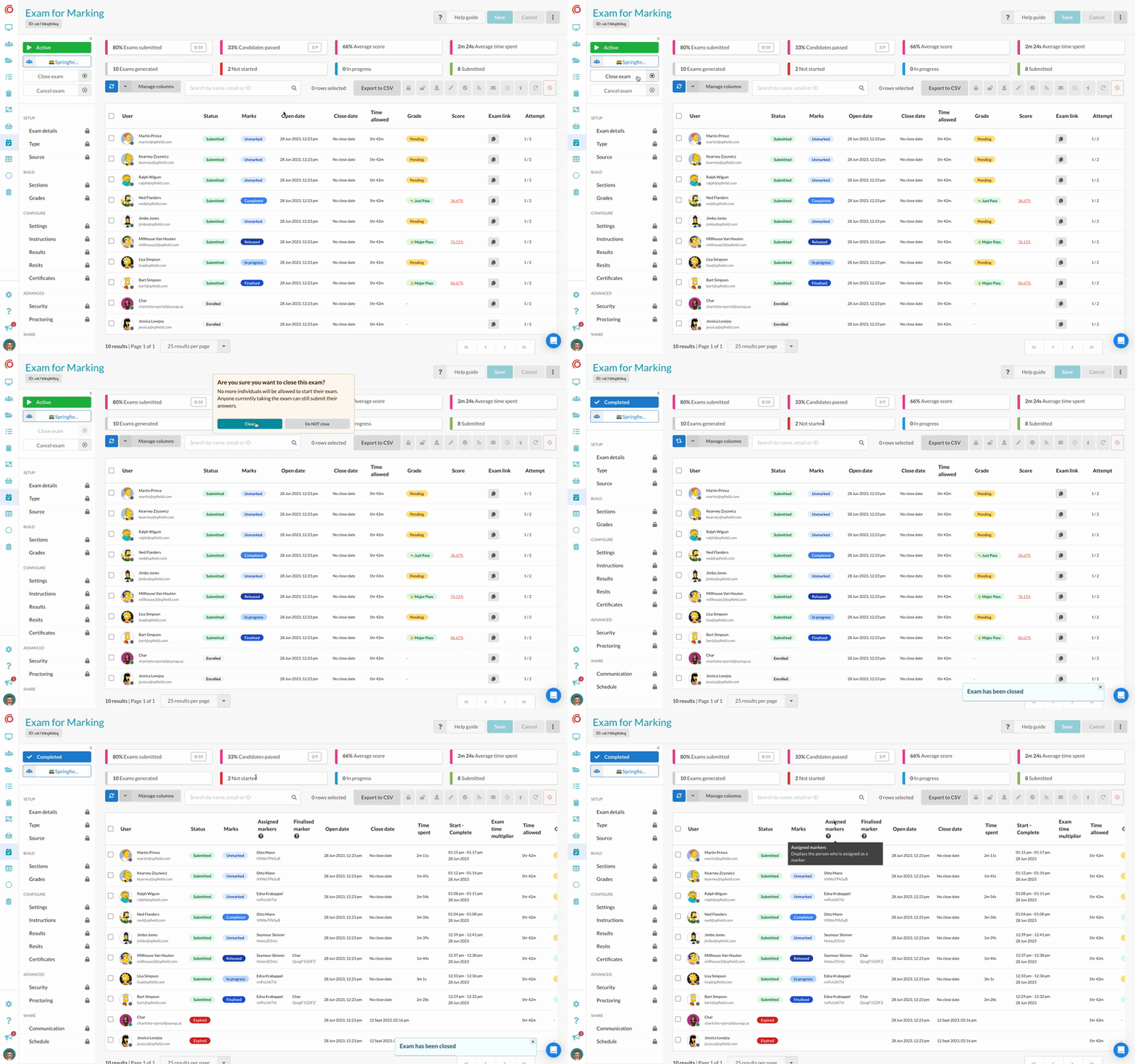 AnnouncementExams
⌛️ Exam Closure: A New Way to Conclude Exams
We understand that there are situations where closing exams early is necessary. Rather than cancelling ongoing exams, you now have the option of using…
Read announcement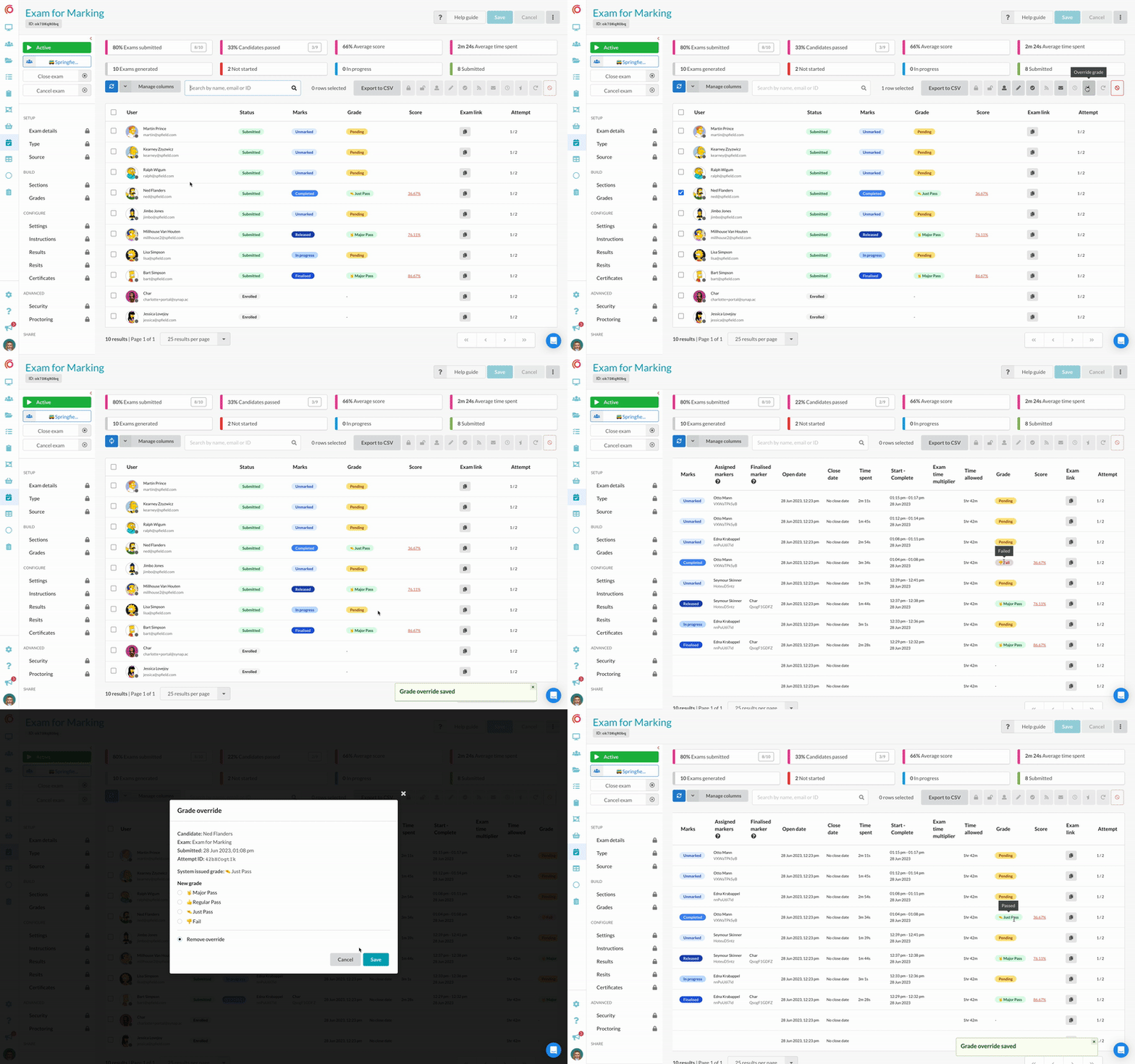 AnnouncementExams
🏅Override Finalised and Released Grades
We're excited to share that you now have the ability to modify grades, even after they have been finalised and released, providing enhanced flexibility…
Read announcement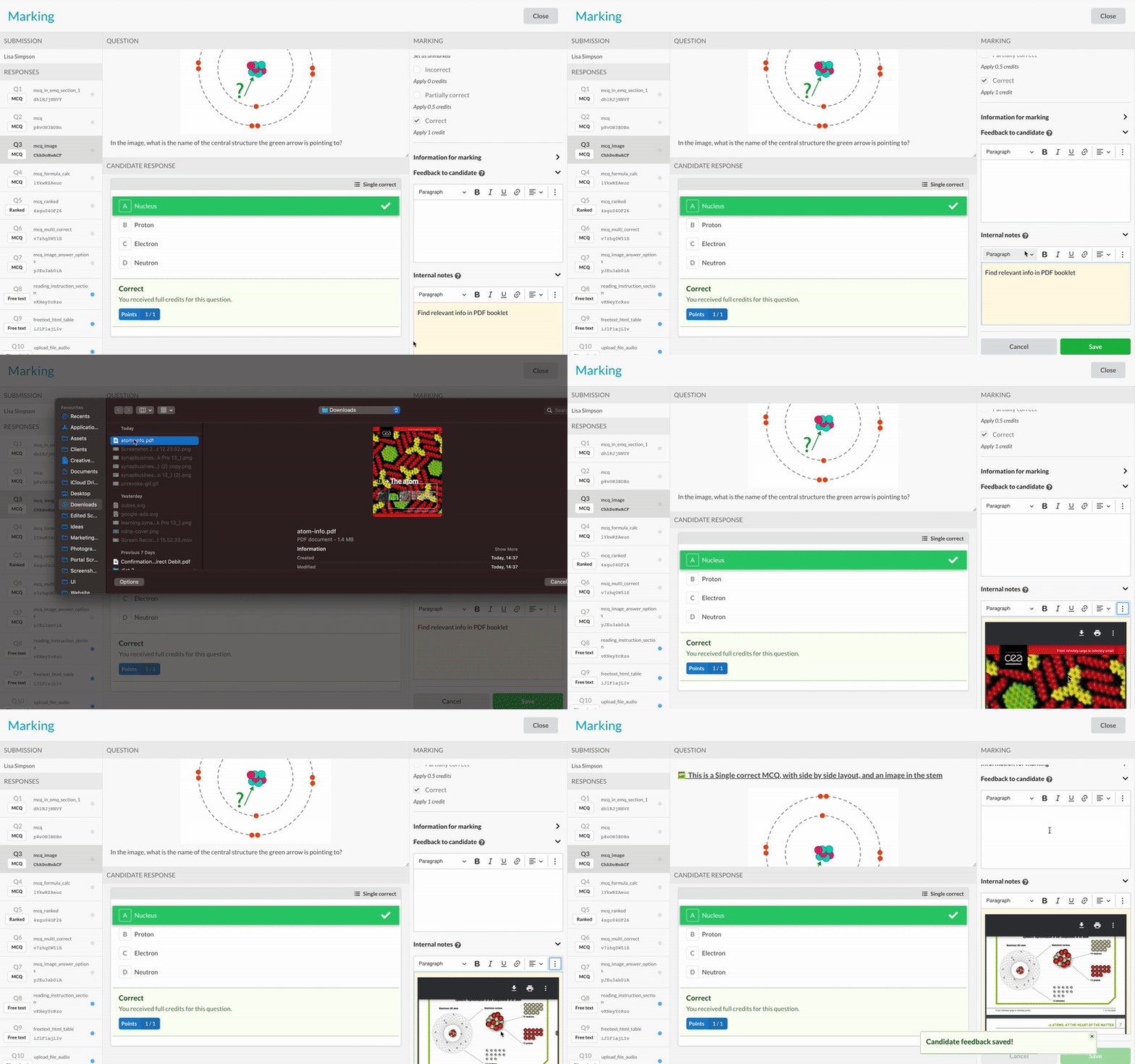 AnnouncementExams
📎 Expanded Exam Feedback Options: Upload Videos and PDFs
We've made communication during assessments even more effective by allowing you to upload videos and PDFs to your exam feedback and notes. Whether it's…
Read announcement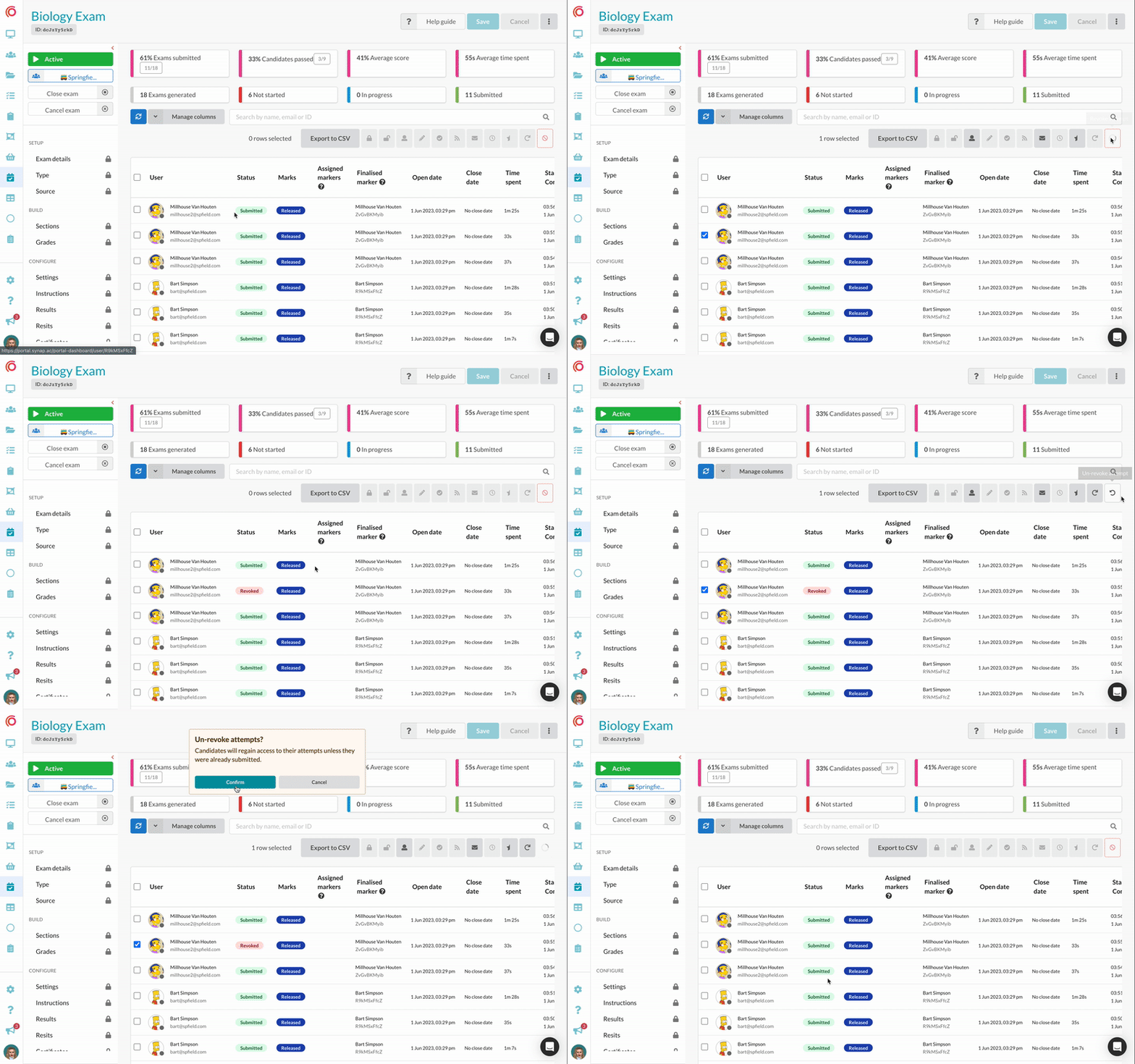 AnnouncementExams
↩️ Unrevoke Exam Attempts
We've been listening to your feedback, and we're excited to announce a new addition to our platform: the ability to effortlessly undo exam attempt…
Read announcement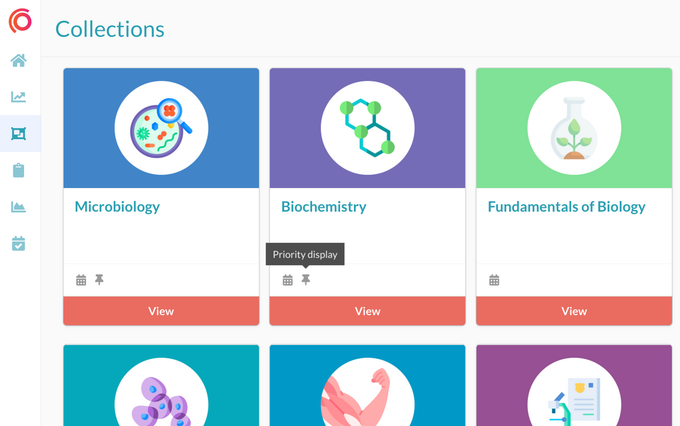 AnnouncementImprovements
⤴️ Priority Display for Important Collections
You can now effortlessly bring essential collections to the forefront of your students' collections page with our new priority display feature. No more…
Read announcement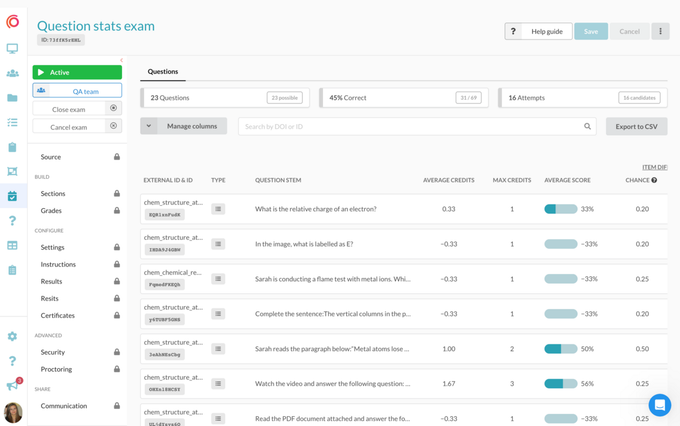 AnnouncementQuestion Types
🚀 Dive into Question Data With Our New Question Stats Dashboard 📊
Introducing our latest feature – Exam Question Stats! This powerful dashboard equips you with data-driven insights to optimise your assessments and…
Read announcement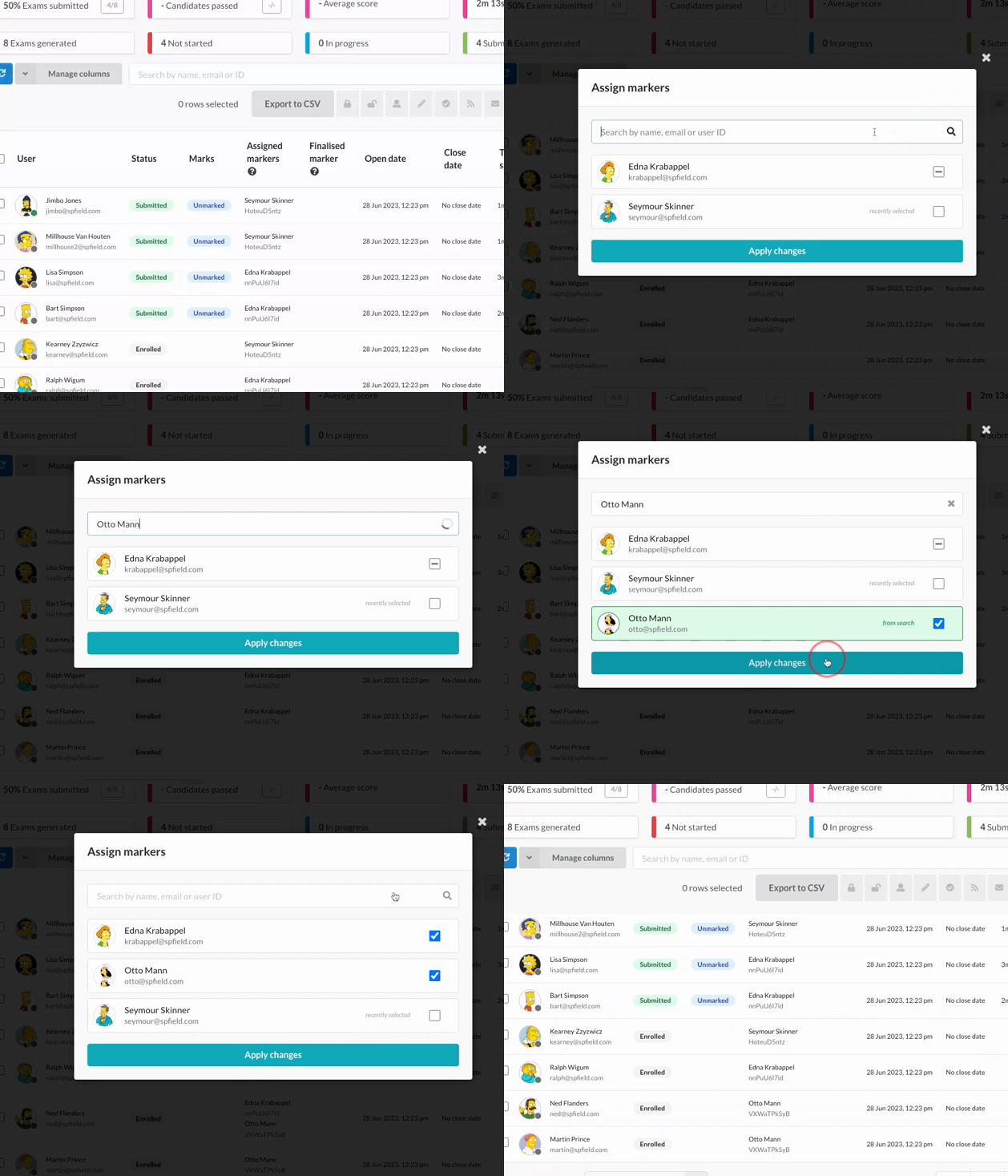 AnnouncementExams
✅ ✅ Assign Markers & The Attempts - Markers page
Assign Markers We're thrilled to announce the roll-out of an innovative feature that is designed to amplify your experience and streamline your workflow.…
Read announcement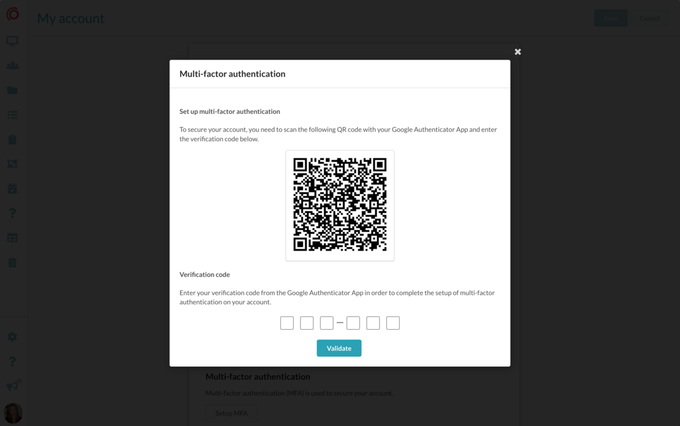 AnnouncementImprovements
Enhanced Account Security With Multi-Factor Authentication (MFA)
We're thrilled to announce the launch of our latest feature, Multi-Factor Authentication (MFA), designed to bring an added level of protection to your…
Read announcement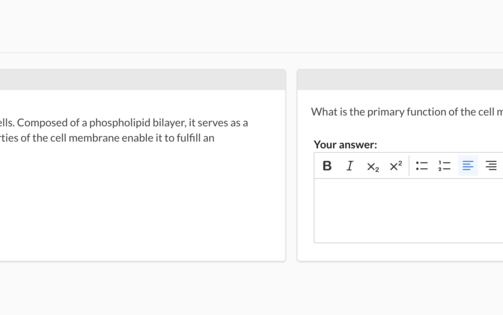 AnnouncementQuestion Types
🌿 Provide more context to individual questions with a Stem and Lead-in
Previously, the only way to include separate background context with questions was to use Extended Matching Questions (EMQs). However, with the new…
Read announcement AnnouncementQuestion Types
👤 Summarise questions with new 'Question name' field
The quiz builder now includes a new field called 'Question name', which enables you to summarise the content of your questions. With this field, you can…
Read announcement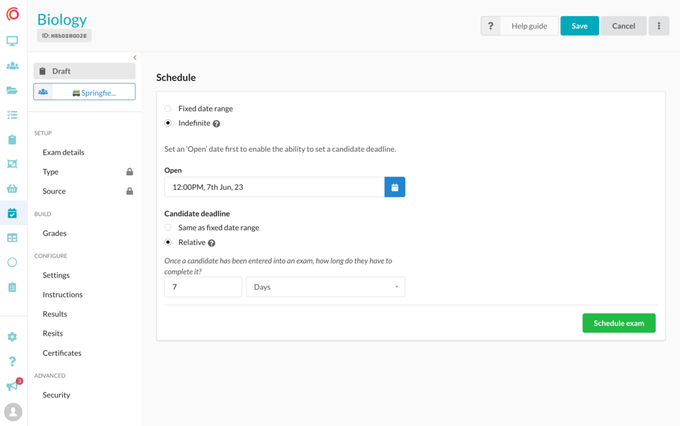 AnnouncementExams
⏳ Flexible exam deadlines
We are excited to announce the addition of two new exam scheduling features! First, we have indefinite exams, providing you with the ability to create…
Read announcement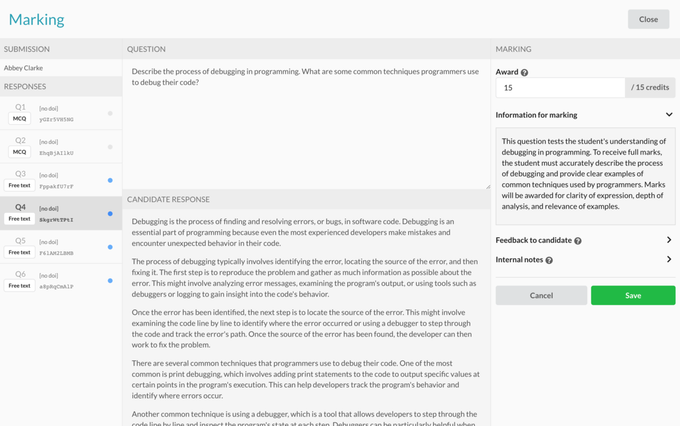 AnnouncementExams
Provide markers with additional information for better grading
Improve grading efficiency and accuracy by providing additional information for each question, giving markers better context during the marking process.…
Read announcement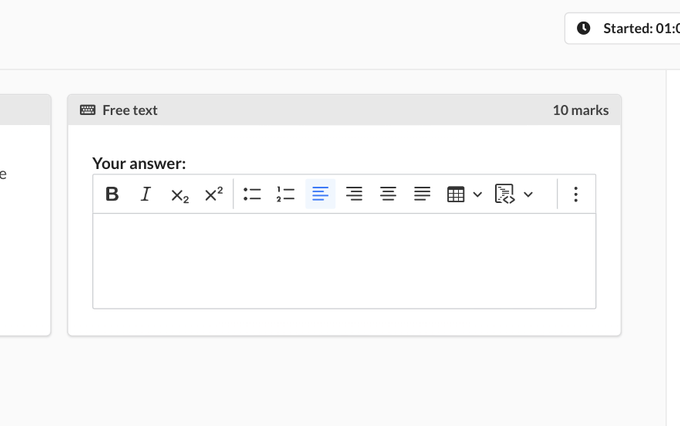 AnnouncementQuestion Types
🔢 Display available marks per question for students
You can now choose to display the number of available marks for each question in quizzes or exams. This option can be set either at the quiz experience…
Read announcement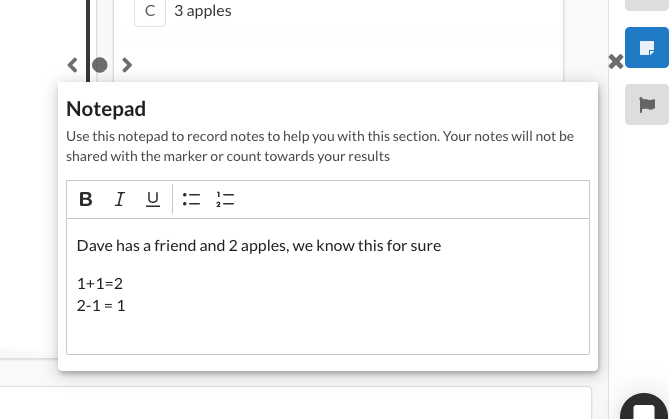 AnnouncementExams
🗒 Notepad on attempts
We're thrilled to introduce our latest feature: Note pad on attempts! This innovative addition to the student experience lets them activate a note pad…
Read announcement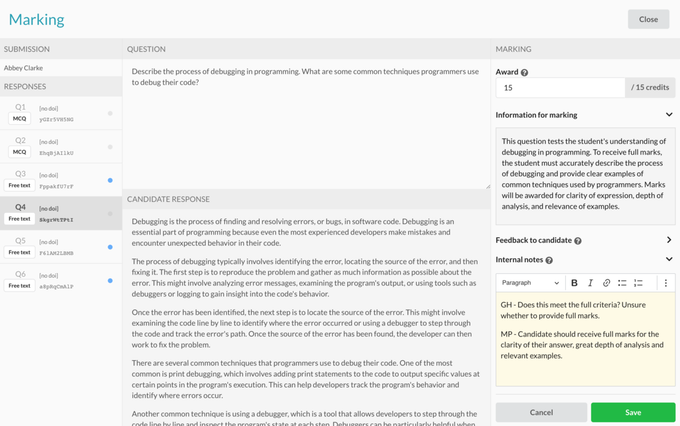 AnnouncementExams
📝 Internal notes for exam markers
Introducing the 'Internal notes' feature, designed to enhance collaboration among exam markers during the marking process. With this feature, markers can…
Read announcement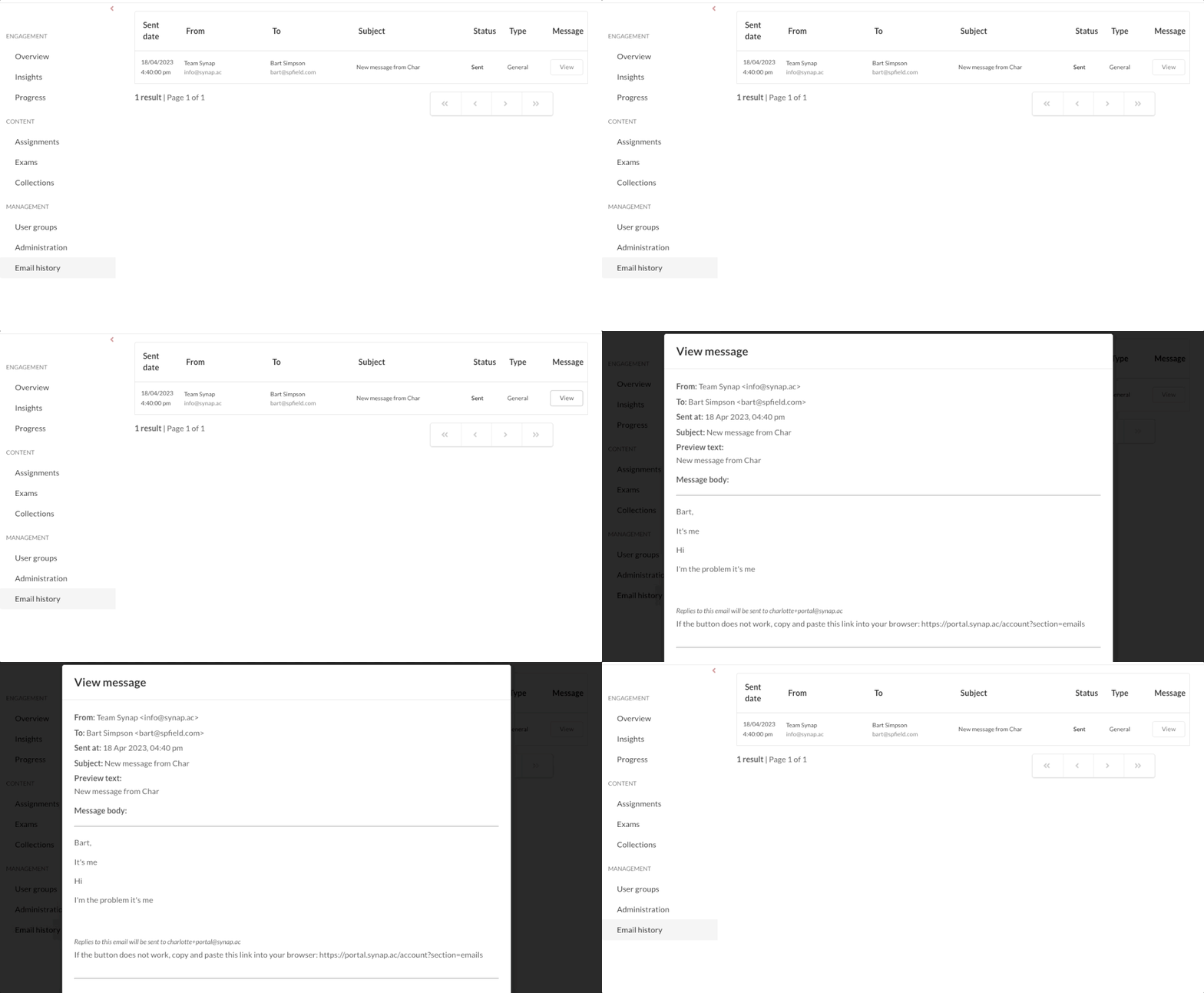 AnnouncementImprovements
📬 Message content viewer
Our latest improvement to let you view the body of all messages sent from platform, from custom messages to system generated emails. Gain insights by…
Read announcement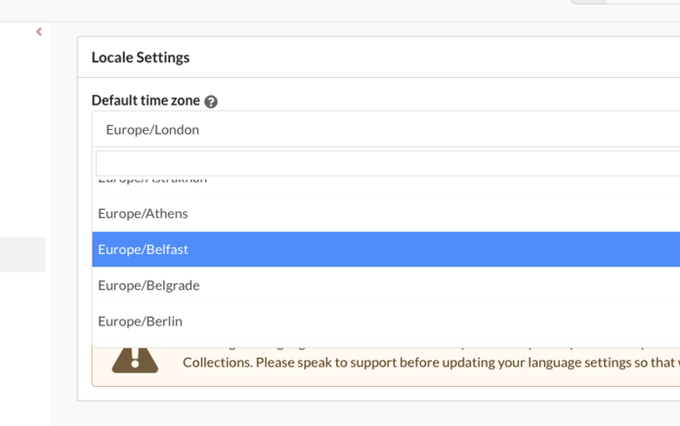 AnnouncementImprovements
🌎 Set a portal level default timezone
You can now select a default portal timezone for your users, helpful if you're generating accounts or managing users across different timezones. Users and…
Read announcement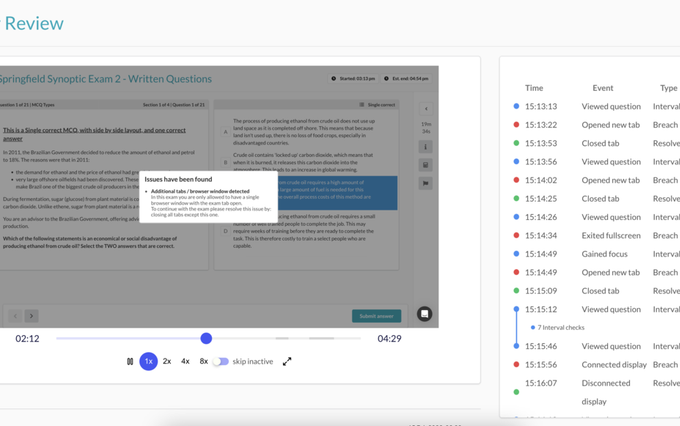 AnnouncementProctoring
👁🗨 Synoptic - Our in house proctoring solution
Introducing Synoptic - Synap's new in-house proctoring solution that offers a hassle-free, reliable and secure way to conduct exams remotely. 🚨 Synoptic…
Read announcement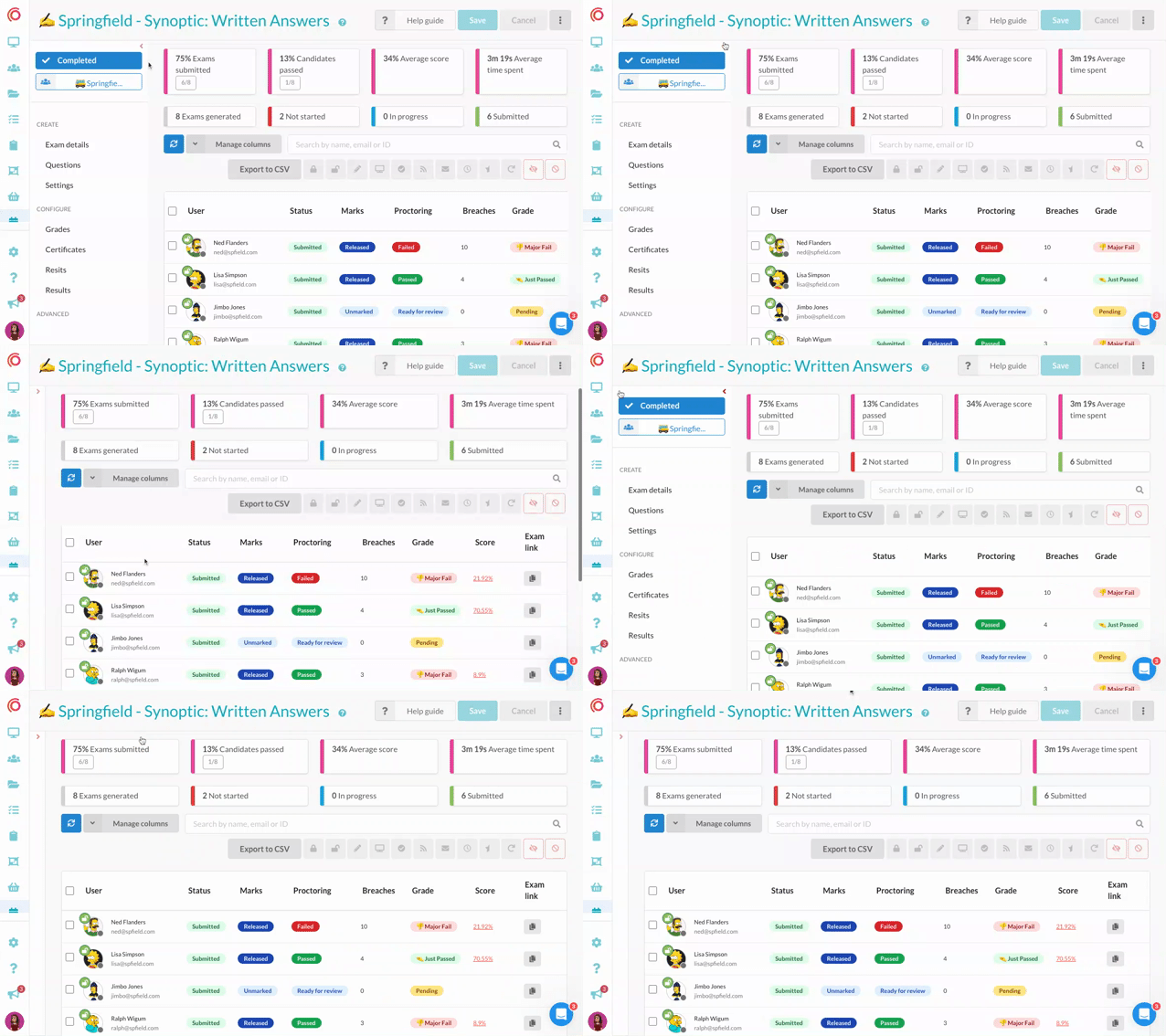 AnnouncementImprovements
◀️ Collapsible sub menus!
You can now collapse sub menus across Synap to make the most out of your screen space. Especially helpful on exams, user groups or other pages with…
Read announcement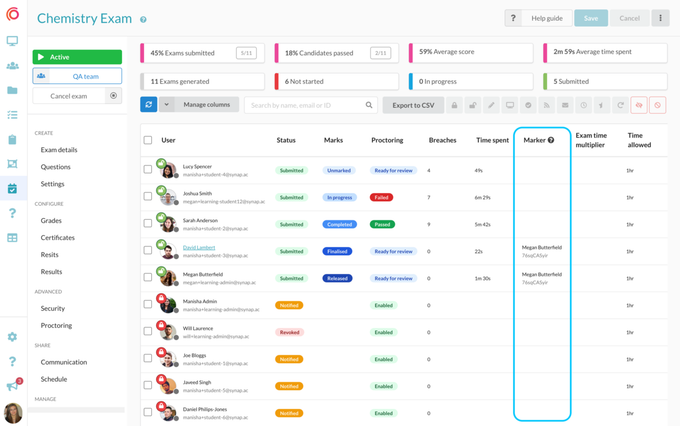 AnnouncementExams
Keep track of markers for exam attempts
Easily track who marked an exam attempt with this new addition to the Exam > Users table. A new 'Marker' column has been added which displays the name and…
Read announcement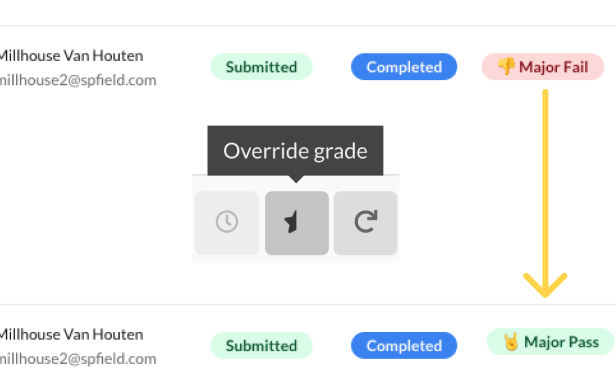 AnnouncementExams
🎖 Override Grades
We are excited to introduce a new feature that allows you to override an exam grades on attempts that have had their marks completed. This feature is…
Read announcement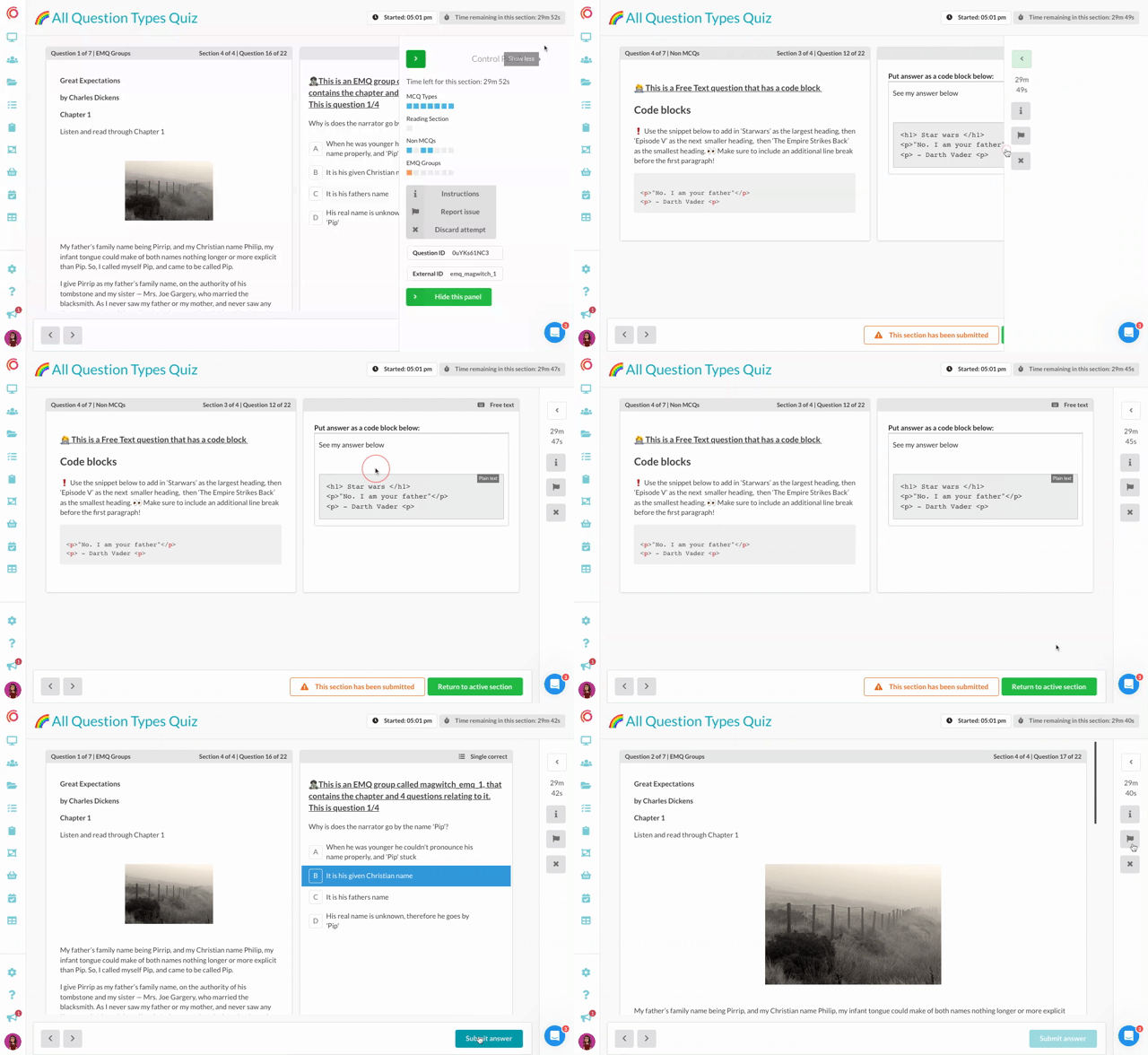 AnnouncementImprovements
Soft sections
You can now let students view their responses in a previous section! In Experience settings on a quiz or exam look for the 'Soft sections' configuration.…
Read announcement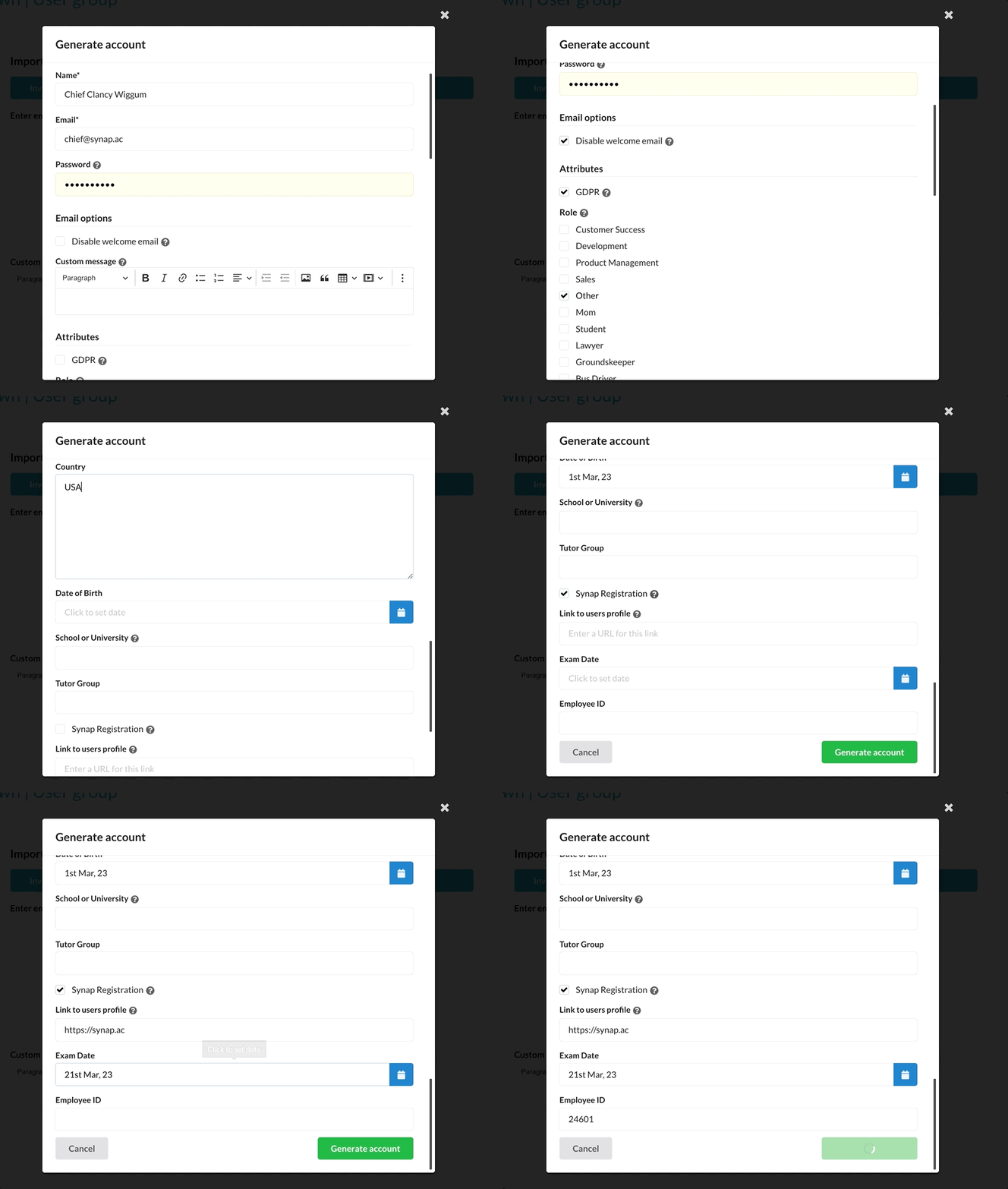 AnnouncementImprovements
🧍♂️Generate user accounts and passwords!
Using Synap's Generate accounts feature you can now bulk generate users and passwords from a CSV or do a single account generation right from the…
Read announcement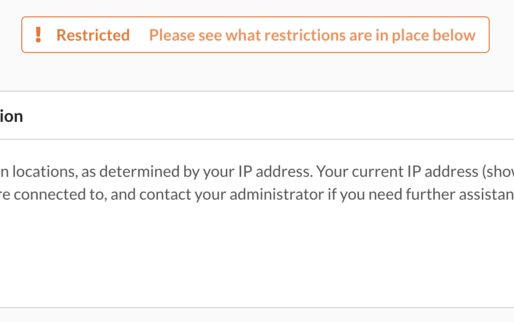 AnnouncementExams
✋ Restrict exam access by IP address
Restrict the IP addresses allowed to start an exam! Perfect for exams in person or for organisations that know all of their candidates IP addresses.…
Read announcement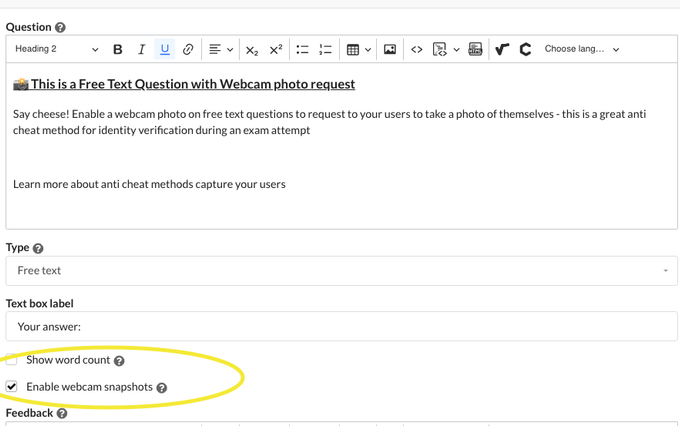 AnnouncementProctoring
Identity verification with webcam screenshots
On free text questions you can now enable an option to ask candidates to take a picture of themselves through the webcam. This is a great option if you…
Read announcement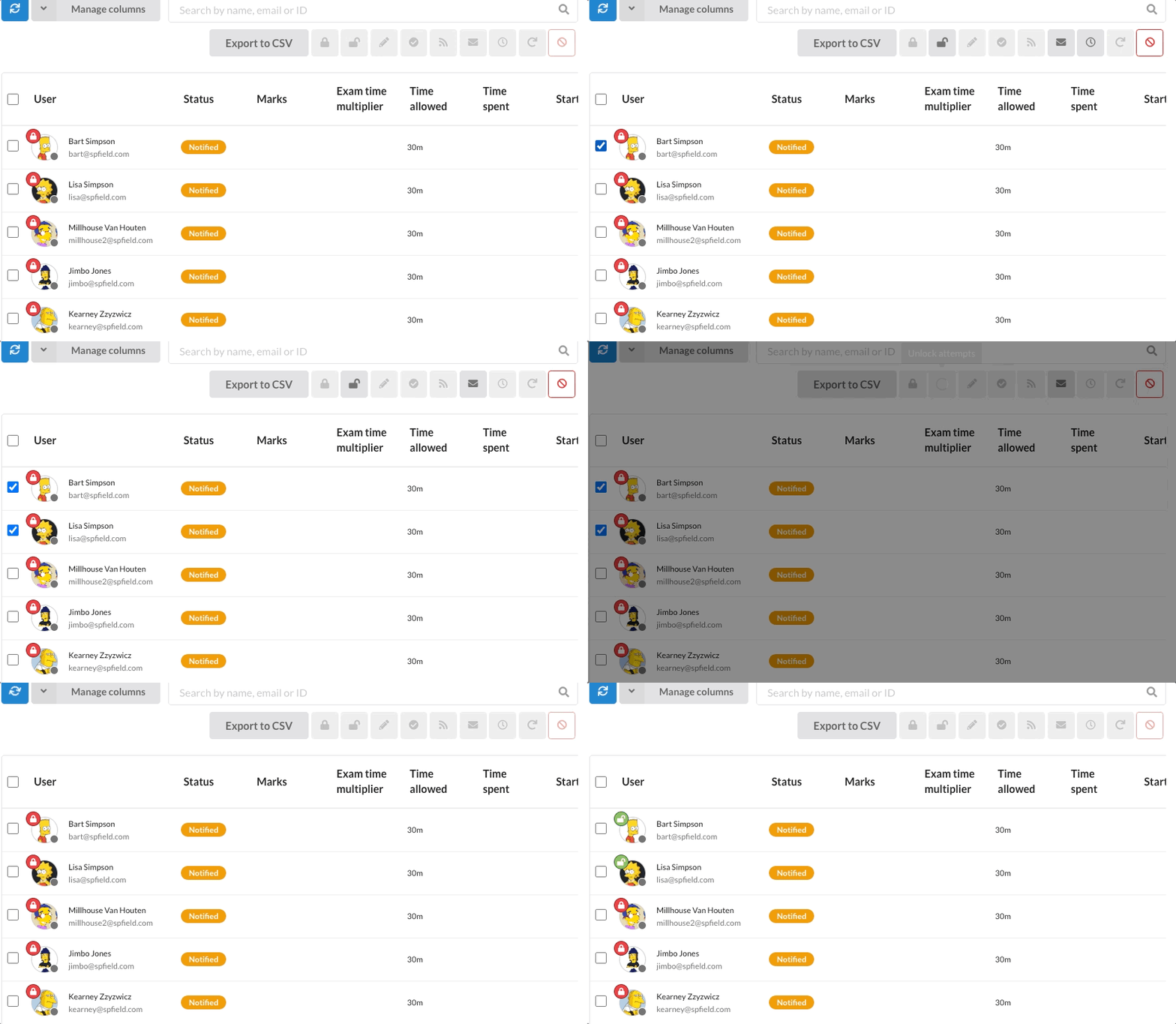 AnnouncementExams
🔐 Locked exam attempts
Lock attempts to stop users starting an exam until you're ready for them. Perfect for in person online exams or for a little more control on when you want…
Read announcement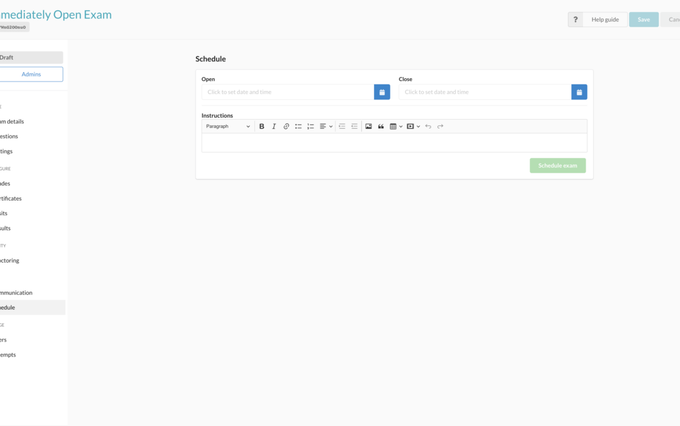 AnnouncementExams
Immediate Exam Open Window
The 3 minute buffer has been removed from the 'Open' time of the exam start window. This means you can now set an exam window to open as soon as it is…
Read announcement AnnouncementImprovements
New user attribute type: Links
You can now create a link type user attribute! And choose if you want to display them as a clickable link or as a button! More in our docs
Read announcement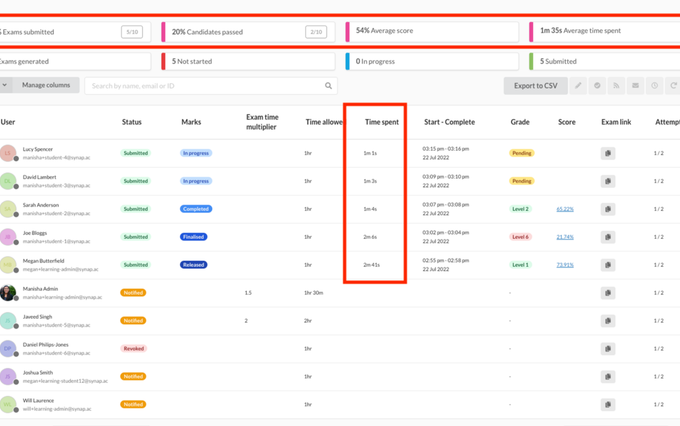 AnnouncementExams
More exam stats
We've updated the exam users page to include more stats for exams! Now as attempts are completed stats will update to show you the average score, time…
Read announcement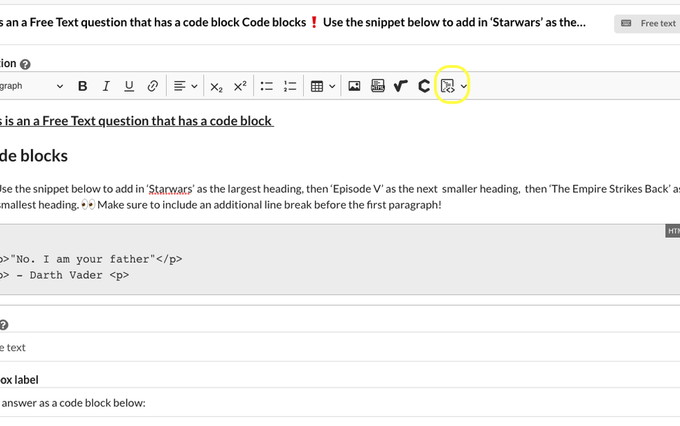 AnnouncementImprovements
Code Blocks
As an admin you can now use code blocks in multiple choice answer options and feedback for questions. Your end users can also now insert a code block into…
Read announcement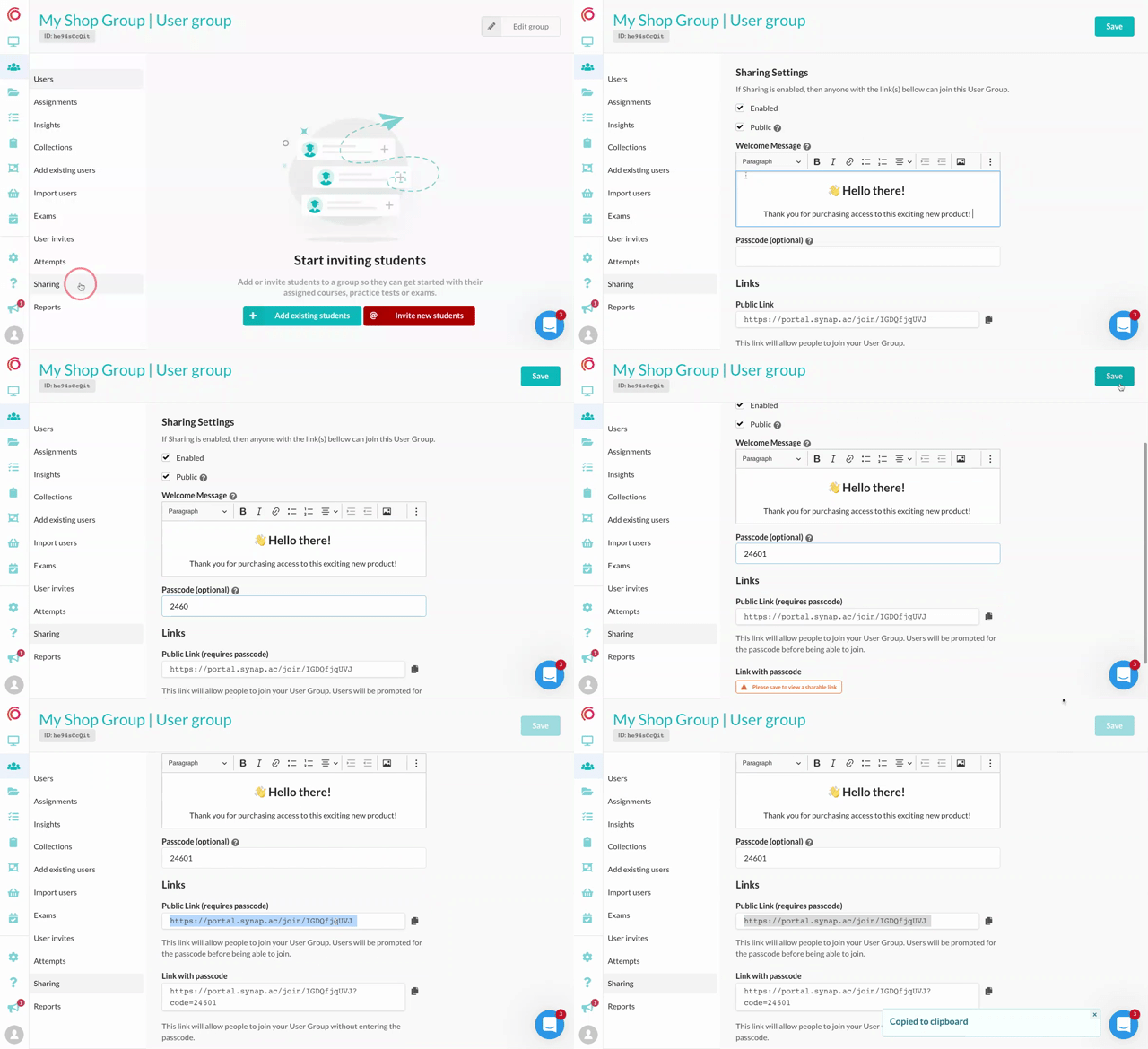 AnnouncementImprovements
Share links
You can now create secure links to let new users or existing users join a group! Passcode Public / Private Welcome message 📚 Embed user groups links in…
Read announcement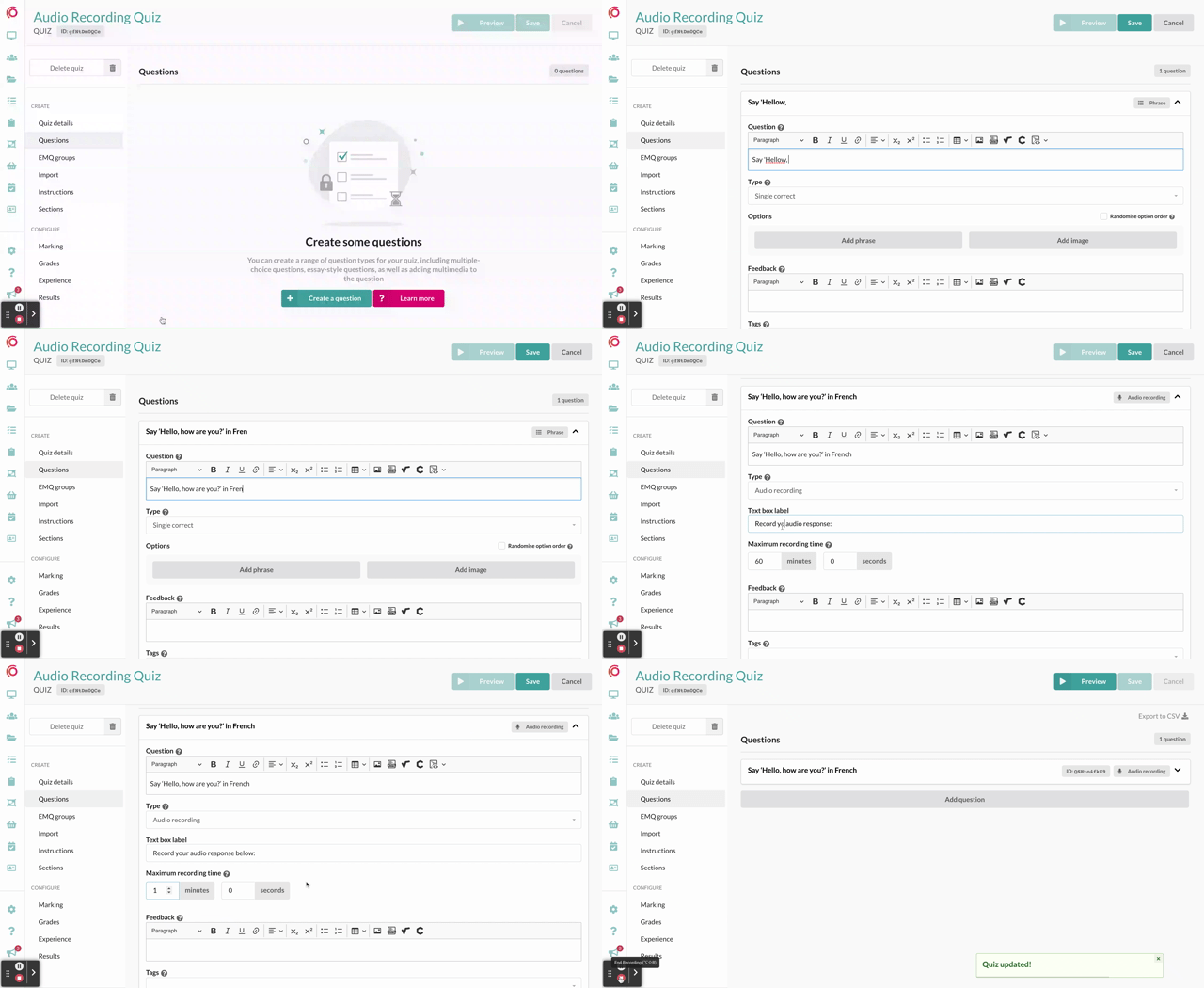 AnnouncementQuestion Types
Audio Recording Question Type
'Audio Recording' is now available as a question type which means you can have your students submit an audio recording directly into the Synap platform as…
Read announcement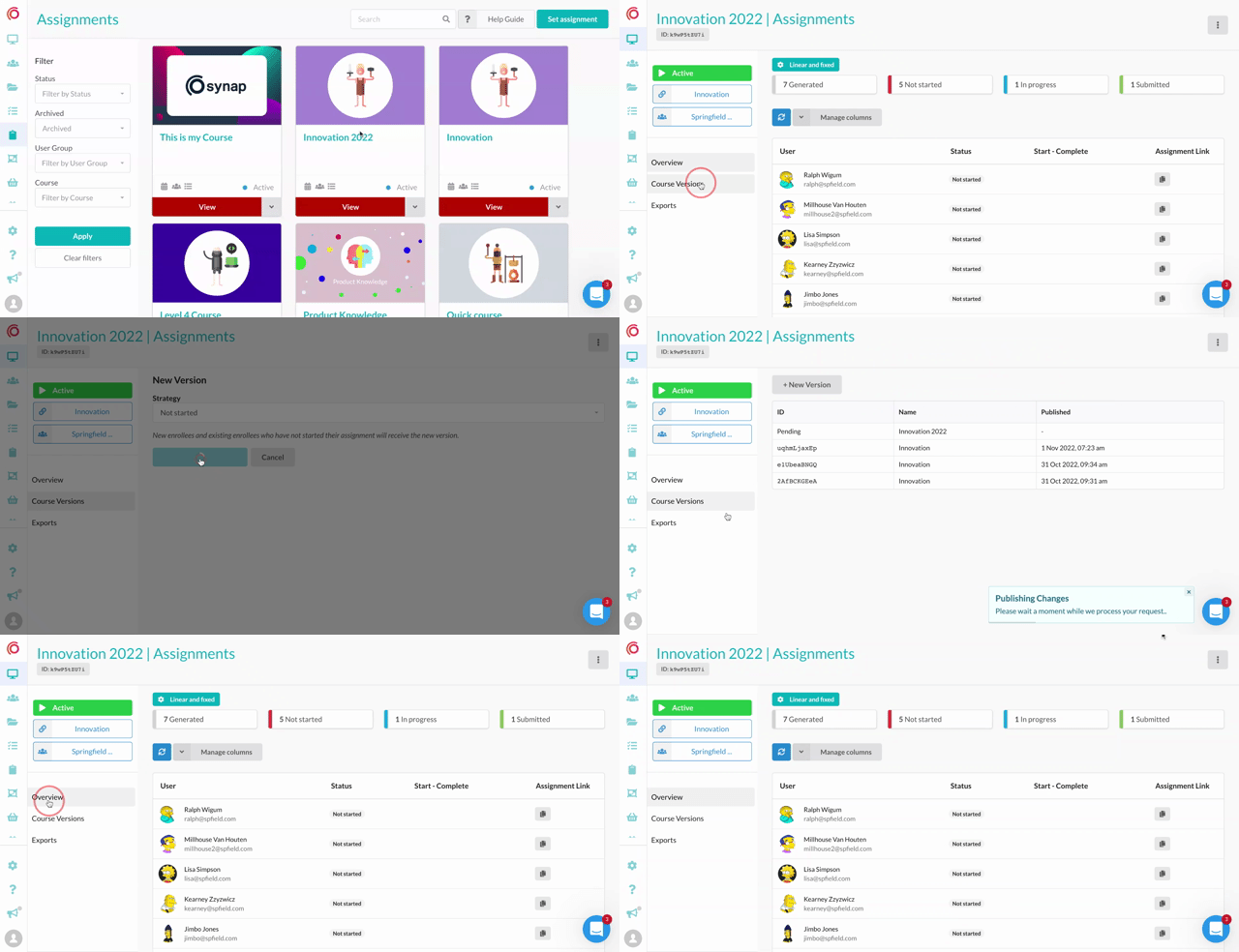 AnnouncementImprovements
Publish changes to assignments 🚀
You can now publish changes to an assignments source course to an assignment group! This has been one of the most requested features we've had is finally…
Read announcement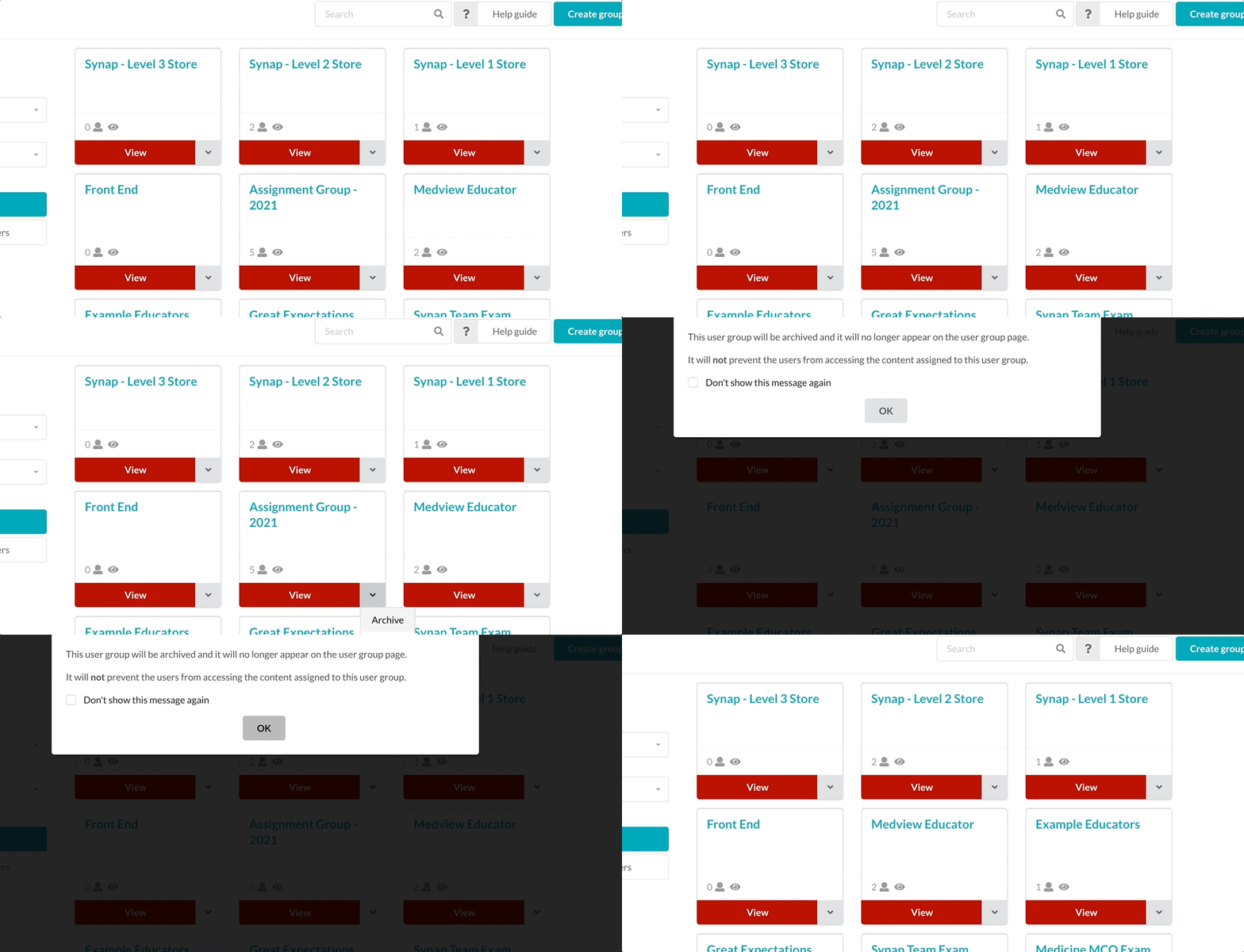 AnnouncementImprovements
Archiving 🏛
You can now archive groups and content on Synap! 🎉 Clean up your portal with the new handy archiving feature, simply select what needs to be archived and…
Read announcement AnnouncementImprovements
Shuffle Sections 🎲
Set sections order to shuffle on static quizzes, exams and dynamic exams with sections! Increase the randomisation of quizzes and exams - users will be…
Read announcement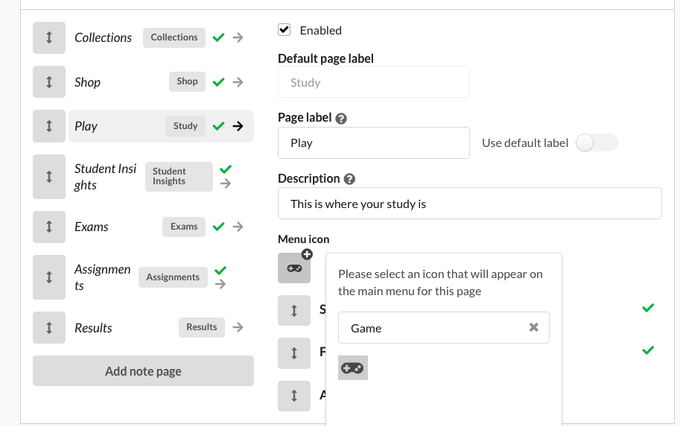 AnnouncementImprovements
Custom menu icons & custom note pages 🚀
From portal settings > user access > user type you can now customise a users: Add custom page names Add custom page descriptions Add a custom note page…
Read announcement AnnouncementImprovements
New Zapier Trigger: User Updated 🔫
You can now have Zapier workflow triggered from a user update: Email updated Name updated Attributes updated This is helpful for workflows where users…
Read announcement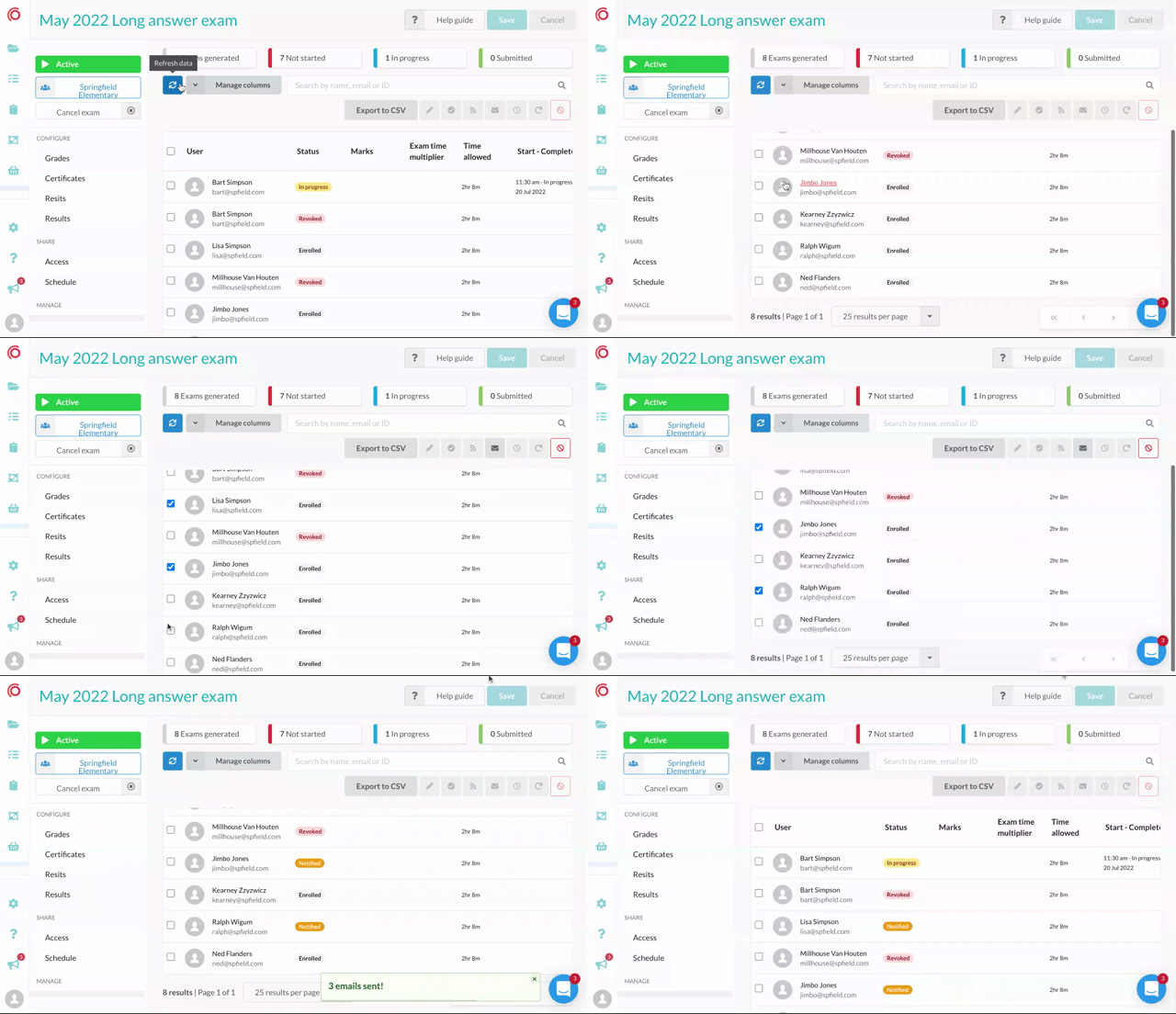 AnnouncementExams
Better navigation on exam user tables 🎸
We've fixed the position of the user exam table summary, search and action buttons. If you have a long list of users in an exam you can scroll, select and…
Read announcement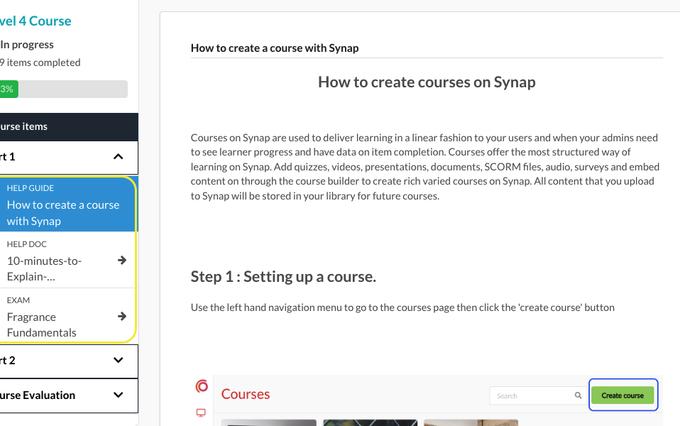 AnnouncementImprovements
Custom Labels on assignment items 🏷
You can now add custom labels to course/assignment items! So if you have have a note that is actually a help guide you can rename it accordingly for your…
Read announcement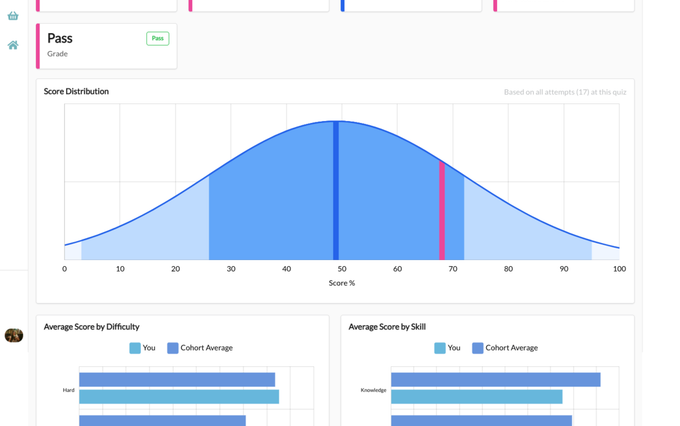 AnnouncementLearner Analytics
Important updates to Results and Insights pages 📊
Over the past year we have completely changed the way results and information about progress is displayed on platform. The new results and insights pages…
Read announcement AnnouncementImprovements
More language options 🌎
We've been working on internationalisation of the portals The first language that has been added to platform is Italian 🇮🇹 go to Settings > Languages to…
Read announcement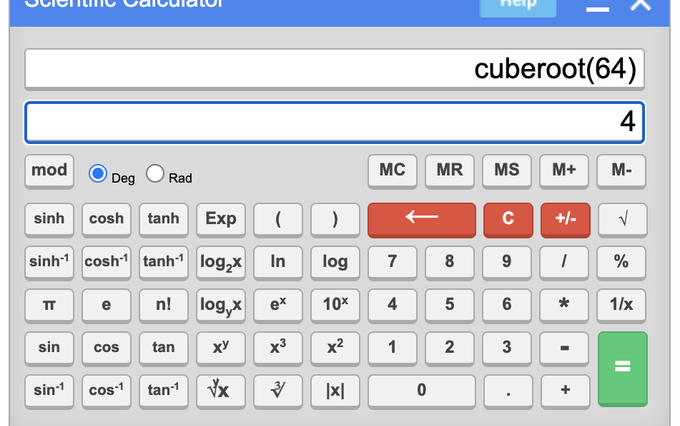 AnnouncementImprovements
A new scientific calculator option 🧮
You can now enable a scientific calculator on exams and quizzes! You'll find the option in Settings > Experience Click here to see our help docs for more…
Read announcement AnnouncementExams
Attempts tables & Exports 🚀
This is one of the biggest changes to Synap in the last 12 months, You can now export attempt results and data directly from platform! If you go to your…
Read announcement AnnouncementImprovements
Disabling Copying and Pasting
You can now restrict students ability to copy and paste when taking a quiz or exam. To disable these features in a quiz, go to the Experience sub menu…
Read announcement AnnouncementImprovements
Clone a Course
You can now clone a Course! Go to the Course you want to clone and click on the 'Course Details' menu item Below the Description box you will see the…
Read announcement AnnouncementImprovements
Clone a Collection
You can now clone a Collection! Go to the Collection you want to clone and click on the 'Collection Details' menu item Below the Description box you will…
Read announcement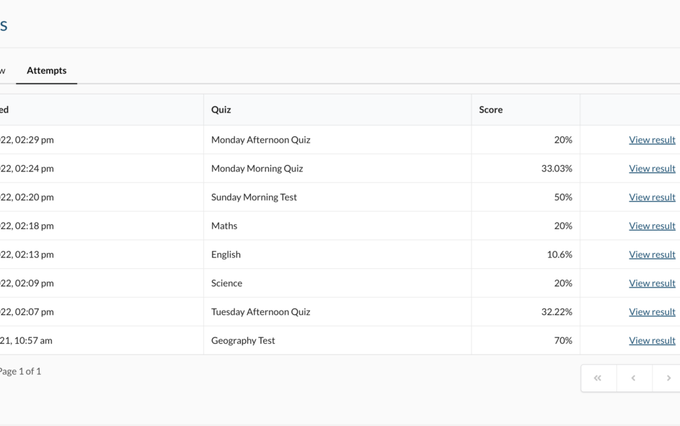 AnnouncementImprovements
Scores to 2 Decimal Places
To improve the accuracy of your users' scores, we can now store and display scores to 2 decimal places! For applicable attempts you and your users will be…
Read announcement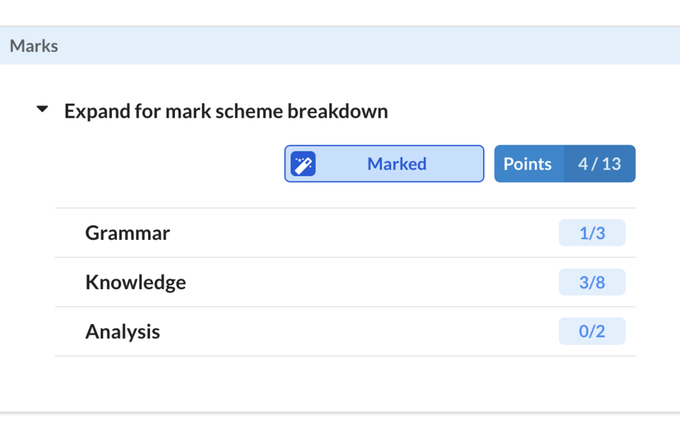 AnnouncementQuestion Types
Question feedback page 🪄
Say hello to the new and improved question results page, users can now easily see: ✅ What they got correct vs incorrect 👀 Where they scored partial marks…
Read announcement AnnouncementQuestion Types
Clone a Quiz 👯
You can now clone a quiz! Head to a quiz you want to clone and begin editing it Go to the 'Quiz details' tab Look towards the bottom right of the…
Read announcement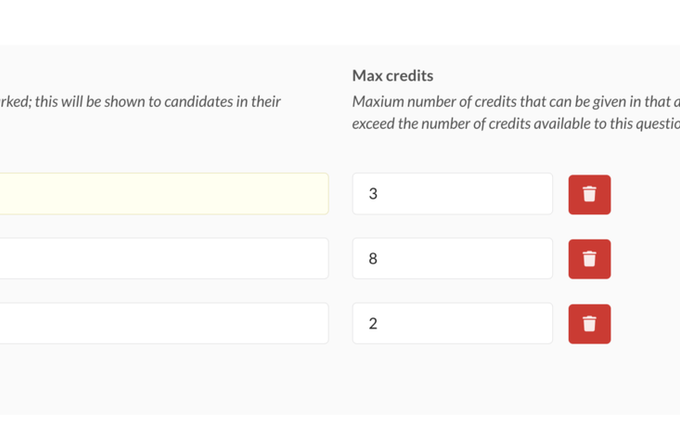 AnnouncementExams
Mark schemes ✅
You can now create custom Mark schemes for file upload and free text questions! In the question editor use the Marking drop down and enable mark schemes…
Read announcement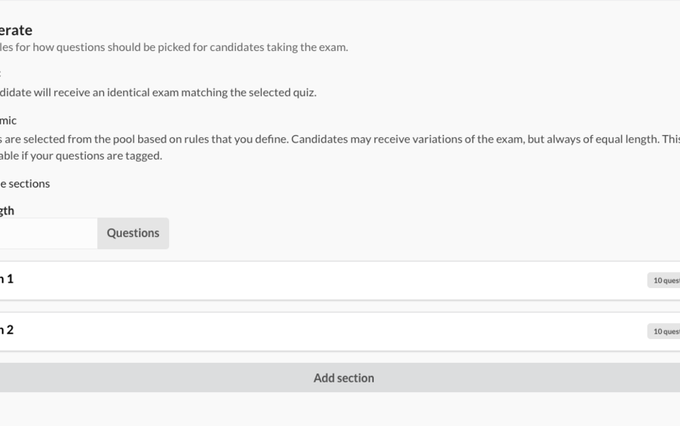 AnnouncementImprovements
Dynamic sections 🧨
You can now create Dynamic sections based on tag rules in exams 🚀 Just select 'Enable sections' in a dynamic exam to launch the section builder, and…
Read announcement AnnouncementImprovements
The Synap Academy 🥳
We've overhauled our help docs! Head over to academy.synap.ac for new and improved guides, best practices and video walkthroughs on how to get the most…
Read announcement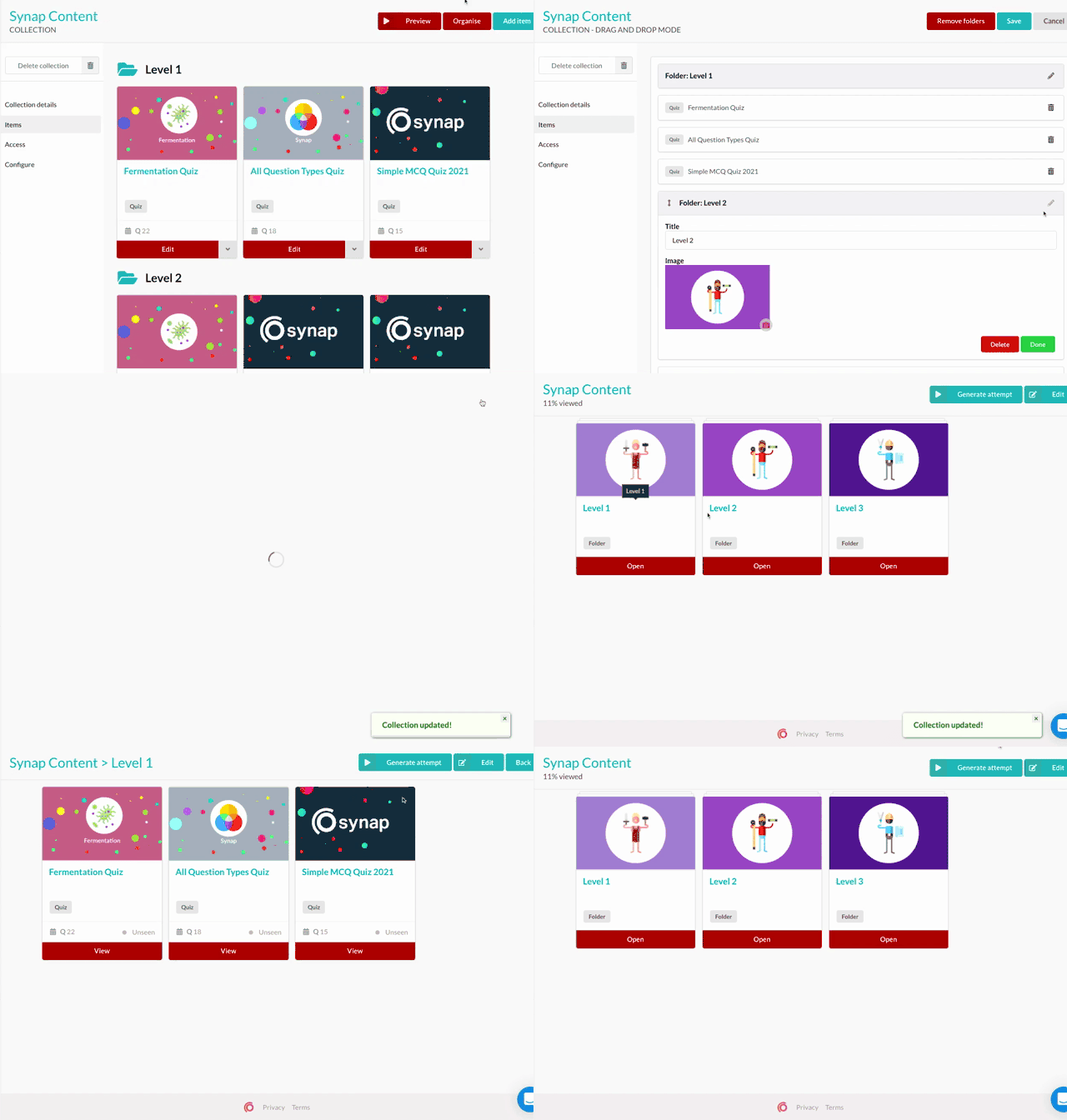 AnnouncementImprovements
Collection folder covers 🗂
Now you can add images to collection folders! Group collection content into folders then upload any image to be the cover. This little update makes it…
Read announcement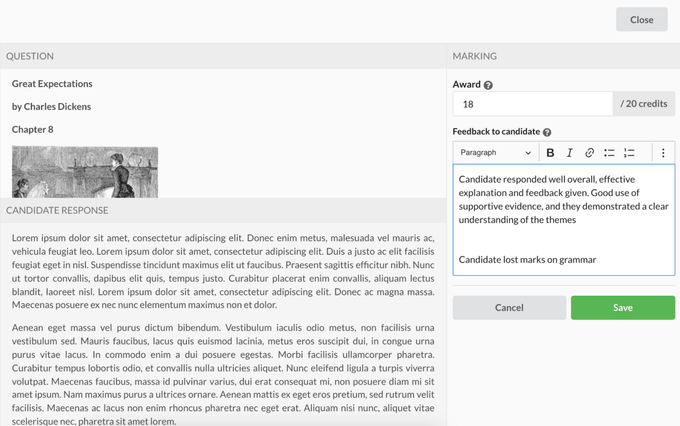 AnnouncementExams
Marking Exams on Platform ✅
Using our brand new on platform marking system, you can mark free text answers in an exam: Set custom maximum marks on questions (credits) Mark free text…
Read announcement AnnouncementExams
Certificates for Exams🏅
A brand new certification system on Synap to let admins and educators effortlessly include certificates with your exams. Choose from 3 defined templates…
Read announcement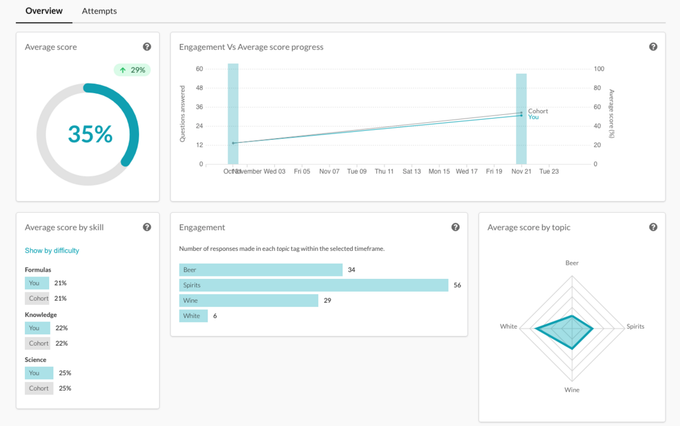 AnnouncementLearner Analytics
Student Insights page 🦚
We're excited to let you know the new student insights page is out and ready when you are! 🚀 This page is here to give students and admins valuable…
Read announcement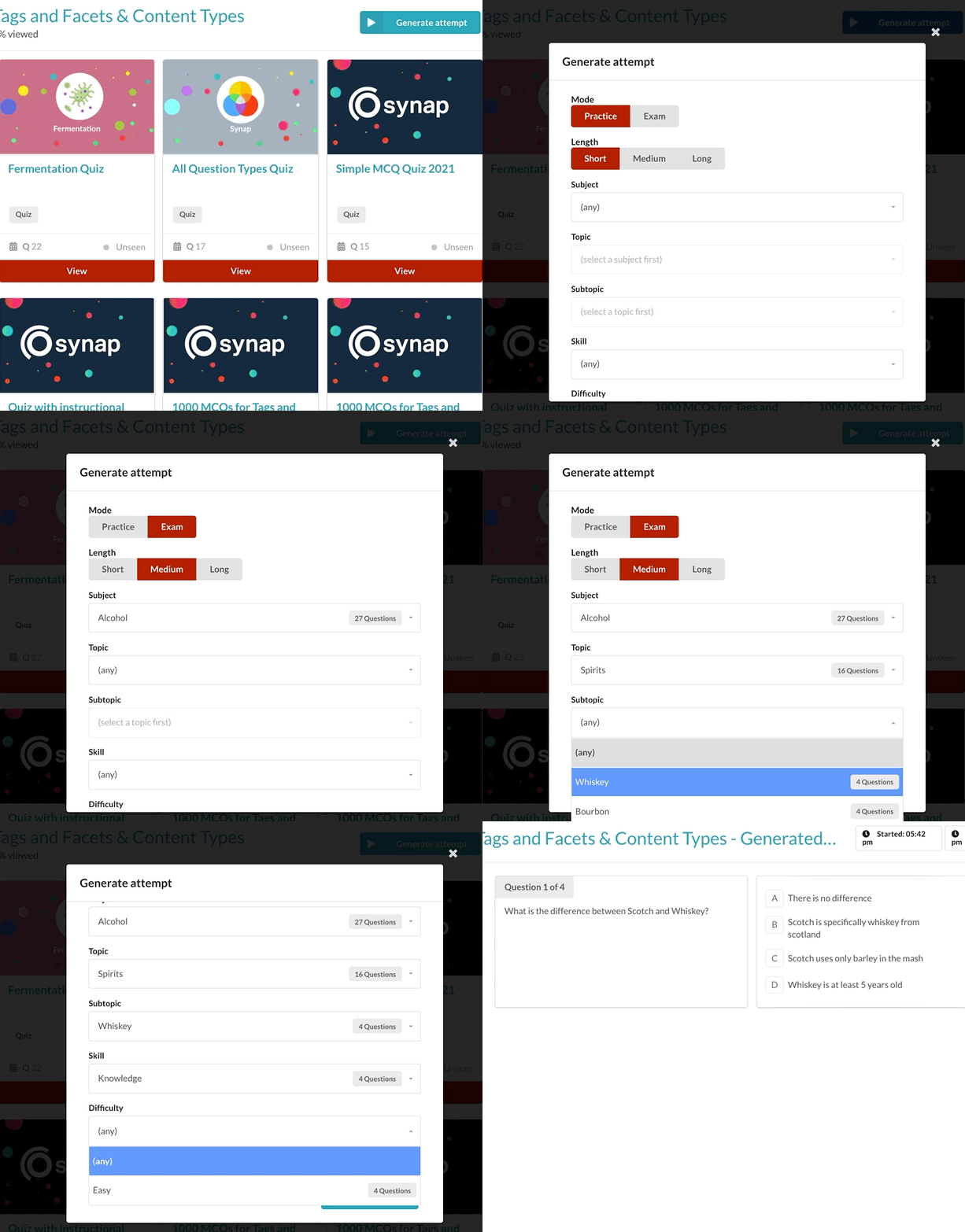 AnnouncementQuestion Types
Generate quiz from collections 🧞♂️
Students can now generate custom quizzes based on all the questions in a collection! Admins will need to enable Allow generated attempts by heading to…
Read announcement AnnouncementLearner Analytics
Google Analytics Integration 🔌
Integrate Synap with Google Analytics! Head over to Settings>Integrations and add in your Globale Site Tag (gtag)
Read announcement AnnouncementExams
Resits for exams 🪑
You can now configure resits for exams! This new feature is designed to give a much more flexible approach to exams that may require 1 or more resits if a…
Read announcement AnnouncementImprovements
Newest to oldest ordering 🍾
You may have noticed the ordering on platform has changed! Collections, Exams, Courses, Assignments and Groups are now ordered newest to oldest to make…
Read announcement AnnouncementExams
Update to completed attempts 🚨
We are making major updates to the platform, including what has been one of the most requested features ever: Marking students answers on platform. ✍️…
Read announcement AnnouncementQuestion Types
Add instructions to the start of your quiz 📄
You can now give learners a dedicated instructions page within a quiz. The instructions are accessible from the quiz editor menu. This new feature is…
Read announcement AnnouncementExams
Clone exam 👯♀️
You can now copy and exams fixed settings onto a new exam! Questions selection (static or dynamic rules) Grades Quiz experience (modes, calculator,…
Read announcement AnnouncementImprovements
Educators powers 🦸♂️
Educators can now manage users in a group! Add or remove users Manage invites Set Educators as group moderators to allow them to view student progress and…
Read announcement