
Audio Recording Question Type
'Audio Recording' is now available as a question type which means you can have your students submit an audio recording directly into the Synap platform as…
 Charlotte Gupta
'Audio Recording' is now available as a question type which means you can have your students submit an audio recording directly into the Synap platform as their answer to a question.
Selecting Audio Recording in the Quiz Builder
To select 'Audio Recording' as a question type in the builder, open the 'Type' drop down and select 'Audio Recording'. You can also edit the label which appears above the audio recording widget and select a maximum recording time
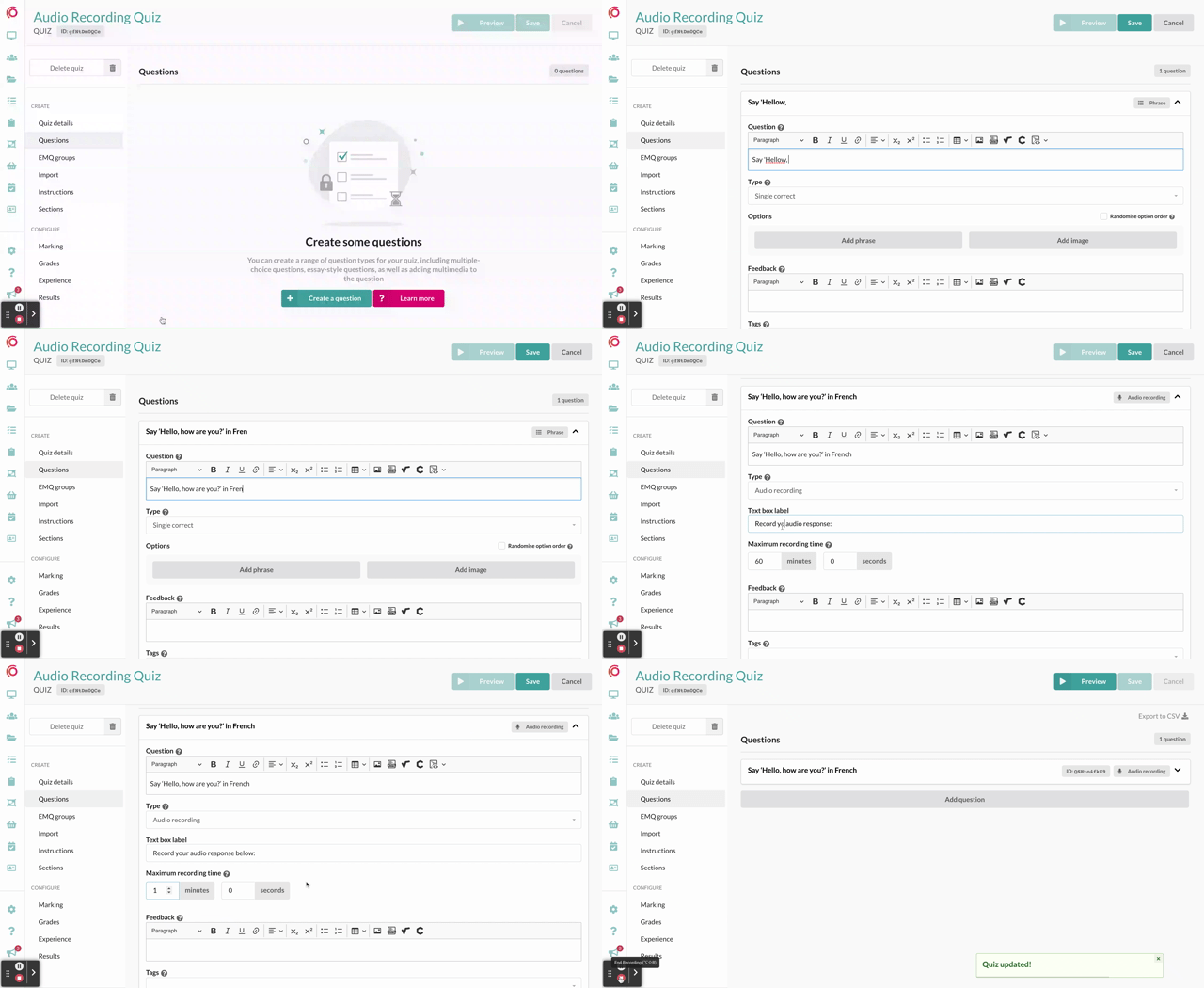
There is an 'Audio Recording' column on the importer which you can use to set a question as this question type when importing.
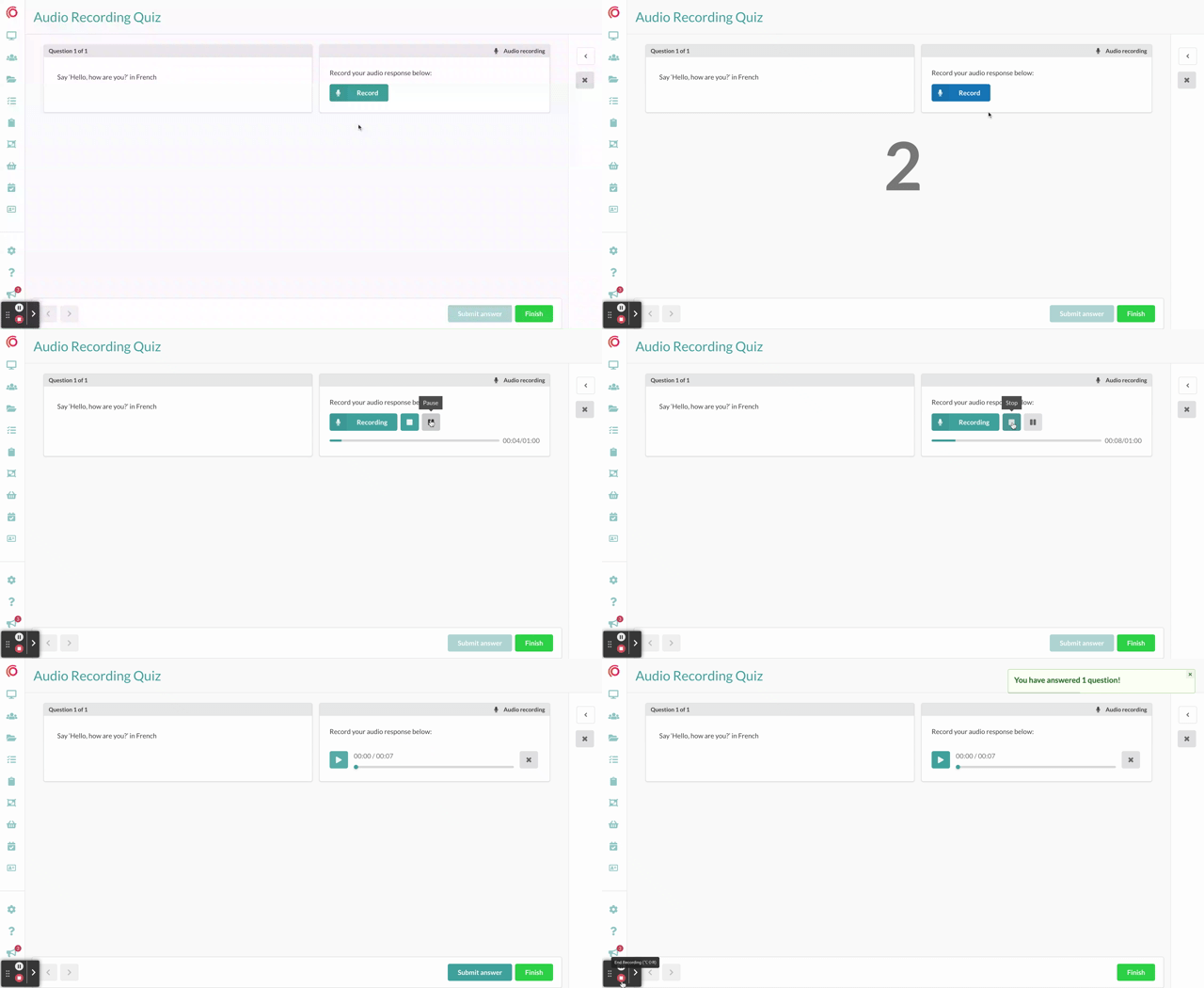
Answering an Audio Recording Question as a Student
Students can pause, review and delete a recording before finally submitting it.
NOTE: Students may be prompted to allow your Synap site access to their microphone to record their response
You can find more information on the 'Audio Recording' question type in our 'Question Type' and 'Importing' help articles
Originally published on Synap’s changelog.