
Exams
New: Overall attempt feedback & internal notes
Markers can now leave feedback on a candidate’s attempt as a whole, not just on individual questions. What’s new Overall feedback button on the marking…
 Charlotte Gupta
Markers can now leave feedback on a candidate’s attempt as a whole, not just on individual questions.
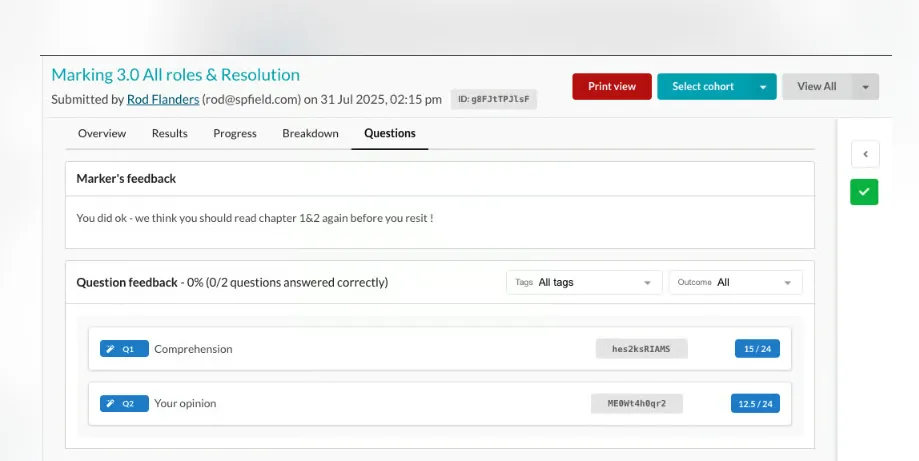
What’s new
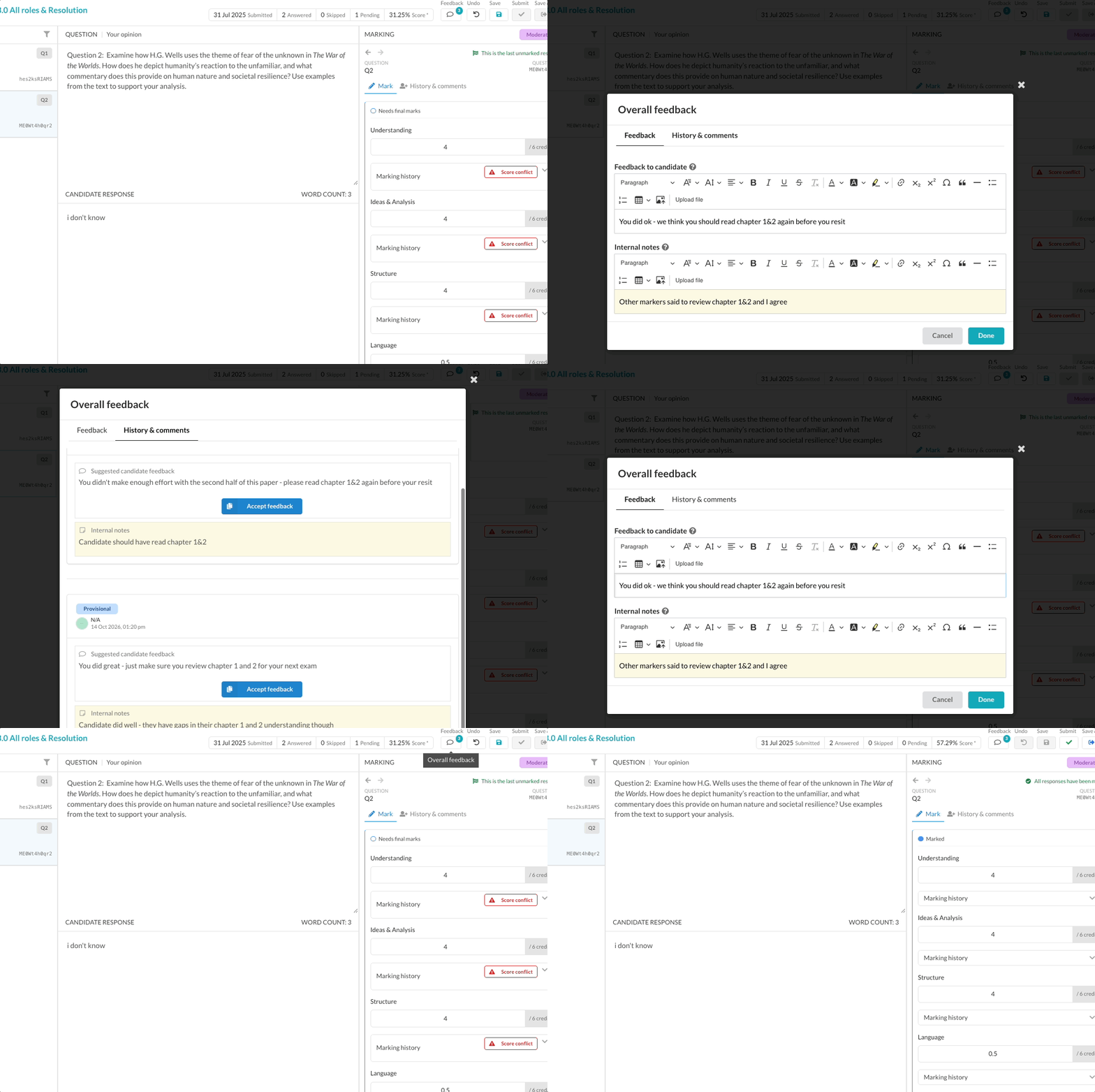
- Overall feedback button on the marking screen. It opens a panel with two fields: candidate feedback, which the candidate sees, and an internal note, which only your team can see.
- Collaborative marking. Markers can see other markers’ overall feedback and notes. Moderators and back-readers can Accept another marker’s feedback into their own, the same way they do per question.
- Candidates see it on their results. Once results are released, the final marker’s feedback shows in a box at the top of the Questions tab and in the print view. If the exam is set to show all markers, candidates see each finished marker’s overall feedback by role.
Good to know
- The feedback that gets published follows the same rules as per-question feedback: the highest marking role win.
- Overall feedback can’t be edited after a marking session is completed. It isn’t available in question-marking mode, results emails, or CSV/PDF exports
Originally published on Synap’s changelog.