
Exams
Score & Results page visibility controls
We’ve improved how result visibility works once results are released. You can now see the current result visibility status directly in the Result…
 Charlotte Gupta
We’ve improved how result visibility works once results are released.
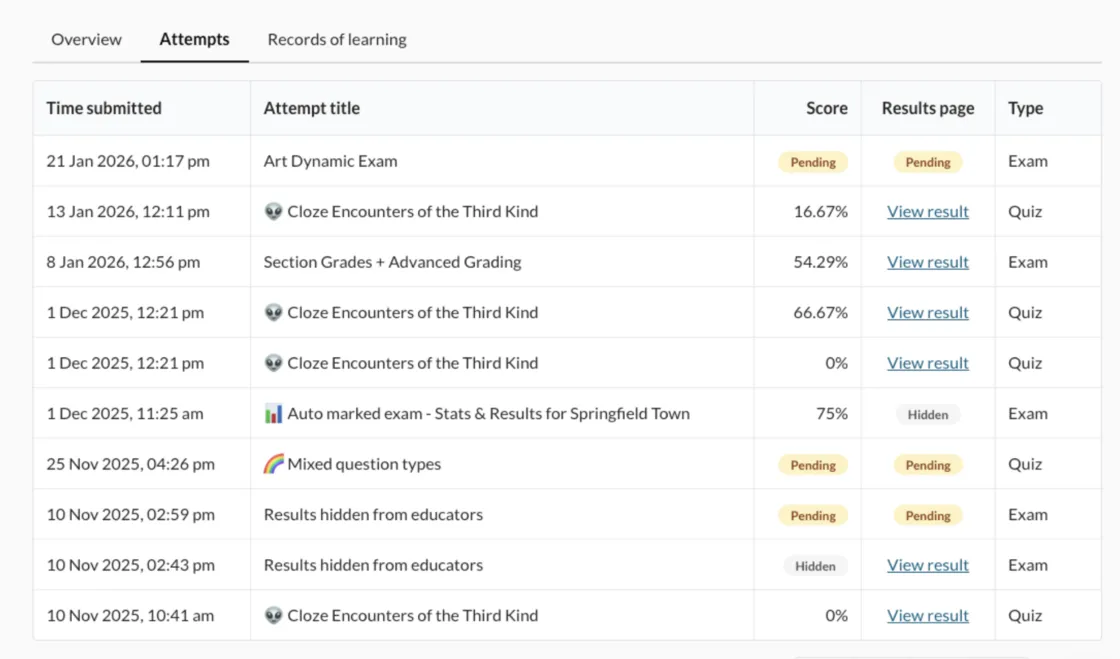
You can now see the current result visibility status directly in the Result visibility column and update it at any time using Update result visibility.
The available visibility options are:
- Visible – students can see both scores (in tables) and full results pages
- Results only – students can view the results page, but scores are hidden from tables
- Score only – students can see scores in tables, but not access the results page
- Hidden – neither scores nor results pages are visible to students
Admins, Managers, and permitted Educators will always retain access, even when results are hidden from students.
If results are set to Hidden, any previously saved or shared links will now show students a clear “results hidden” state instead of the results page.
🧠 Click here to learn more!
Originally published on Synap’s changelog.