
Enhanced Account Security With Multi-Factor Authentication (MFA)
We're thrilled to announce the launch of our latest feature, Multi-Factor Authentication (MFA), designed to bring an added level of protection to your…
 Charlotte Gupta
We're thrilled to announce the launch of our latest feature, Multi-Factor Authentication (MFA), designed to bring an added level of protection to your account.
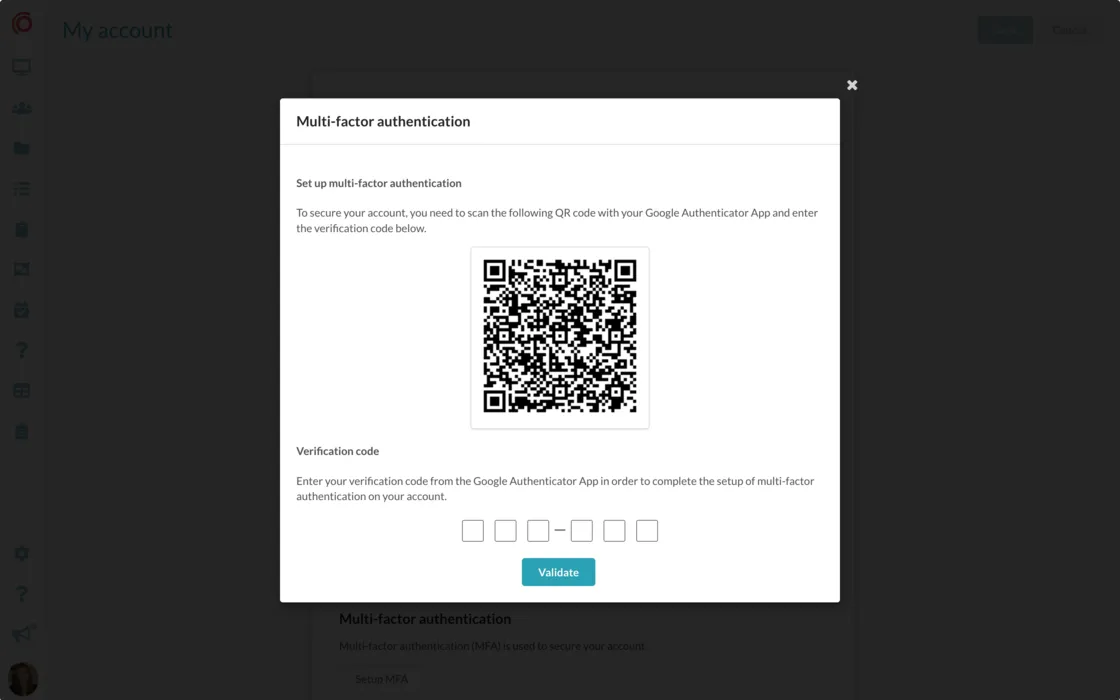
Once you activate MFA, you'll receive a unique QR code. To generate your verification code, all you need to do is scan the QR code using the Google Authenticator app. This will create a single use verification code for you to use.
From that point forward, every time you log into your account, you'll be prompted to enter the verification code generated by the Google Authenticator app. This ensures that only you can access your account, even if someone else gains unauthorised access to your login credentials.
Activate Multi-Factor Authentication today in your account settings.
Originally published on Synap’s changelog.