
Exams
Keep track of markers for exam attempts
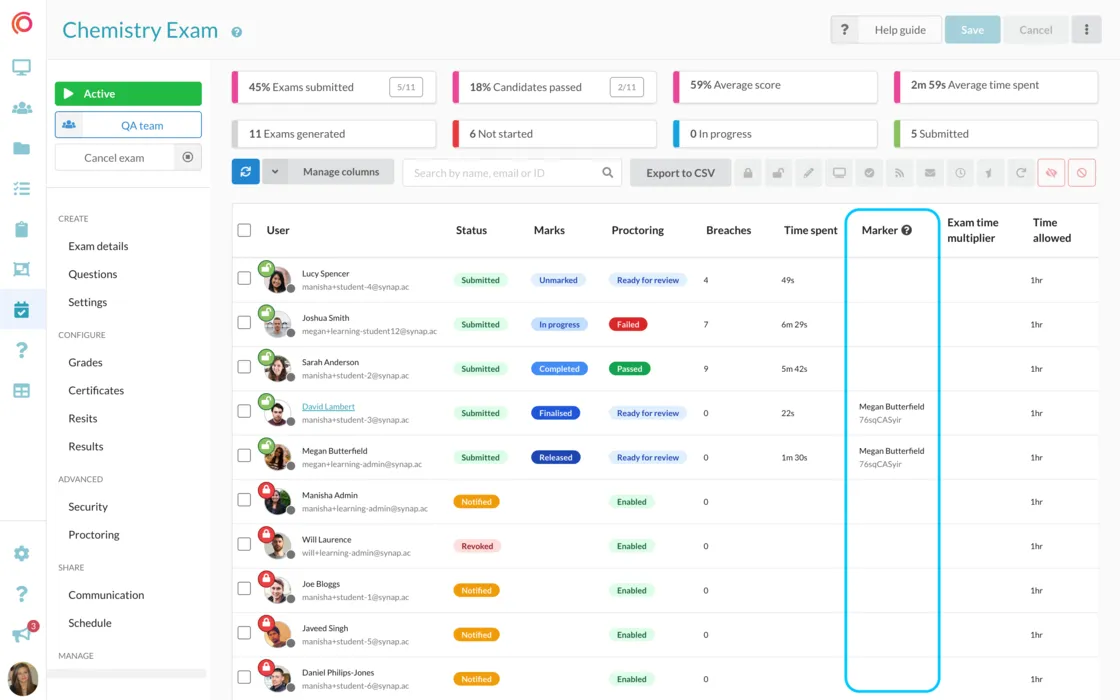
Easily track who marked an exam attempt with this new addition to the Exam > Users table. A new 'Marker' column has been added which displays the name and…
 Charlotte Gupta
Easily track who marked an exam attempt with this new addition to the Exam > Users table. A new 'Marker' column has been added which displays the name and ID of the marker who finalised an attempt.
Please note that marker names will only appear for attempts that have been finalised or released. If you need to view the marker for a specific attempt, simply click on their name in the 'Marker' column, and you will be taken to their user profile page.
Originally published on Synap’s changelog.