Embed in your own site or LMS
Surface exams inside your existing website or VLE, so candidates never feel like they have left your brand.
LTI 1.3 JWT

Branding & white labelling
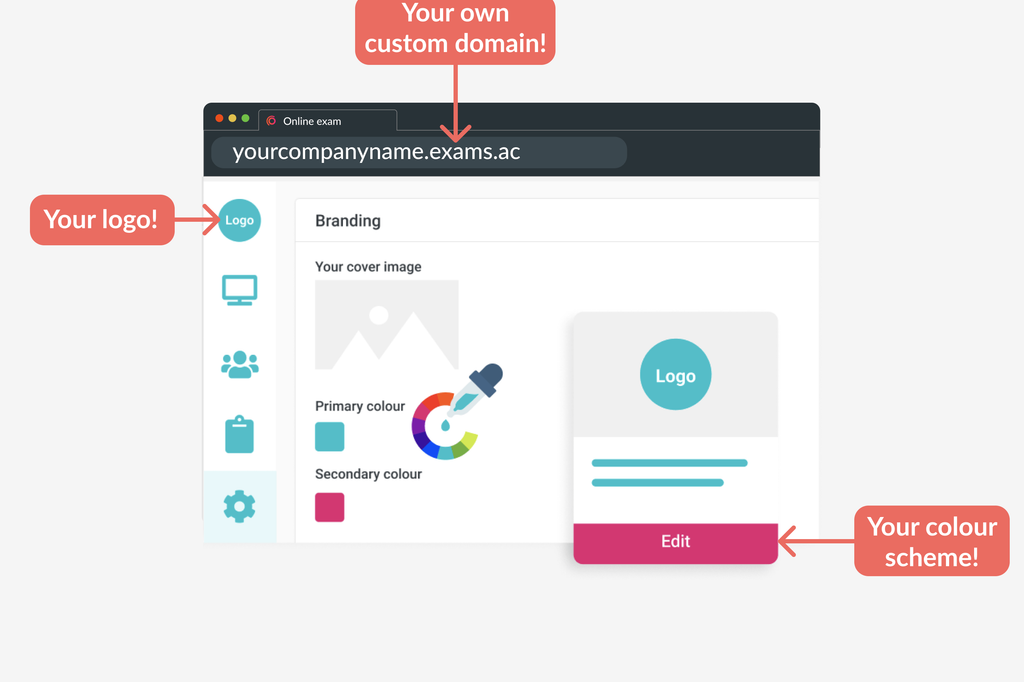
White-label the entire platform — your colours, logo, domain and email — so every exam, email and certificate is your organisation’s, end to end.
Your assessments
Foundation Exam
StartModule 2 Test
StartFinal Assessment
Start10 million+
exams delivered worldwide
Trusted by awarding bodies, universities & professional bodies






Why it matters
A branded, white-labelled platform is not cosmetic. It shapes how candidates experience and trust your assessments.
Every page, email and certificate looks like a natural extension of your organisation, rather than a third-party tool.
Candidates recognise your brand, and know exactly who is emailing them and where they are logging in — reducing confusion and drop-off.
A single, predictable domain your IT team can allowlist, with emails from your own address — easier to trust, and easier to whitelist.
Customisation
Set your brand colours, upload your logo and favicon, and apply custom imagery across your portal, login screen, emails and certificates — all from portal settings.
Custom domain & email
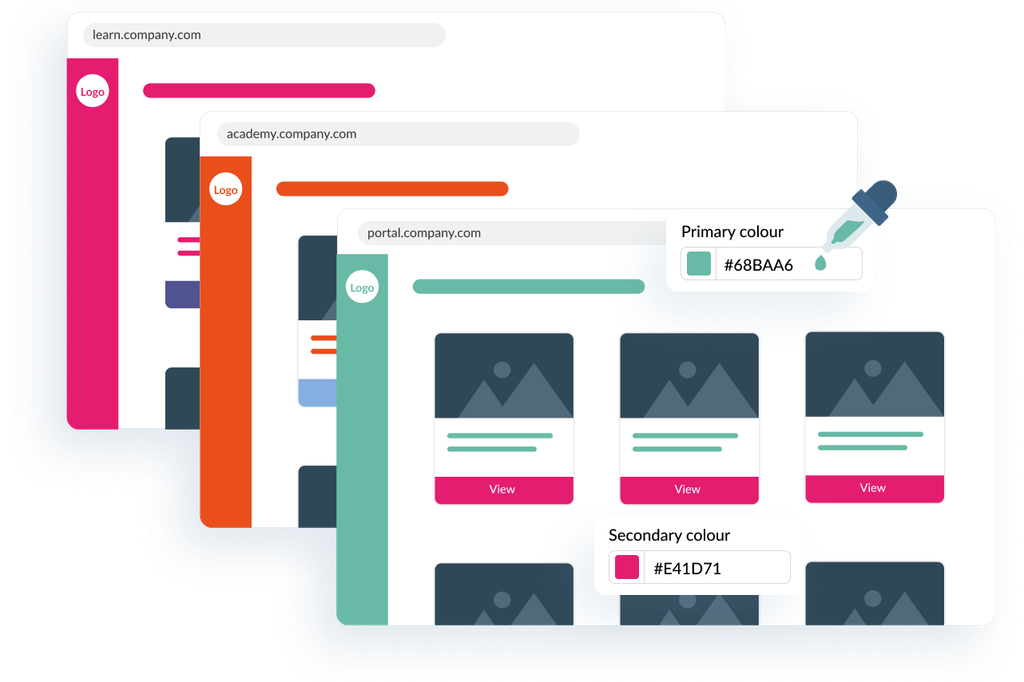
Standard portals run on a synap.ac subdomain. On Pro and above, point a CNAME at Synap and your portal runs on your own domain — with candidate emails sent from your own name and address.
Go further
Beyond colours and logos, Synap lets you build custom pages and make them dynamic. Compose a candidate homepage or dashboard from ready-made blocks, drop in custom HTML, and insert variables that personalise the page for every candidate.
Welcome back, {}First name
Only if {}Cohort is set
Your {}Cohort assessments are ready.
+ Add block
Your March 2026 cohort assessments are ready.
Go to your dashboardInsert variables from a menu as you type, drop in ready-made UI blocks — welcome header, assignments, study overview, mock tests, store — or write your own custom HTML. No code required.
Greet candidates by name and surface the content relevant to their cohort, employer or region.
Show or hide whole sections with {{#if}} logic, driven by a candidate’s attributes.
Drop candidates straight into the right exam or resource with authenticated, variable-driven links.
Collect fields like employer, department or membership number at registration, then use them everywhere.
Priya Sharma
Candidate
Custom attributes
Standard fields rarely capture everything you track. Define your own custom attributes — from simple text and dates to dropdowns, files, and even custom action buttons — collect them at registration, and control who can view or edit each one. Then reuse them in dynamic variables, custom pages and reporting.
Attribute types
Embed it anywhere
Deliver exams inside your own site or LMS, and let candidates sign in with the identities they already have — all on open standards.
Surface exams inside your existing website or VLE, so candidates never feel like they have left your brand.
Let candidates log in with the credentials they already use. SSO keeps the whole journey seamless, secure and on-brand.
Sub-portals
Running programmes for multiple clients or departments? Give each its own independently branded sub-portal — separate branding, domain and email — all managed from one place.
Main portal
Meridian Group
Acme Academy
learn.acme.com
Meridian
exams.meridian.edu
Northgate
test.northgate.org
Book a walkthrough and we will show you a portal branded, domained and customised for your organisation.
Still not sure?
Tell us what you need to assess and we will point you to the right answer.
Book a tailored demo to see your brand, domain and data across a Synap portal built for your organisation.