Choosing the right question type can shape the quality of an assessment just as much as the content itself. A poorly chosen format may only test surface-level memorisation, while the right one can reveal deeper understanding, critical thinking, and the ability to apply knowledge in real-world contexts.
Different question types assess different kinds of learning, from quick knowledge recall to analytical reasoning and practical application. Below is a breakdown of common question types used in online exam platforms, what they're best for, and why they matter.
Auto-graded question types
Questions that can be automatically graded by an online exam system are ideal for saving time, scalability, and instant feedback. They reduce marking time while still supporting a wide range of assessment styles.
MCQ: single correct answer
Traditional multiple-choice questions with one correct option are great for assessing:
- Core knowledge
- Concept recognition
- Quick decision-making
Single correct answers are fast for learners to complete and can be marked instantly, making them highly efficient at scale. They provide consistent, objective grading and generate clear data for performance analysis, which is especially useful in large cohorts.
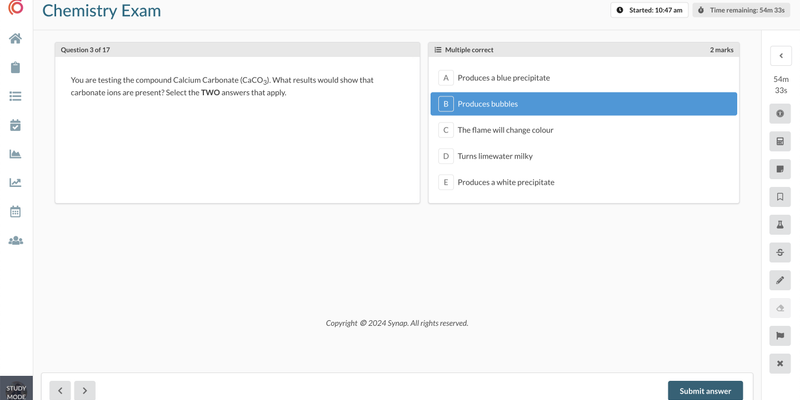
MCQ: multiple correct answers
Multi-correct responses, where more than one option may be correct, are good for assessing:
- Deeper understanding
- Ability to evaluate multiple factors
- Partial knowledge and nuance
These questions reduce the likelihood of guessing and encourage more careful reading of all available options. They better reflect real-world complexity, where answers are often not singular or straightforward.
True or False
True or False questions present a single statement and ask candidates whether it is correct. They are quick to answer and are great for assessing:
- Factual recall
- Rules, policies and definitions
- Common misconceptions
Because candidates have a 50% chance of guessing correctly, True or False questions work best in groups or for low-stakes checks, rather than as the only evidence of understanding.
Choice matrix
Choice matrix questions present several statements in rows and the answer options in columns, such as True and False, or Indicated and Not indicated. Candidates choose one option for each row. They are a good way to test:
- Several related judgements about one scenario
- Classification against a fixed set of options
- Clinical and applied decision-making
They cover more ground than a single True or False item without repeating the stem, and each row can be marked on its own.
Image-based answer options
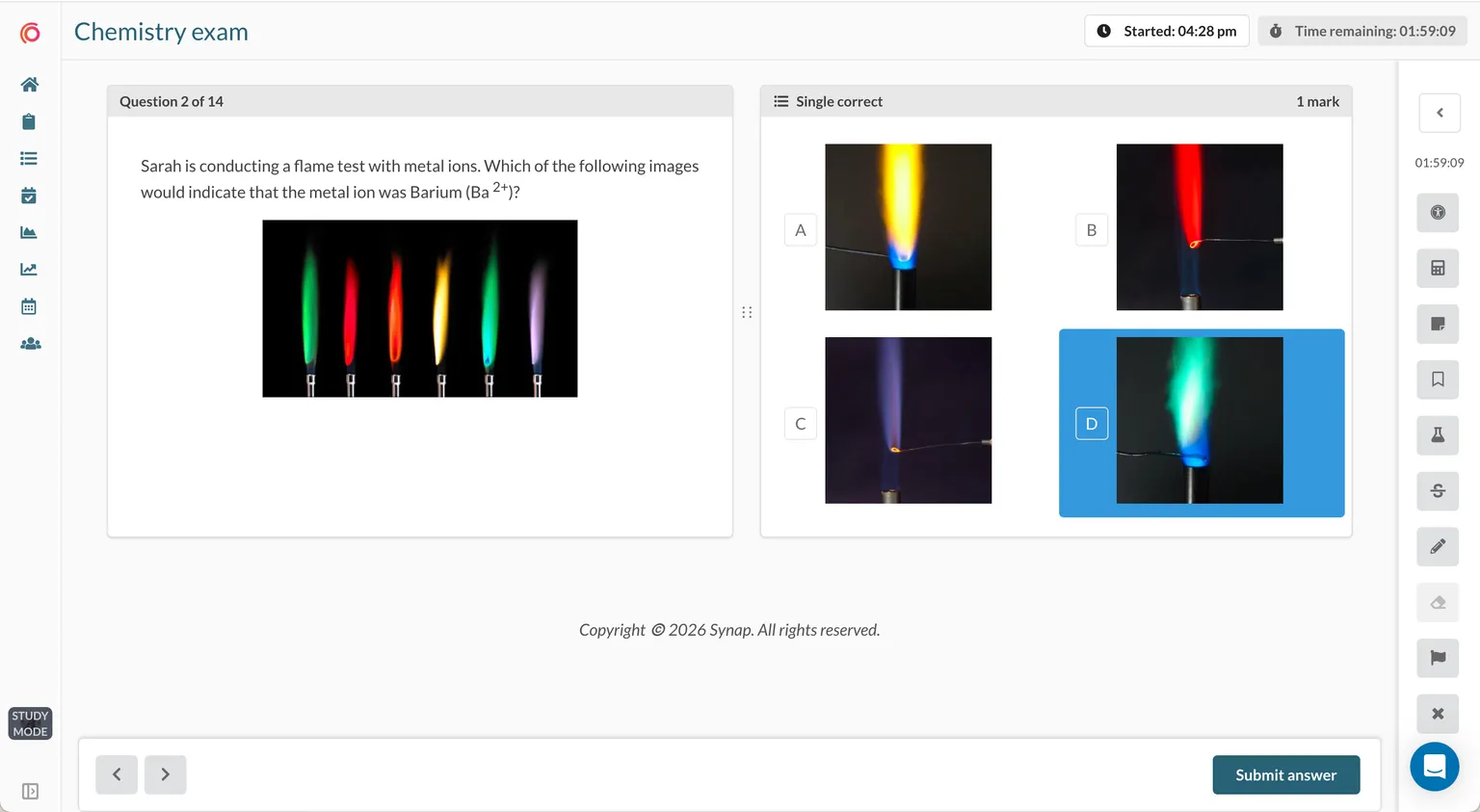
Questions that use images as answer choices are a great way to assess:
- Pattern recognition
- Spatial awareness
- Diagram interpretation
This format increases engagement and allows assessment of skills that go beyond text-based recall. It is particularly effective in disciplines where recognising visual information is essential.
EMQs (extended matching questions)
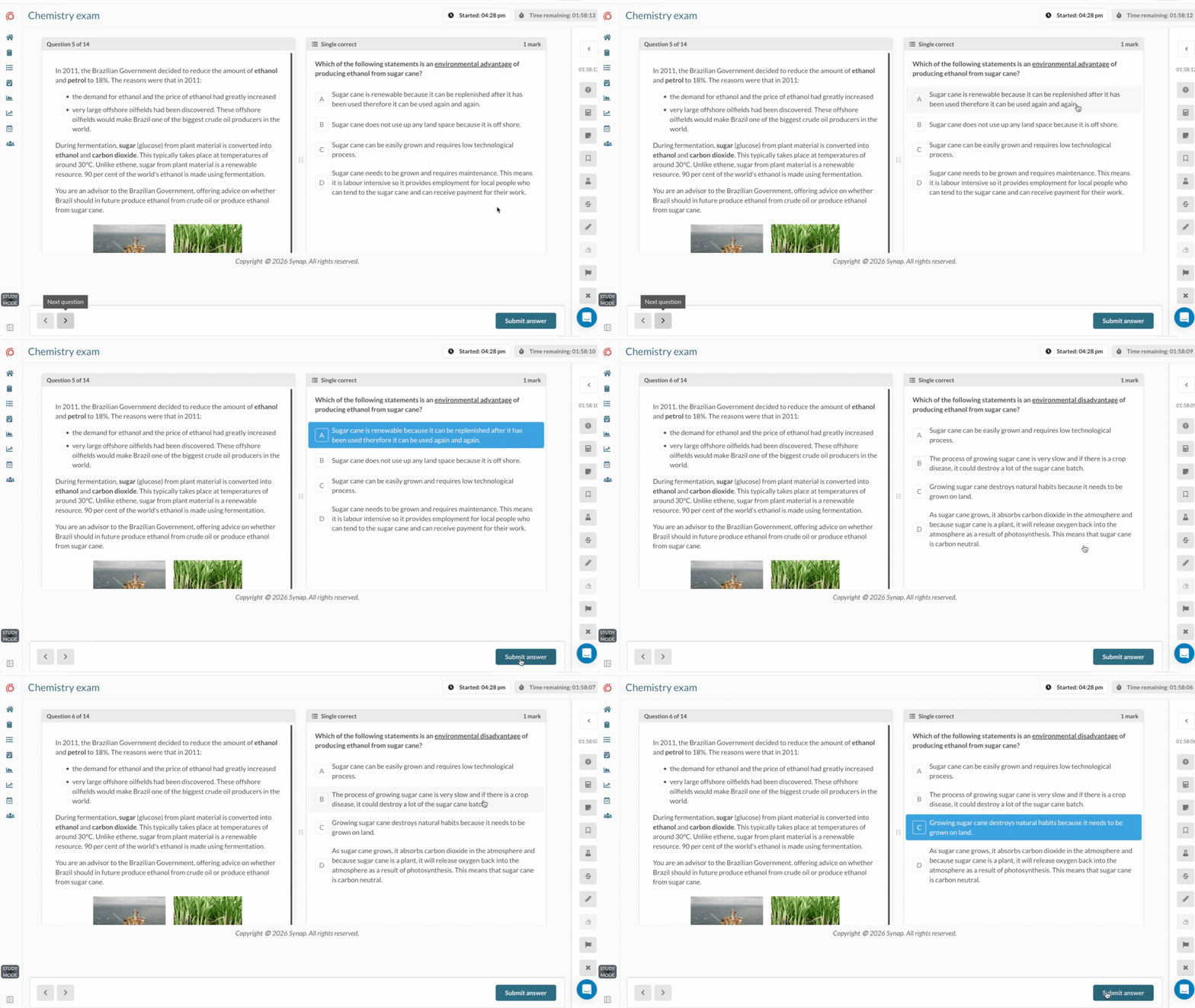
EMQs consist of a piece of core text, such as a scenario, with multiple related questions grouped with it. Each question builds on the same stem, allowing learners to work through a connected set of prompts that follow from the scenario. They are a great way to test:
- Clinical or applied reasoning
- Scenario-based decision-making
- Ability to apply knowledge across contexts
This structure supports deeper applied understanding by keeping all questions anchored to the same context, rather than treating them as isolated items. It also makes assessment design more efficient, as related questions can be organised together under one scenario, creating a coherent and structured testing experience.
Interactive auto-graded questions
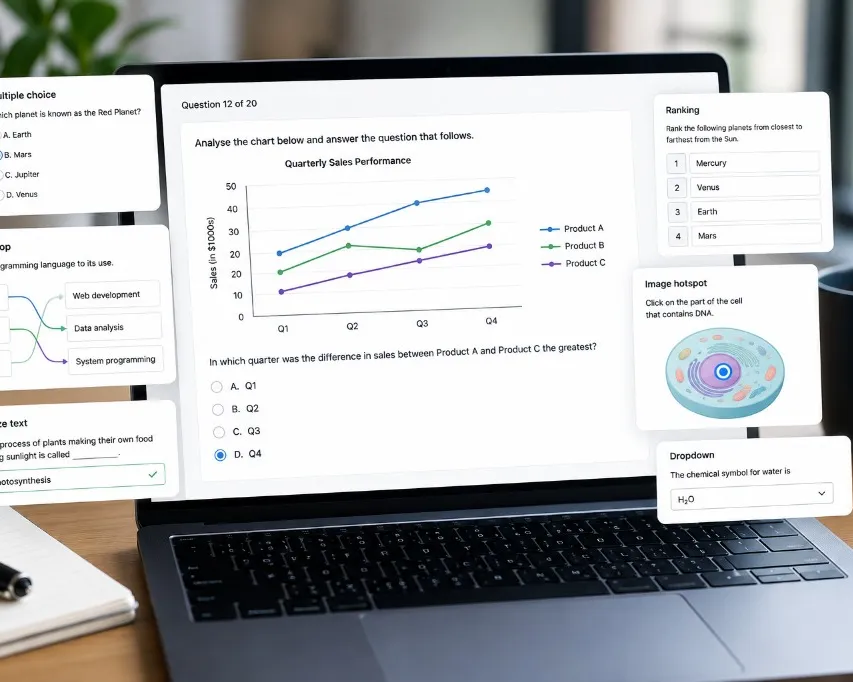
Questions that combine the efficiency of automated marking with interactive elements create more engaging, hands-on assessments. Rather than relying solely on traditional multiple-choice responses, they require learners to actively interact with content by ordering, selecting, matching, or completing information within a structured task.
Ranking (ordering questions)
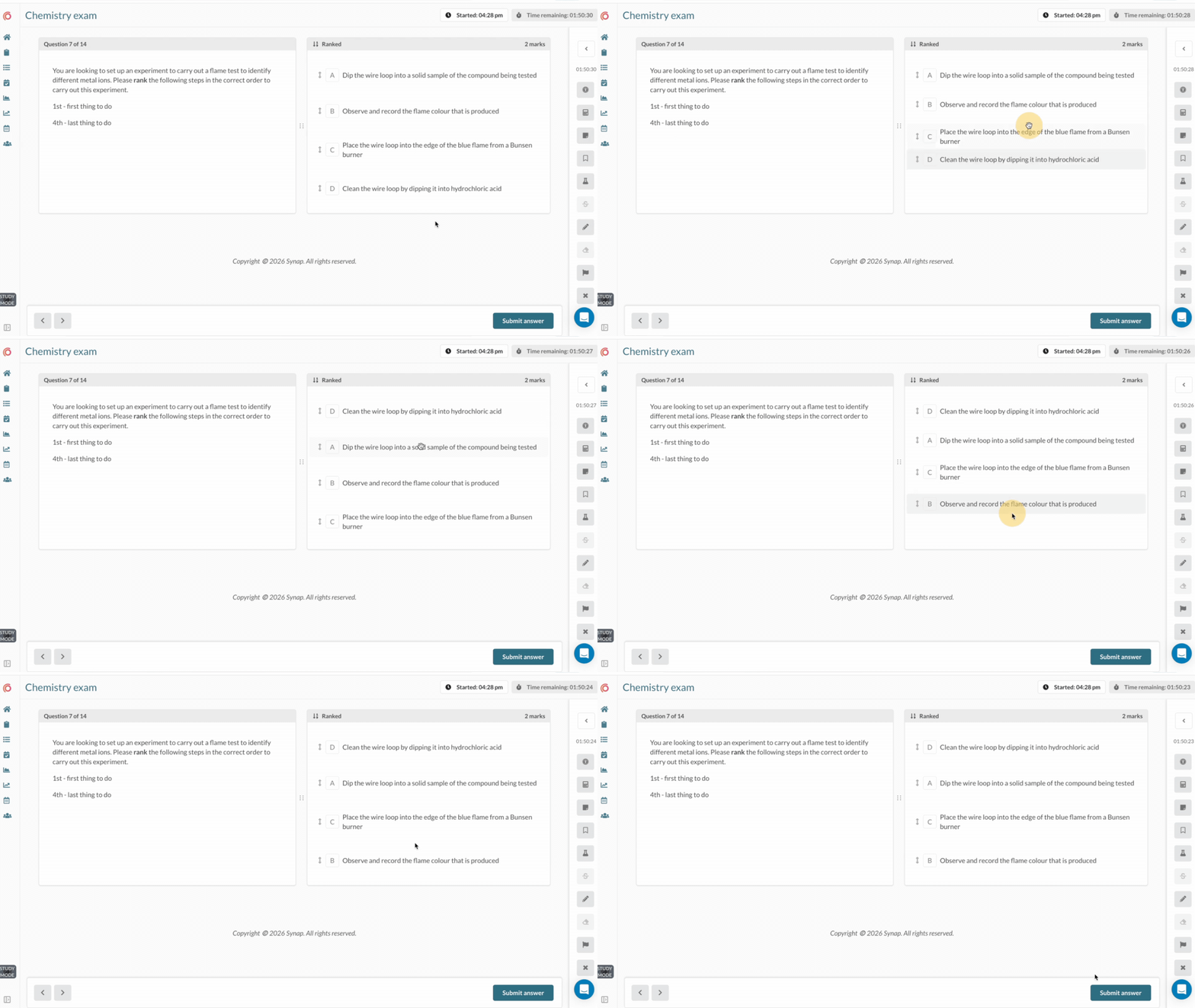
Ranking questions allow candidates to drag options and order them into a certain sequence based on a defined criterion, such as chronological order, priority, or logical progression. This is great for assessing:
- Processes and sequences
- Prioritisation skills
- Logical thinking
These questions test whether learners understand the correct structure or order of steps, rather than just recognising individual items. They are particularly useful for workflows and procedural knowledge.
Matching
Matching questions ask candidates to pair each item in one list with the correct item in another, such as terms and definitions or cases and diagnoses. They are good for assessing:
- Relationships between concepts
- Terminology and definitions
- Applying knowledge to scenarios
Including more answer options than prompts stops candidates completing the final match by elimination.
Classification
Classification questions ask candidates to sort a set of items into two or more categories. They are a good way to test:
- Understanding of what defines each category
- Grouping examples, symptoms or materials
- Common points of confusion
They show whether learners understand the features that put an item in one group rather than another.
Bow tie
Bow tie questions are named after their shape. Candidates read a scenario, choose the most likely condition for the centre, then select the actions to take on one side and the parameters to monitor on the other. They are widely used in nursing education and are great for assessing:
- Clinical judgement
- Linking a condition to the right interventions
- Prioritisation in realistic scenarios
Bow tie questions reflect the item styles used in Next Generation NCLEX preparation, testing several connected decisions in a single structured question.
Drag and drop
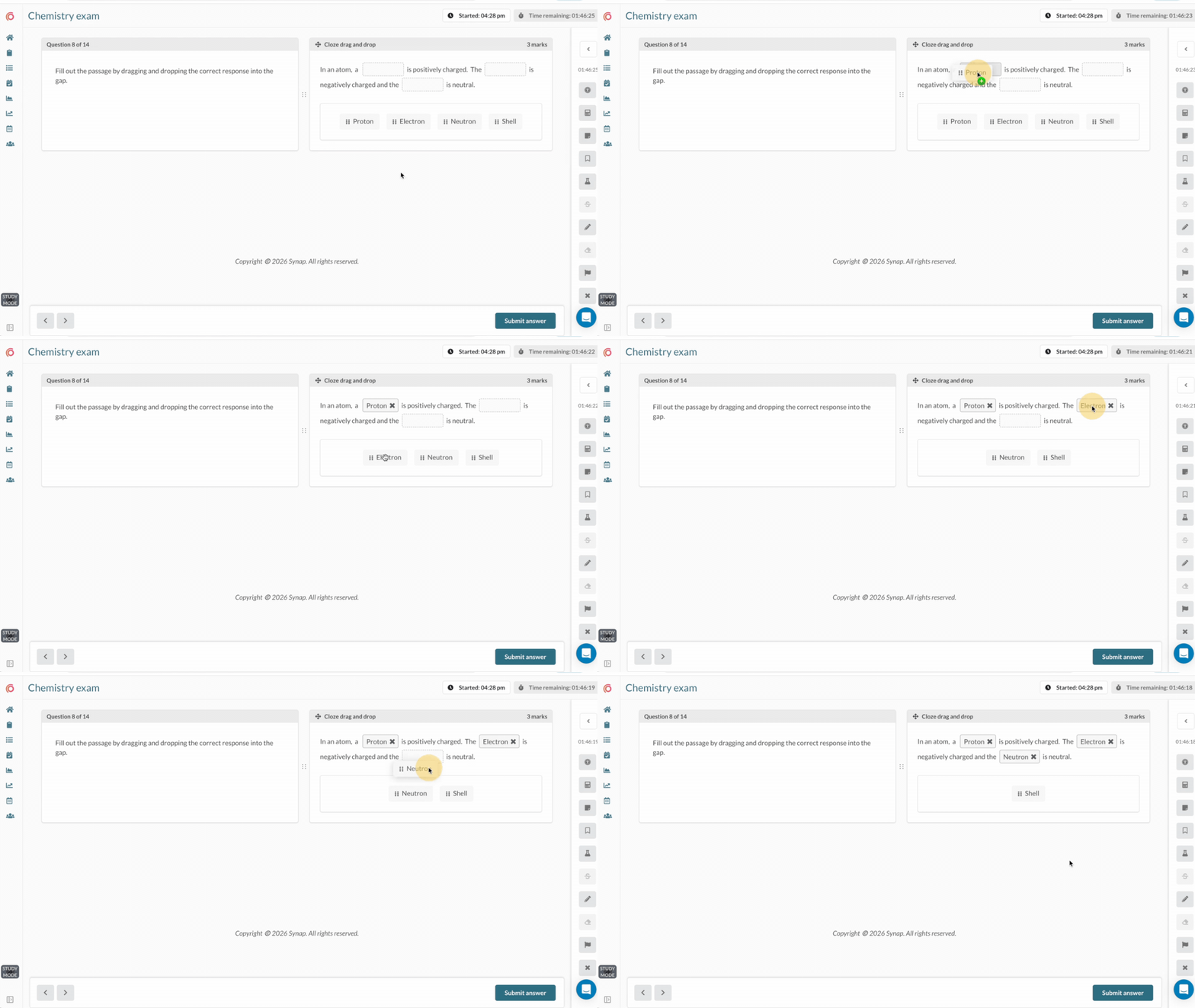
This question type allows candidates to drag and drop items into boxes and are a great option for assessing:
- Classification and grouping
- Concept matching
- Interactive problem-solving
This format encourages active engagement and helps reinforce relationships between ideas. It works well for visual learners and adds a more interactive element to assessment.
Dropdown questions
Dropdown questions allow candidates to select an answer option from a dropdown menu. This can help to test:
- Contextual understanding
- Sentence completion
- Terminology accuracy
They keep questions clean and structured, especially in text-heavy assessments, while still testing precise knowledge within a specific context.
Cloze text (fill in the blanks)
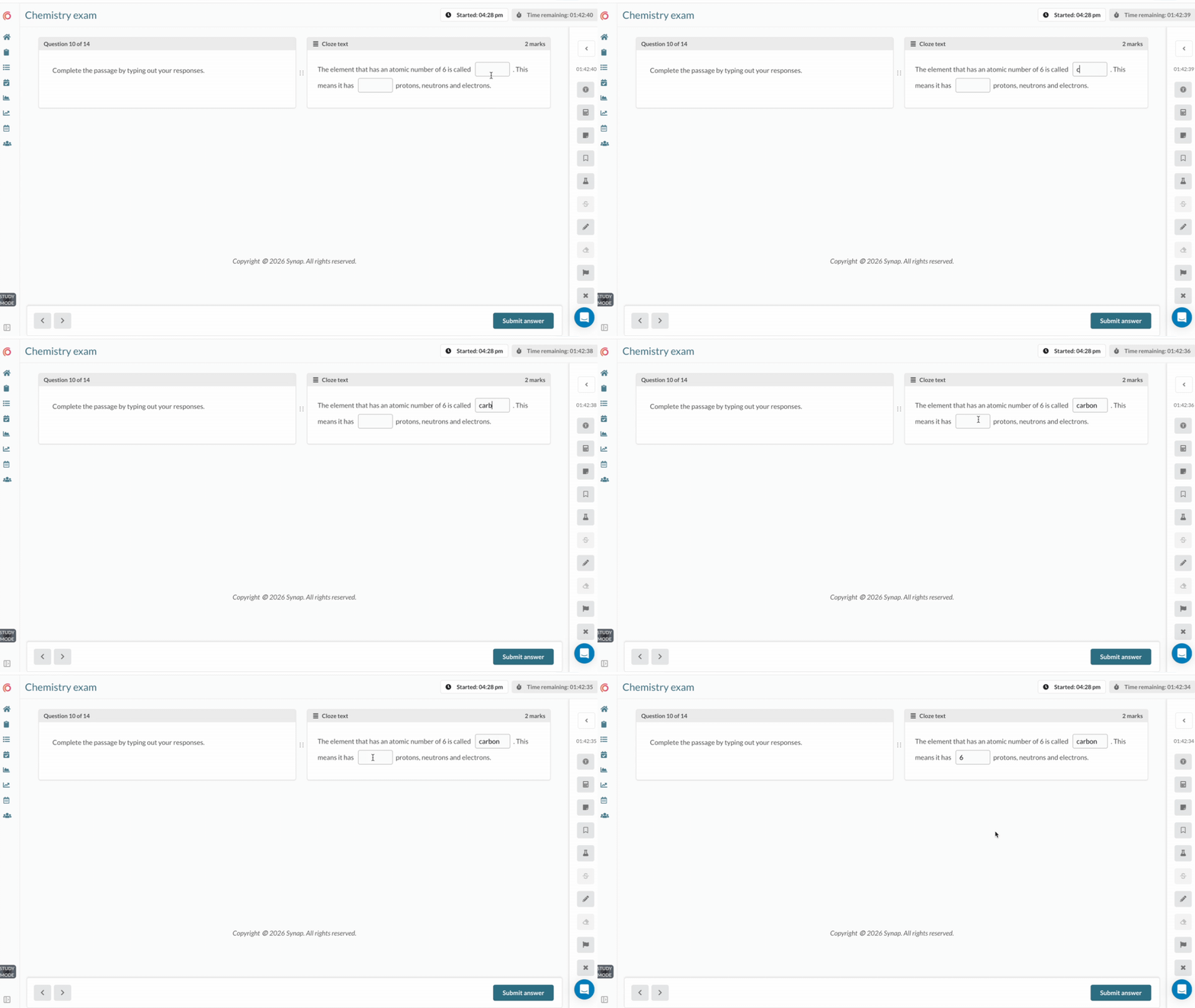
Cloze questions, often referred to as "fill in the blank", require candidates to input a word or number into a missing space within a sentence or passage. Accepted answers can be predefined so responses can be marked automatically, with additional controls such as case sensitivity and numerical ranges to ensure accuracy. They are a good question type to assess:
- Recall in context
- Language or terminology accuracy
- Detailed understanding
They require learners to actively recall information rather than recognise it. This reduces guessing, making them more challenging than standard multiple-choice formats and effective for reinforcing precision.
Numeric answer
Numeric answer questions ask candidates to type a number, such as the result of a calculation, rather than choose from options. They are well suited to assessing:
- Calculations and worked problems
- Dosage and measurement accuracy
- Financial and scientific figures
With no options to work backwards from, candidates have to genuinely solve the problem, which makes numeric answers a stronger test of quantitative skills than multiple choice.
Text selection
Text selection questions show a passage and ask candidates to select specific words, phrases or sentences within it. They are great for assessing:
- Proofreading and error spotting
- Grammar and vocabulary
- Finding evidence in a source
This format tests close reading in a way that a separate list of options cannot, because the answer sits inside the text itself.
Image hotspots
Hotspot questions present candidates with an image and require them to select a specific area or point within it as their answer. Hotspot questions are well suited to assessing:
- Visual identification
- Interpretation of diagrams, maps, or images
- Applied recognition skills
Rather than choosing from predefined options, learners interact directly with the visual, identifying the correct location based on their understanding. This format creates a more authentic assessment experience, as it mirrors real-world tasks where individuals must analyse and respond to visual information rather than rely on text-based cues.
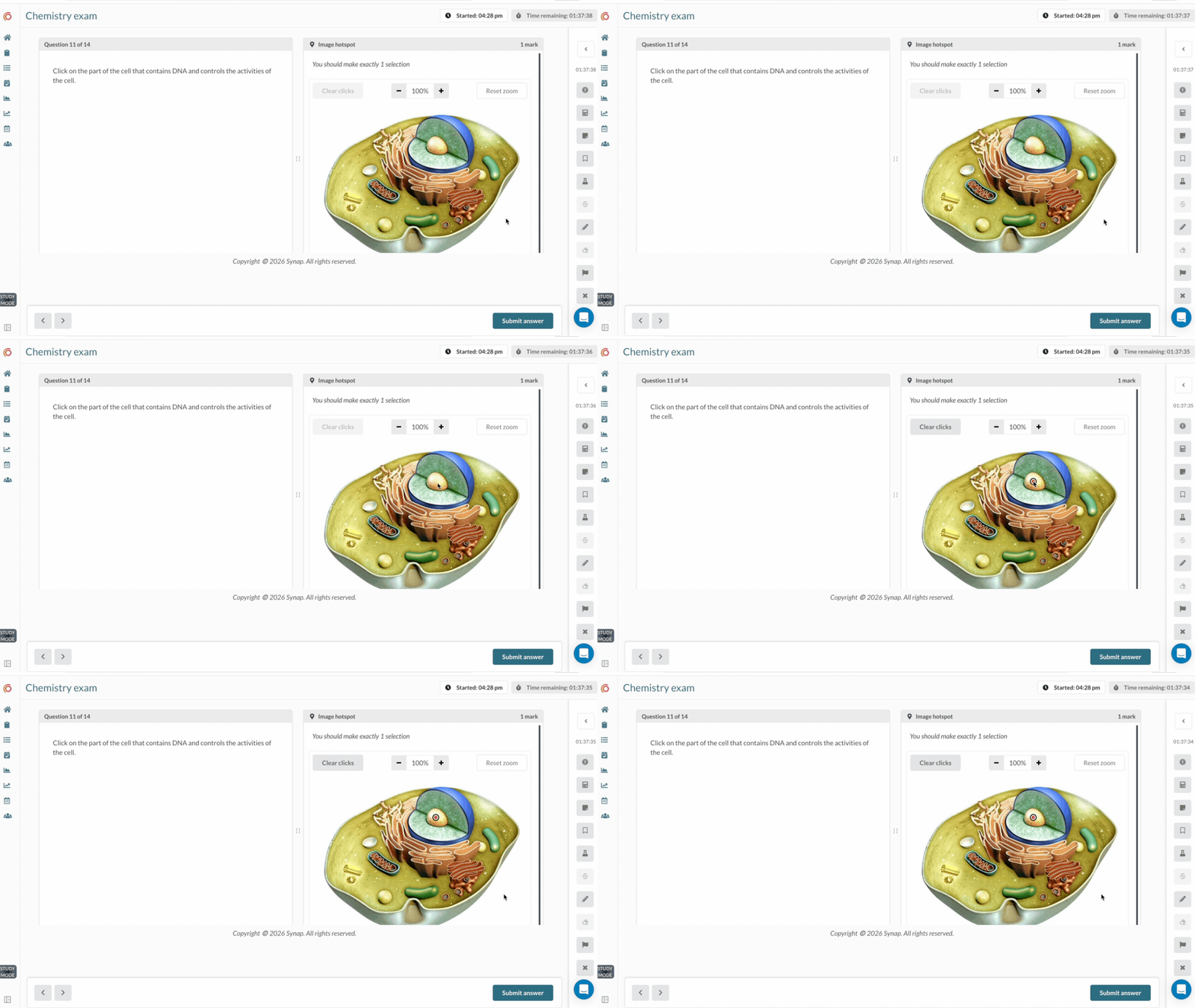
Image labelling
Image labelling questions ask candidates to label the parts of a diagram or image. Synap offers three versions: candidates can drag labels onto the image, pick each label from a dropdown, or type the label themselves. They are great for assessing:
- Anatomy, biology and science diagrams
- Equipment, maps and technical drawings
- Recall of specialist terms
Drag and drop and dropdown labelling test recognition, while typed labels test recall, so you can choose the level of challenge that suits the assessment.
Flashcard questions
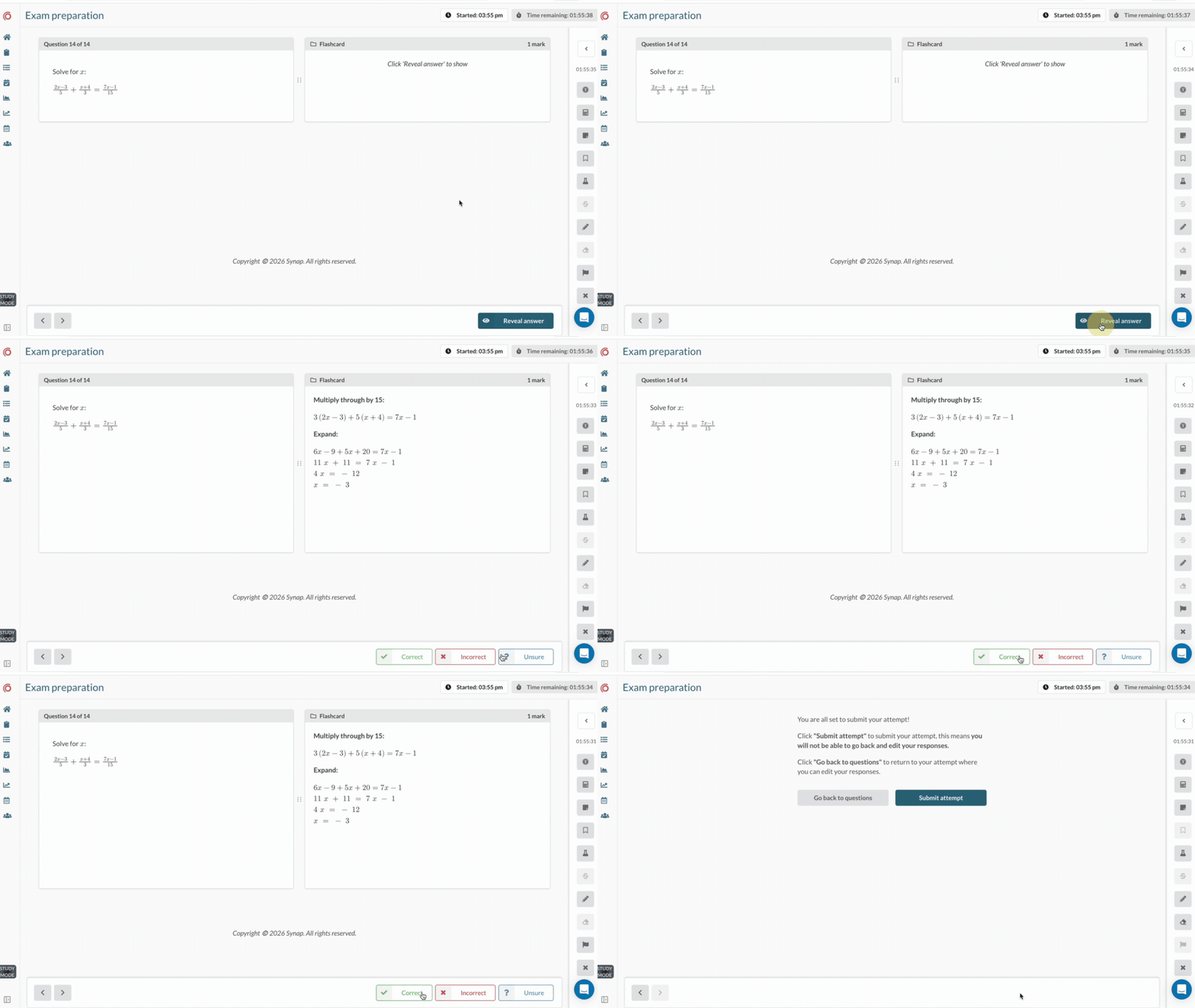
These work like traditional flashcards by presenting information as a prompt on one side and the corresponding answer on the other, allowing learners to test their knowledge in a simple, interactive format. They are typically used for self-paced study, where users can flip between the question and answer to check their understanding. Flashcards are great for exam preparation as they help:
- Knowledge recall
- Revision and reinforcement
- Active memory practice
Flashcards are self-marked, with learners rating how well they knew each answer. While often used for learning rather than formal assessments, they are highly effective for strengthening long-term memory through repetition and active recall.
Manually graded question types
Not every learning outcome can be captured with auto-graded formats. For depth of explanation, communication skills, and practical demonstration, manually graded question types give markers the flexibility to evaluate richer responses.
Free text (essays)
Free text questions, often referred to as essay questions, allow candidates to produce extended written responses in their own words. There are no predefined answer options, meaning learners must independently construct and structure their response based on the question provided.
They are typically used where depth of explanation, reasoning, or argumentation is required rather than short or factual responses. Free text questions are good for assessing:
- Critical thinking
- Argument development
- Depth of understanding
Word limits can be applied to responses, and spell checks can also be disabled where appropriate. These questions allow learners to express ideas in detail, build structured arguments, and demonstrate nuanced understanding. This makes them particularly suitable for higher-level learning outcomes that cannot be effectively captured through objective question types.
Templated answers
Templated answer questions provide candidates with a structured format to follow when responding, often breaking the answer into sections, tables, or guided prompts. While learners still provide their own content, the structure helps guide how the response should be presented.
They are useful when consistency in answer format is important or when specific components of a response need to be included. Templated answers are a good way to test:
- Methodical thinking
- Consistency in response structure
- Applied knowledge in a controlled format
They support clearer marking and more standardised responses, while still allowing learners to demonstrate understanding within a defined framework.
Audio recording
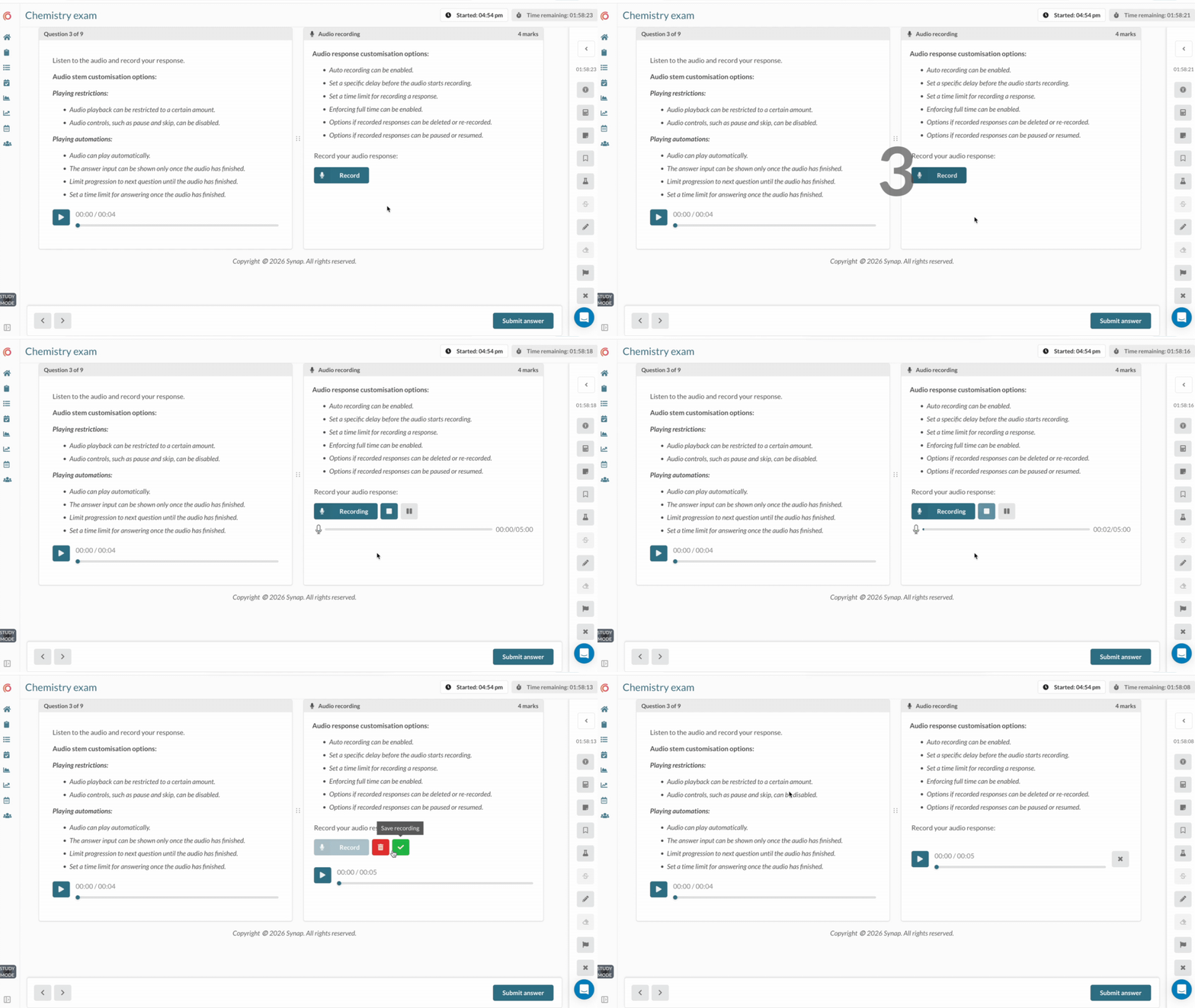
Audio recording questions require candidates to submit a spoken response using their device's microphone. Instead of writing their answer, learners verbally express their response in real time.
This format is commonly used where spoken language or verbal explanation is a key part of the skill being assessed. Audio recording questions are good for:
- Verbal communication
- Pronunciation
- Fluency and spoken clarity
They capture elements such as tone, pace, and articulation, which cannot be assessed through written responses alone. Online exam platforms like Synap often allow for configurable options such as a maximum recording time, number of recording attempts, and whether recording can be paused and restarted, giving you full control over how the assessment is delivered and ensuring consistency and fairness across candidates.
Video recording
Video recording questions require candidates to record themselves using a webcam while responding to a question or completing a task. This combines both visual and audio communication in one response.
It is often used when presentation, demonstration, or interpersonal skills need to be evaluated, making it great for recruitment assessments. Video recording questions are good for assessing:
- Presentation skills
- Practical demonstrations
- Interpersonal communication
This format enables a richer evaluation of how learners communicate and present themselves, including body language and delivery. Similar to audio questions, admins can add configurations such as a maximum recording time, number of attempts, and whether candidates can pause and restart the recording.
Spreadsheet
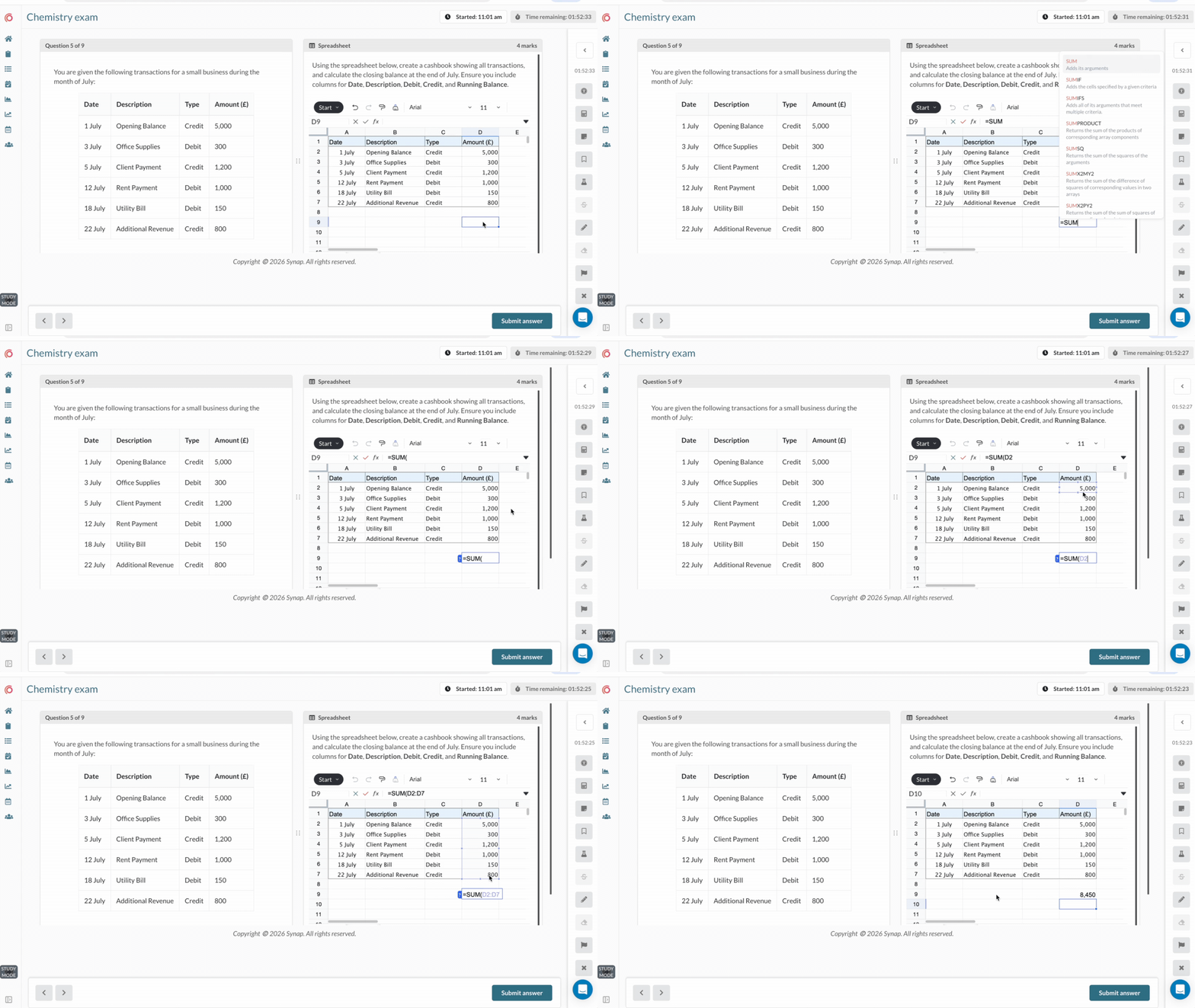
Spreadsheet questions require candidates to complete tasks using spreadsheet software, such as analysing data, performing calculations, or organising information in structured formats.
They are designed to replicate tools commonly used in workplace environments such as Excel and Google Sheets. These tasks are good for assessing:
- Data analysis
- Numerical reasoning
- Technical or financial skills
They allow learners to demonstrate both accuracy and process when working with structured datasets.
Drawing
Drawing questions give candidates a canvas to sketch, plot or annotate their answer directly in the exam. They are good for assessing:
- Graph sketching in maths, science and economics
- Diagrams and annotations
- Design and technical work
They capture visual answers that would otherwise need to be drawn on paper and uploaded, keeping the whole response inside the exam for marking.
File upload
This allows candidates to submit external files as their response, such as documents, presentations, PDFs, or other digital formats.
This format is used when responses cannot be easily captured within standard question fields. File upload questions are good for assessing:
- Projects and coursework
- Research and written work
- Creative or technical outputs
They provide flexibility for more complex submissions that require richer formats or multi-page work.
Webcam screenshot
Screenshot questions allow candidates to capture an image using their device's camera, either of their own work (such as a hand-drawn diagram, sketch, or written solution) or of themselves for identity verification purposes, for example by holding up an ID card. Webcam screenshot questions are good for assessing:
- Practical or hand-produced work (e.g. drawings, diagrams, written calculations)
- Identity verification and exam security
- Authenticity of candidate submissions in remote assessments
While not used to assess knowledge directly, they support trust and security in online examinations.
Coding
Coding questions require candidates to write, run, or submit code in response to a problem. These may include automated tests that check whether the solution works as expected.
They are commonly used in technical and computer science assessments. Coding questions are good for assessing:
- Programming skills
- Logical problem-solving
- Algorithmic thinking
They closely reflect real-world development tasks and allow for practical evaluation of technical ability.
Off platform
Off-platform questions require candidates to complete an activity outside of the exam platform, with their work then submitted, recorded, or assessed afterwards. These tasks are typically used when the assessment needs to take place in a real-world or practical environment that cannot be replicated digitally.
They are commonly used in practical, workplace, or performance-based assessments. Off-platform questions are good for assessing:
- Practical skills
- Real-world application
- Communication and presentation abilities
By attaching a marking rubric, results from off-platform activities can be combined with scores from the rest of the exam, giving a complete picture of candidate performance.
Questions that are not marked
Some question types collect information rather than test knowledge.
Likert scales
Likert questions ask candidates to rate a statement on a scale, such as from Strongly disagree to Strongly agree. They are useful for:
- Candidate feedback on an exam or course
- Confidence ratings alongside questions
- Short surveys
Because they are not marked, Likert questions can sit inside an exam without affecting scores, so feedback is collected in the same place as results.
Using multimedia in questions
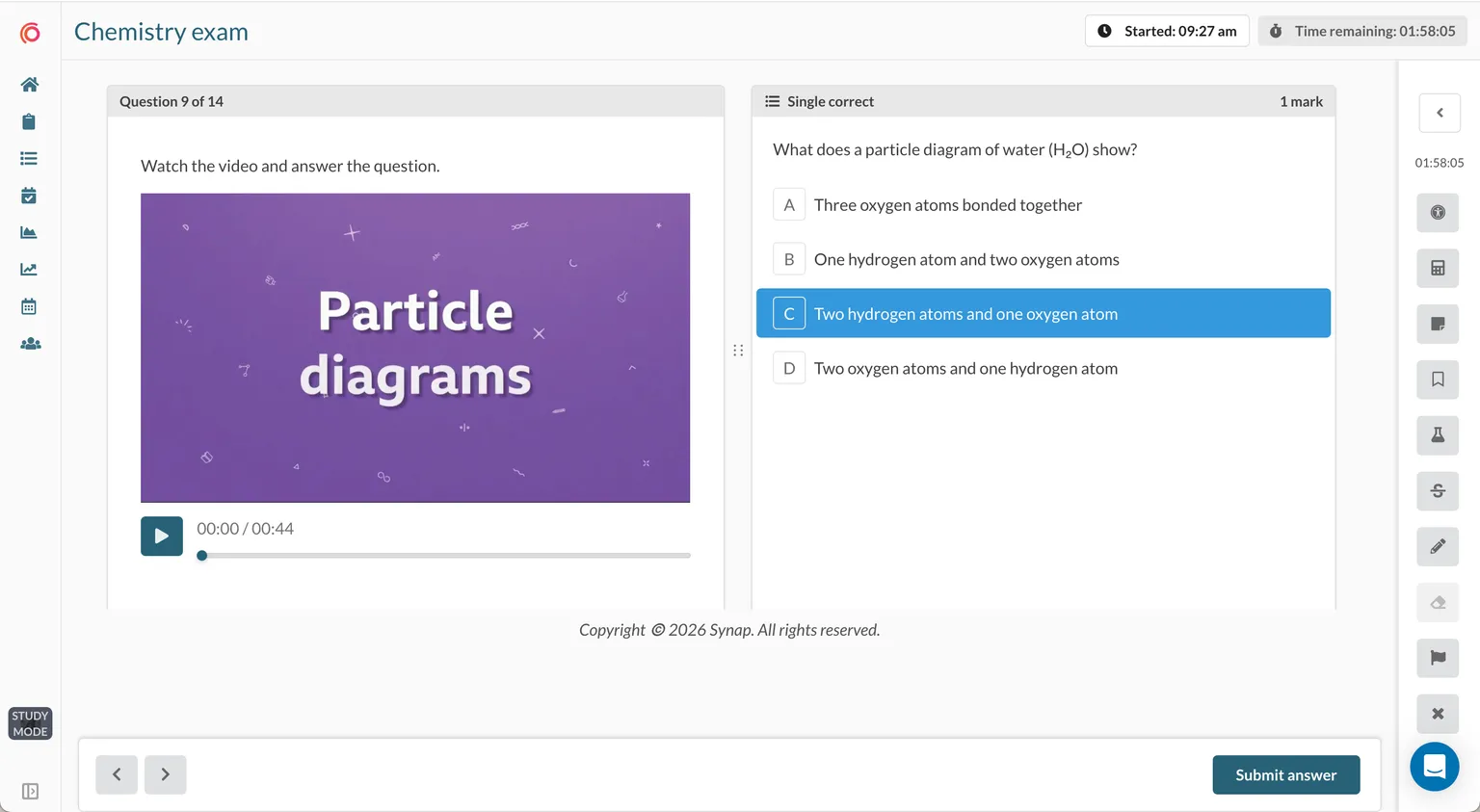
Modern online exam platforms often allow multimedia to be added to questions to make them more engaging and realistic. This can include images, audio, video, spreadsheets, and PDFs.
Multimedia enhances assessment by presenting information in formats learners are more likely to encounter in real-world situations. It also supports different learning styles and enables more authentic scenario-based questions.
Get better results with the right question types
Effective assessment design depends on choosing question types that accurately measure the skills and knowledge you want to assess. Using a mix of formats helps evaluate everything from knowledge recall and critical thinking to practical, real-world application.
You can explore each format, with an interactive example, in our question type library. See how Synap's question types work in practice and explore how the right formats can improve your assessment quality. Book in for a tailored demo to get your 14-day free trial.