
Choice Matrix and Text Selection questions
More ways to assess knowledge, with easier attempt filtering and clearer exam access records.
New
2 updates- Choice Matrix questions. Build automatically marked questions with rows of statements and a shared set of answer columns, allowing one or multiple selections per row. Award credit for each correct row or require every row to be correct.
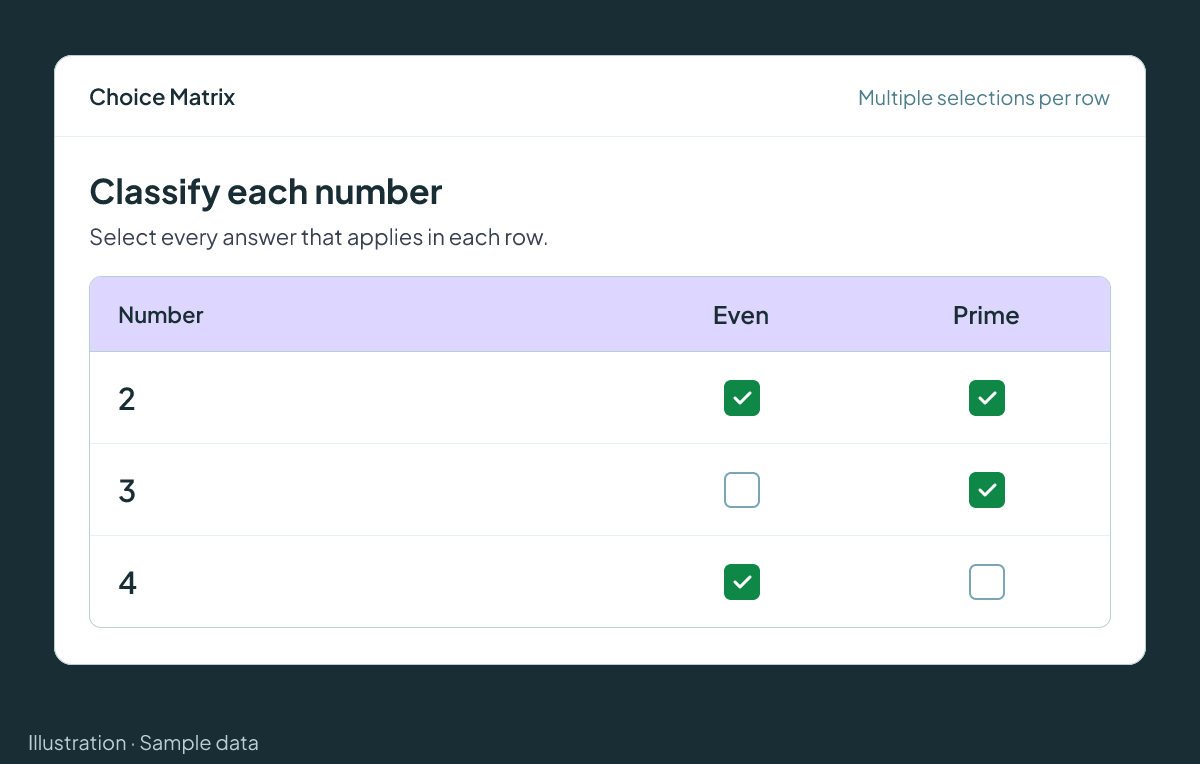
Illustration with sample data. Choice Matrix questions share answer columns across statement rows and support one or multiple selections per row. Automatic marking can award equal credit per correct row or require all rows to be correct. - Text Selection questions. Ask candidates to select author-defined words or phrases within a passage. Educators can set selection limits and choose exact-match, proportionate or per-correct-selection marking.

Improvements
4 updates- Attempt filtering. Administrators can filter attempts by attempt, exam, marking, results or proctor status across a portal or user group without first choosing an exam or collection.
- Exam access records. For newly unlocked attempts, exam teams can see who granted access and when using optional Attempt Management columns and the exam candidates CSV, with passcode access identified separately.
- Copy External IDs. Administrators can click an External ID in the users and attempts tables to copy it rather than open the record.
- Certificate templates. Certificate designers can upload SVG images and custom fonts for managed templates, with higher image-size and file-count limits.
Fixes
2 updates- Cloze results feedback. Learners can distinguish partially credited blanks in results through a yellow highlight and minus symbol across all three cloze question types.
- Exam question layout. The exam Questions page now uses spacing consistent with the quiz builder, removing the oversized left gutter around the question list.
Back to all release notesQuestions? Get in touch through your portal.