
✅ ✅ Assign Markers & The Attempts - Markers page
Elevate collaboration and communication with streamlined marker assignment, enabling educators to efficiently filter attempts for seamless marking.
Marking a large cohort is far easier when the right people are looking at the right scripts. You can now assign specific markers to specific attempts and filter the attempts table by marker — so every member of your team knows exactly what they need to mark.
How it works
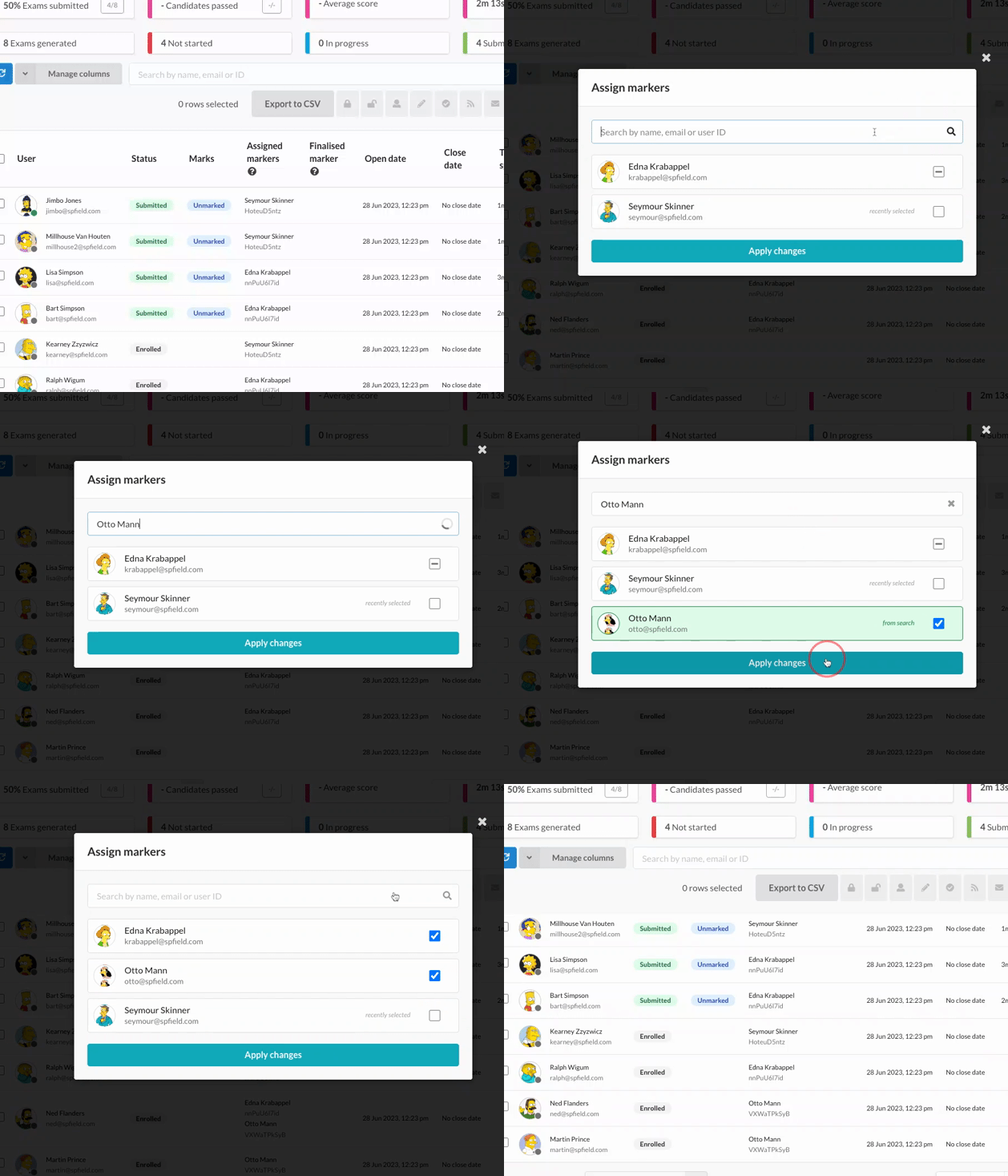
From an exam's users table, select the attempts you want to distribute and assign a marker to them. Markers can then use the new Markers view to see only the attempts assigned to them, keeping large marking exercises organised and collaborative.
It's ideal for splitting marking fairly across a team, moderating an individual marker's work, or simply making sure nothing slips through the cracks.