Introduction
Ensuring the security of online exams is a critical priority for organisations such as professional certification bodies, universities, and corporate training providers, where the integrity of assessments directly impacts qualification credibility, compliance, and reputation.
As AI-powered tools, contract cheating services, and online answer-sharing communities continue to grow in popularity, cheating in online exams has become both easier for candidates to carry out and harder for organisations to detect.
Without robust security measures in place, organisations risk exam content leakage, compromised qualifications, reputational damage, and a loss of trust in their assessment processes. In this guide, we explore 21 anti-cheat features that strengthen the integrity of your online exams and explain why each one matters to your organisation.
Anti-cheat features for creating exams
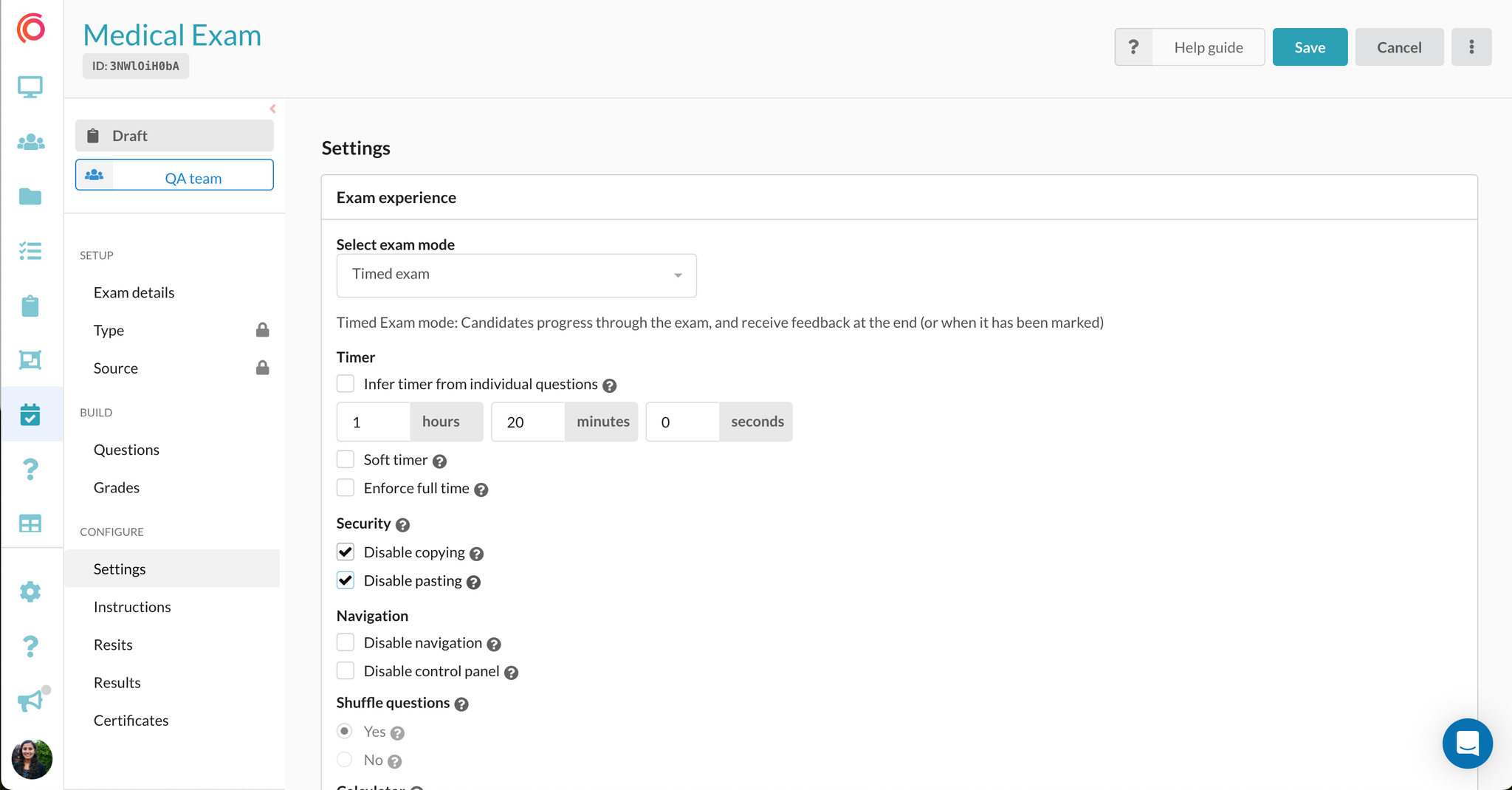
1. Disabling copying and pasting
An effective and popular anti-cheating measure involves disabling the copy-paste functionality during an exam. By implementing this restriction, candidates are prevented from copying exam content and distributing it externally. It also ensures candidates cannot input text from external sources, such as AI tools, personal notes or Google, into the exam's text box. For organisations running written assessments, this is a foundational control that protects both question integrity and the validity of candidate responses.
2. Disabling right-click
Disabling right-click functionality during an exam blocks a common shortcut for copying text, printing pages, or saving images. This is a low-friction exam control that helps safeguard proprietary question content from unauthorised sharing while maintaining a smooth and uninterrupted experience for test-takers.
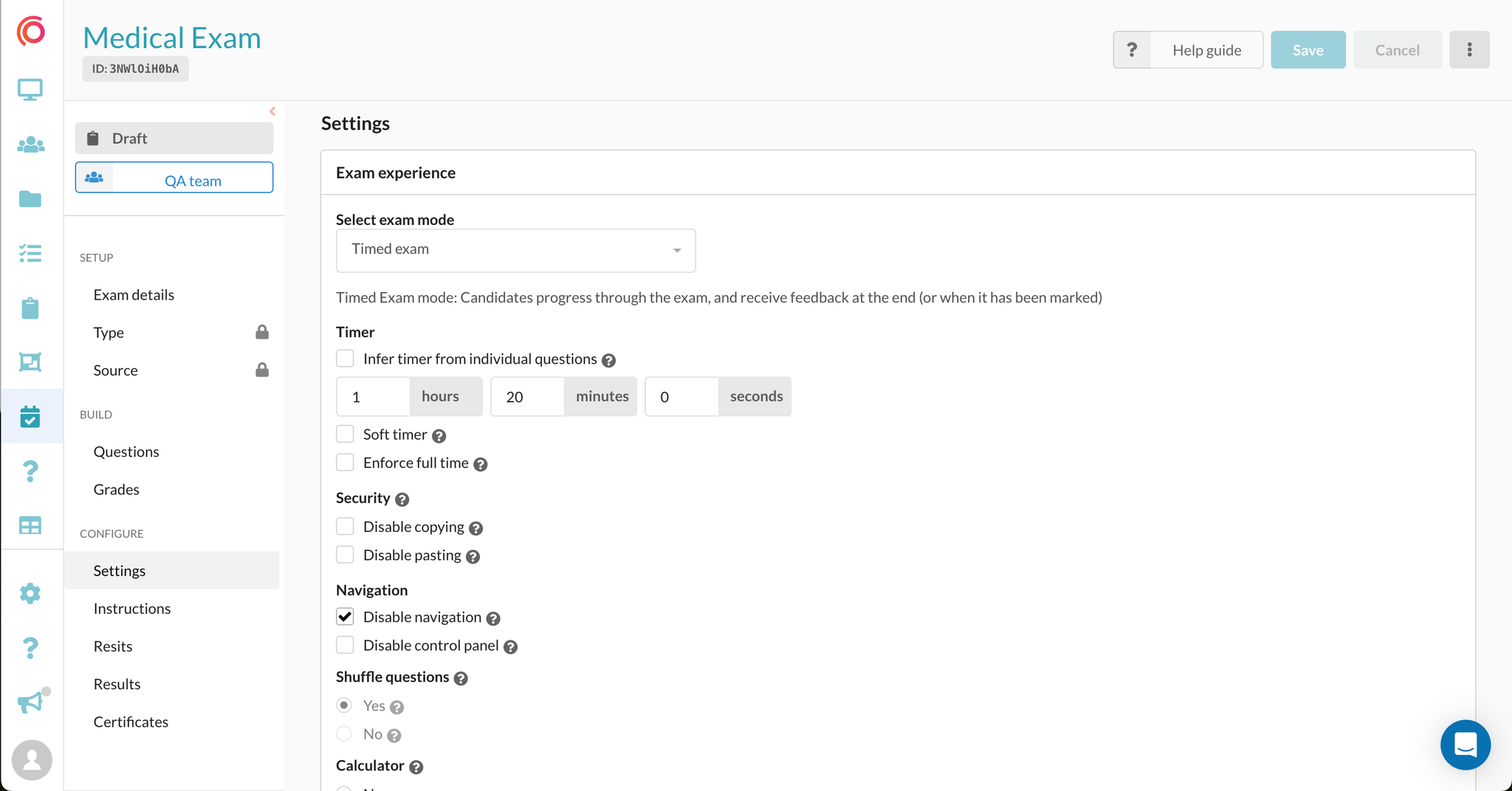
3. Restricting question navigation
Locking candidates into the current question prevents them from navigating forwards or backwards through the exam. This features helps to maintain a focused linear assessment experience and prevents colluding by reducing the risk of future questions being viewed, shared, or leaked.
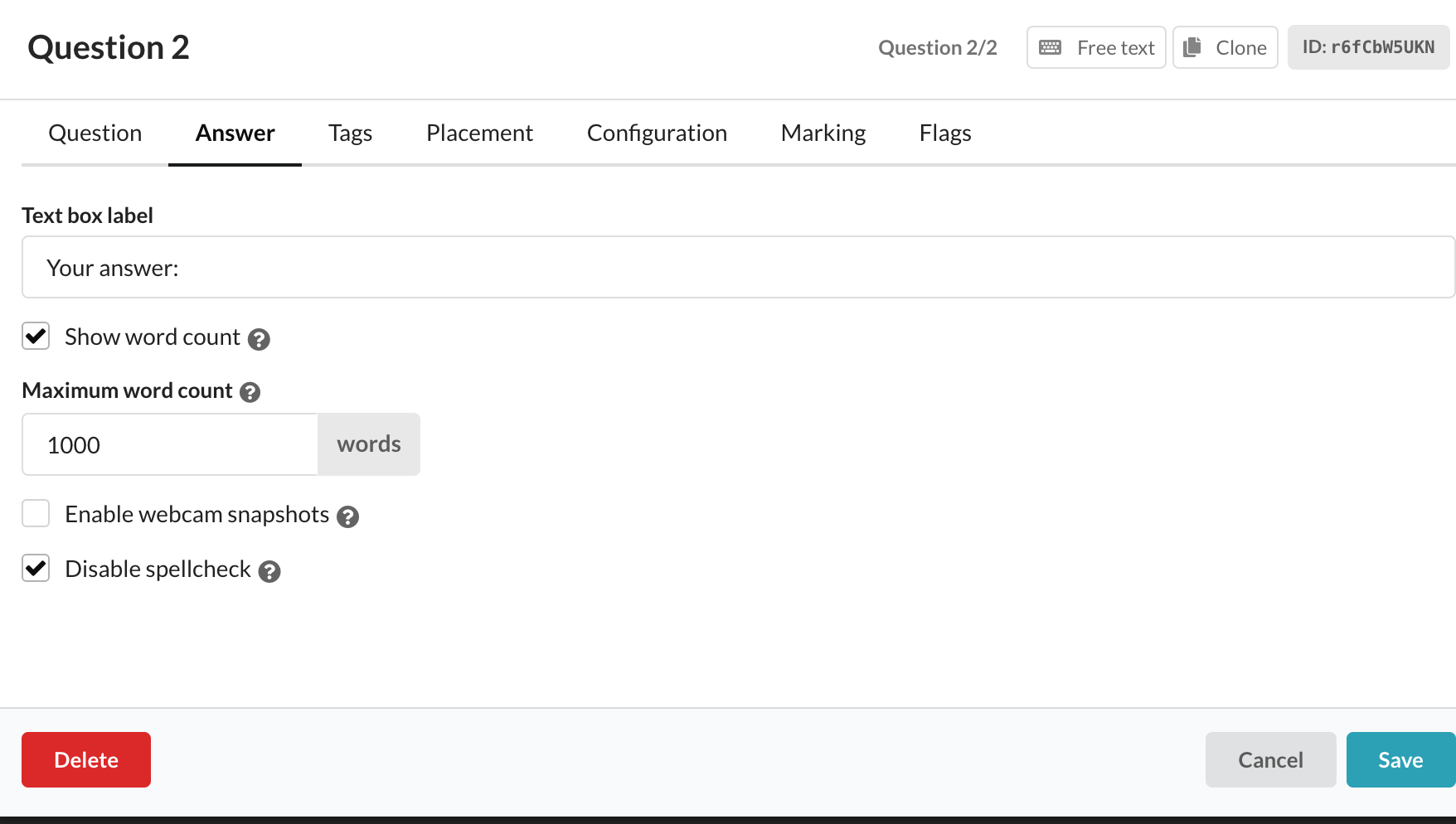
4. Disabling spell check
In language assessments and other scenarios where the authenticity of candidates' written work is paramount, the option to disable spell check ensures that the content submitted truly reflects the candidate's own efforts, maintaining the authenticity and accuracy of their written responses. This is particularly relevant for organisations using assessments as evidence of competency for regulatory or compliance purposes.
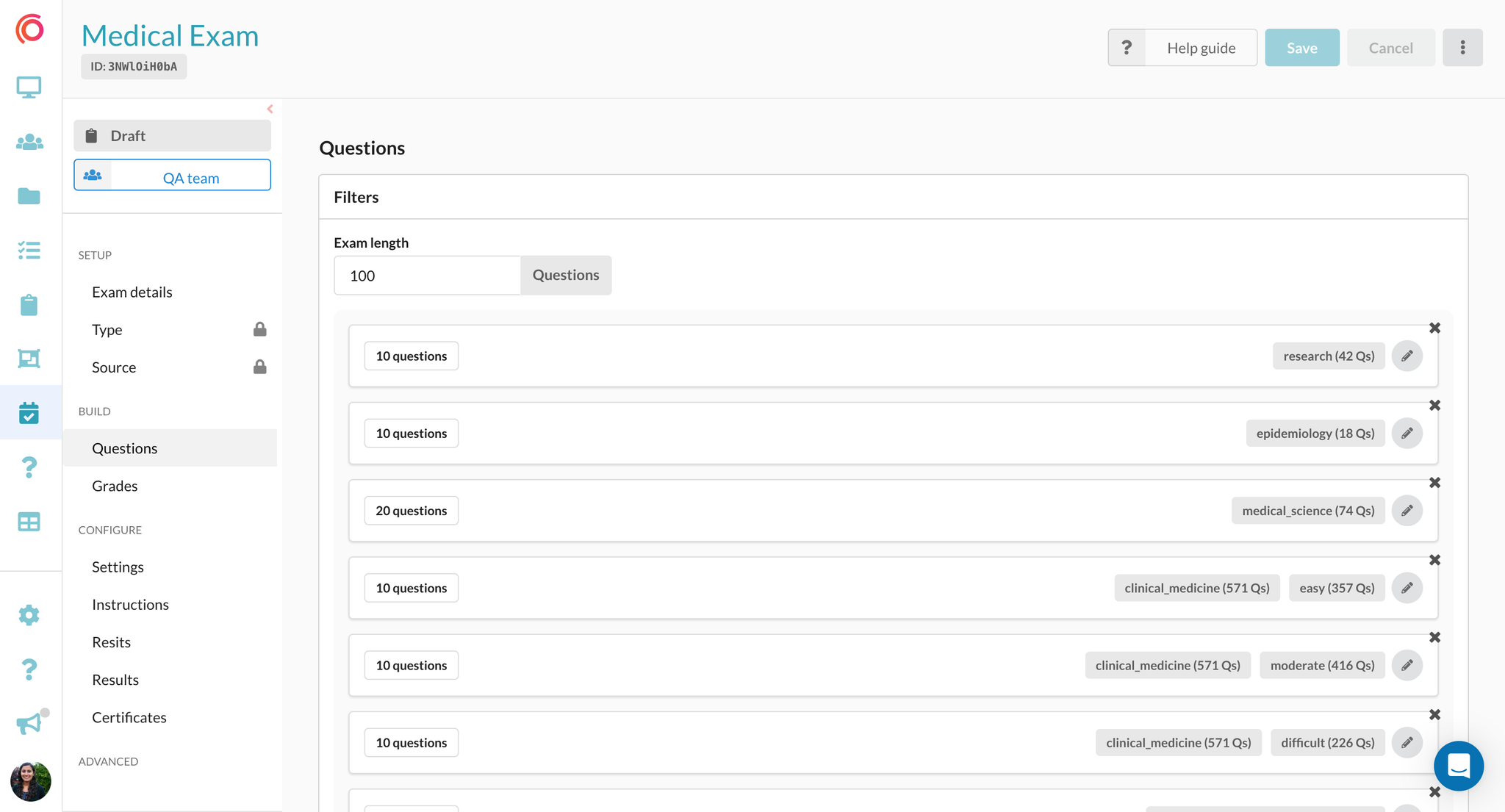
5. Creating dynamic exams from question banks
Dynamic exams offer the capability to create unique exams for each candidate. This functionality enables admins to quickly generate exams of equal weighting from extensive question banks. This is achieved by specifying how many questions are selected with a specific tag, such as "select 10 questions with the topic tag 'Chemistry'". Consequently, candidates encounter varied sets of questions aligned with identical subject categories, ensuring both exam security and fairness.
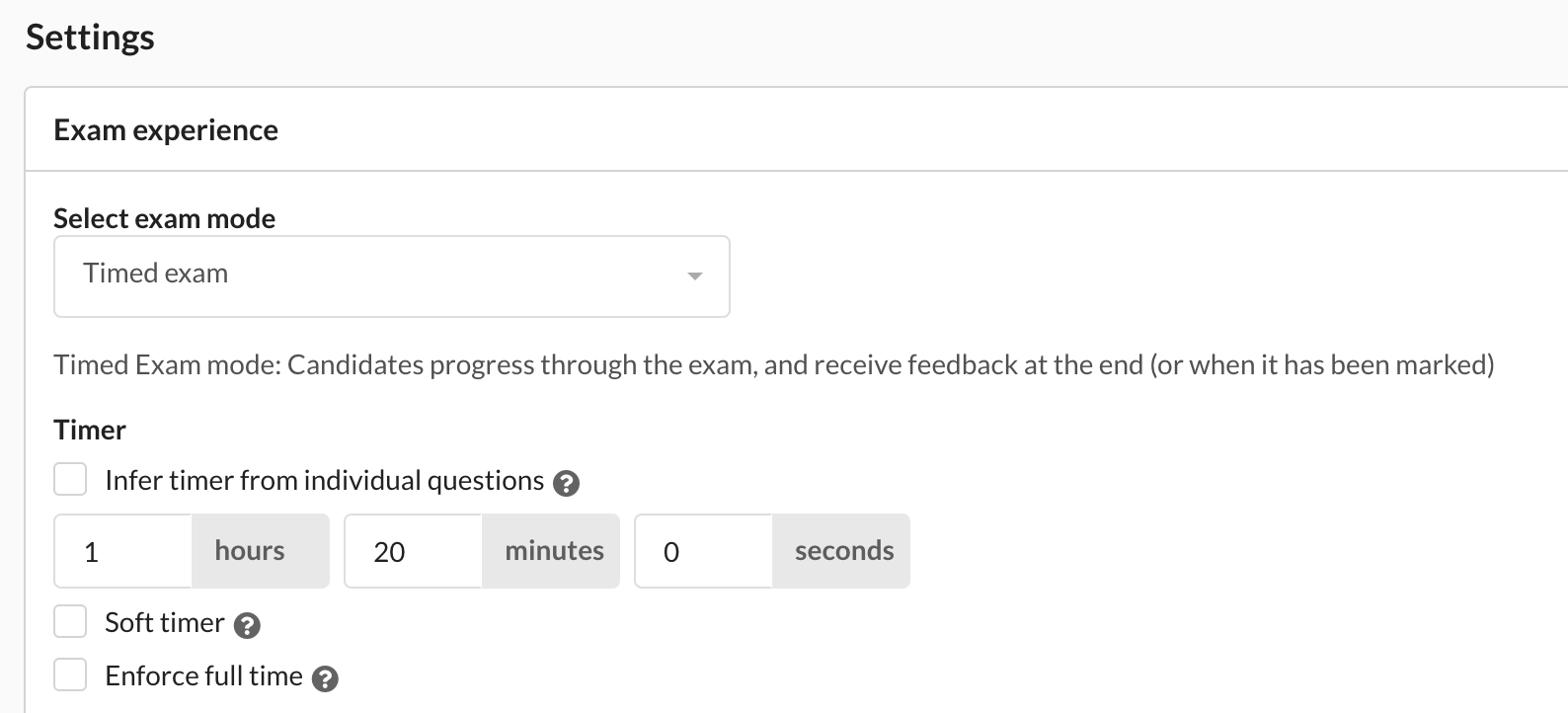
6. Delivering exams in timed conditions
By setting a specific time limit for an exam, candidates have a restricted time frame for completing the assessment. This minimises opportunities for collusion among test-takers or attempts to search for answers online. Upon the time limit expiring, candidates are automatically locked out of the exam, adding an extra layer of security against question leakage. This measure not only deters potential cheating but also ensures a more controlled and secure examination environment.
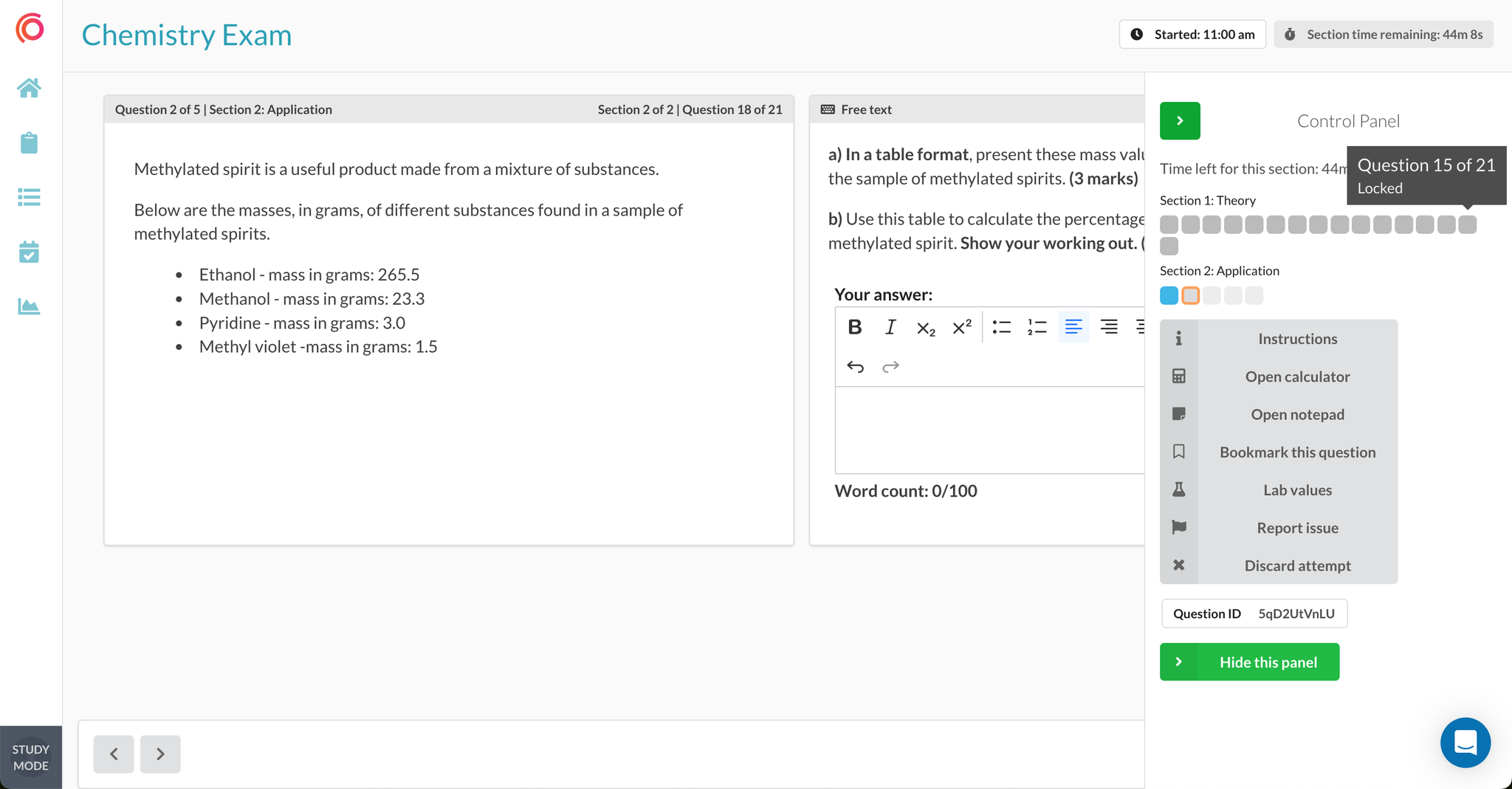
7. Timed sections and locking of sections
Organising an exam into sections and adding timed constraints within each section is an effective anti-cheating strategy. This approach restricts candidates from revisiting previous questions once a section is completed, significantly reducing the likelihood of question sharing. Moreover, by imposing time limits on each section, candidates are compelled to manage their time efficiently. Once the allotted time for a section elapses, candidates are automatically locked out, preventing prolonged access and further mitigating the risk of cheating.
8. Shuffling the order of questions and answers
Randomising the order of questions is a valuable anti-cheating measure, whereby a candidate's questions appear in a different order to everyone else. This ensures that each candidate encounters questions in a unique sequence, preventing the possibility of sharing answers based on question number. Furthermore, shuffling the answer options in multiple-choice questions adds an extra layer of complexity. This variation makes it challenging for test-takers to convey specific answers to their peers, as the correct response is likely to be in a different position for each individual, thus reinforcing the exam's integrity.
9. Restricting IP addresses
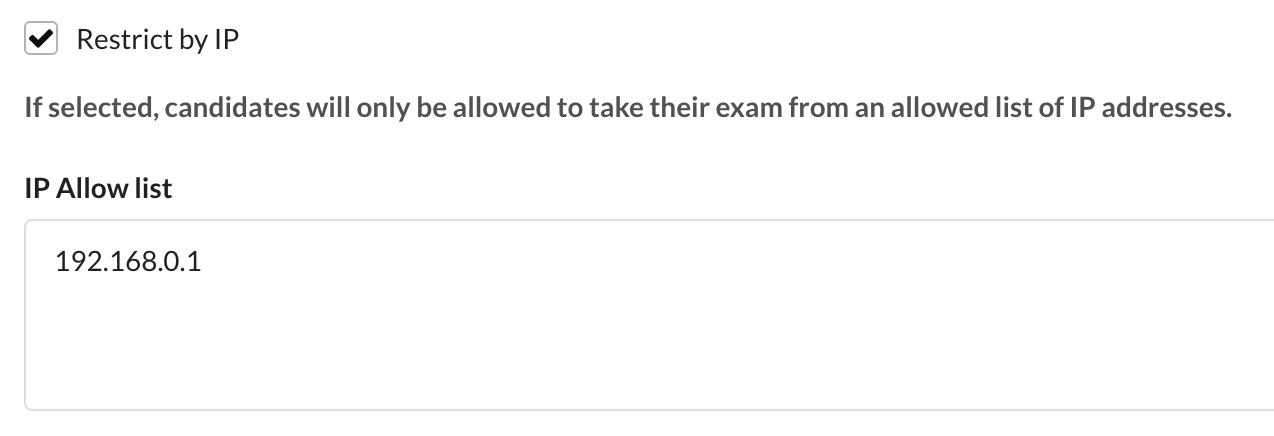
Enforcing an approved list of IP addresses, such as testing centres or campuses, ensures that candidates can only access their exams from these specified locations. This stringent measure prevents the possibility of candidates sharing exam links externally, fortifying the exam against unauthorised access.
10. Custom terms and conditions
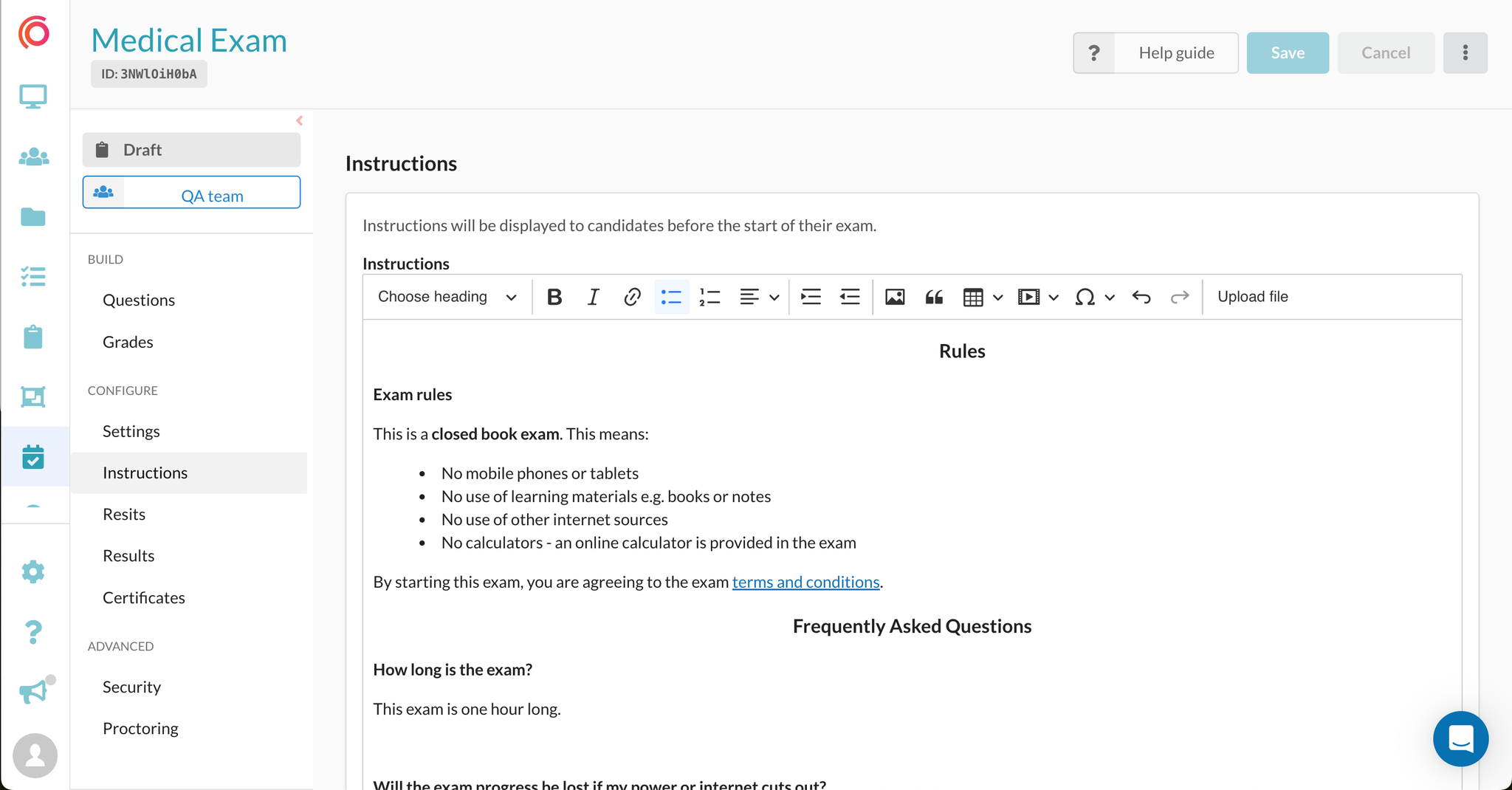
Before starting the exam, candidates are provided with clear instructions highlighting key terms and conditions such as outlining expected behaviour, exam integrity policies, and links to formal terms. They can also be required to formally accept these terms before beginning the exam, ensuring they understand expectations around behaviour during the exam. This creates a clear agreement that strengthens the professionalism and governance of the exam.
11. Resume attempt control
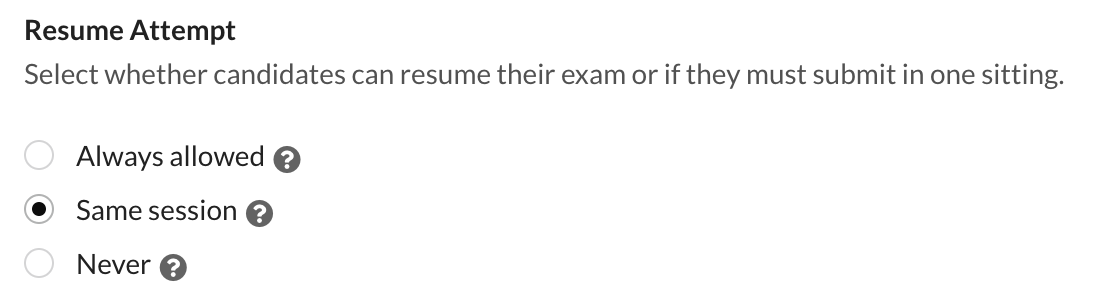
You can control whether candidates are permitted to resume an exam attempt, including restricting resuming to the same session (for example, when tied to a static IP address) or disabling the option entirely. This helps prevent misuse, such as a candidate starting an exam and passing access to someone else to complete it.
12. Webcam screenshot questions
Even without full proctoring, you can have webcam screenshot prompts during an exam. These allow candidates to capture images of themselves at key points, providing an added layer of identity verification and acting as a deterrent, without introducing technical complexity. This is particularly beneficial in low-bandwidth environments, as screenshots require significantly less data than continuous video streaming.
Secure methods for online exam access
13. Locking and unlocking of exam attempts
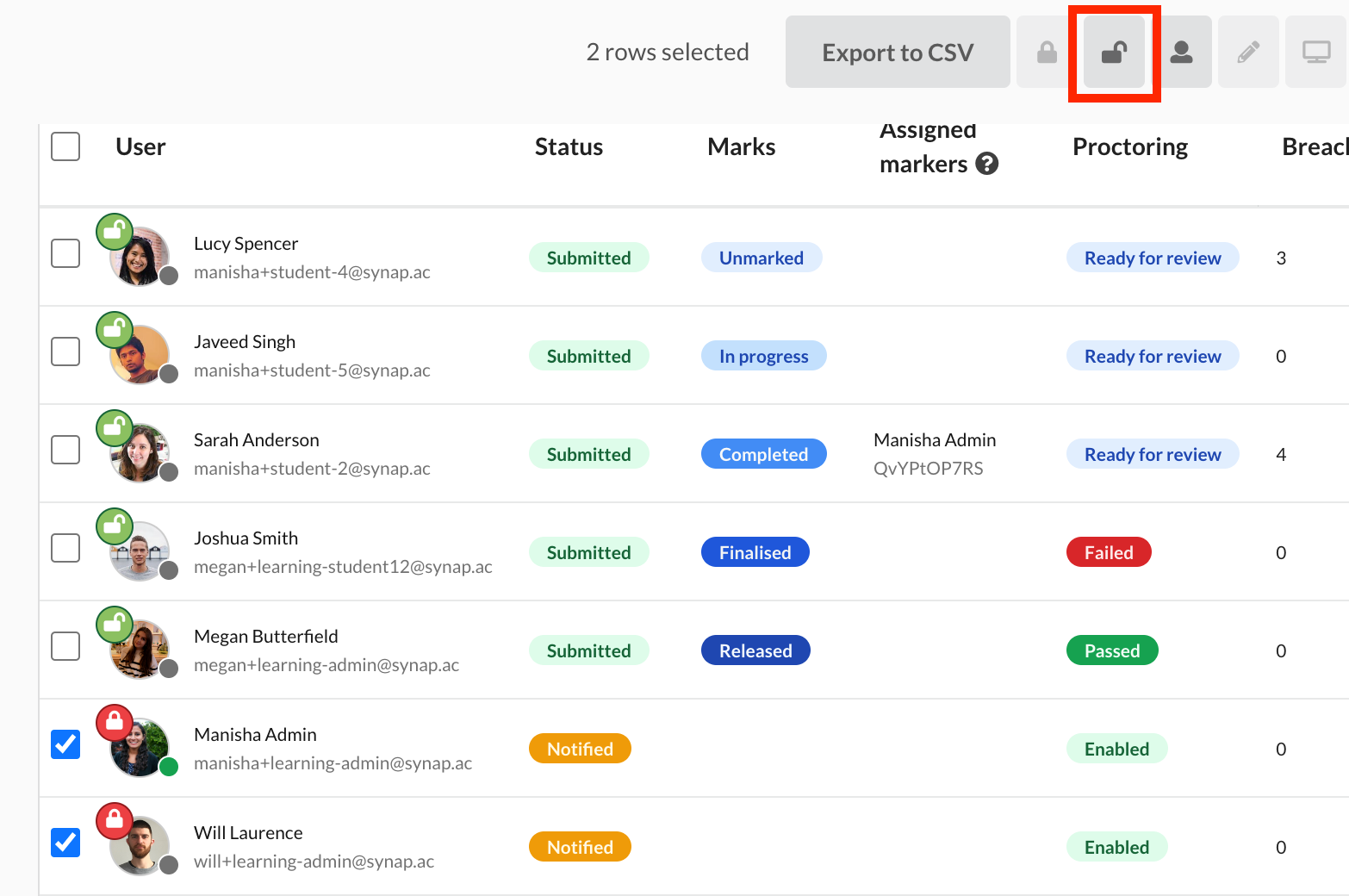
For precise verification of the candidate's identity, implementing a two-step process is effective. Initially, the exam is locked for all participants until the identity check is successfully completed. Once the correct candidate is confirmed to be present, the exam attempt can then be unlocked, granting them access to commence the examination. This method ensures a secure and controlled environment for the exam, minimising the risk of unauthorised entry.
14. Defining access rights to protect questions
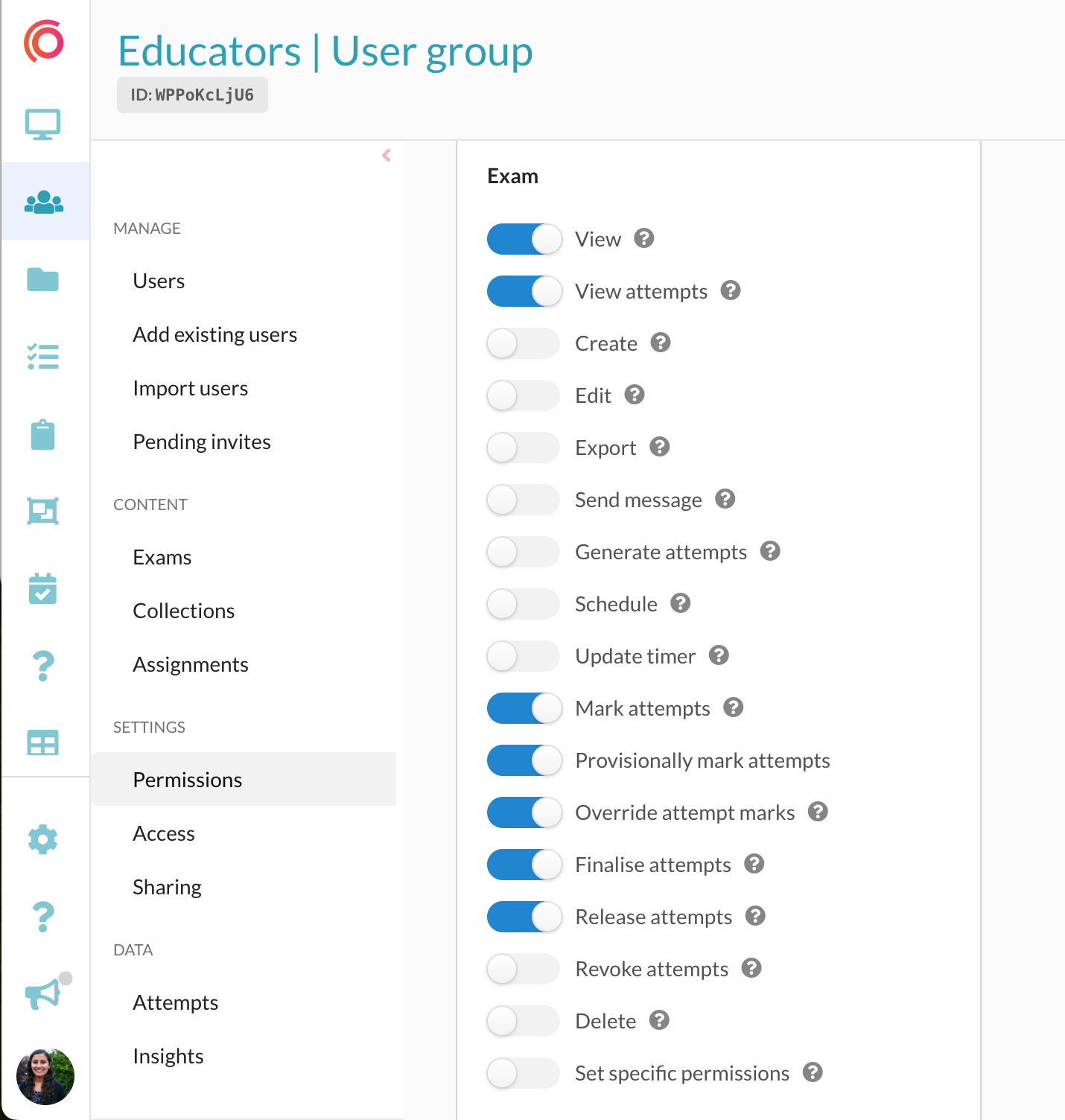
Creating educator groups with specific access rights and responsibilities plays a pivotal role in safeguarding your question content and the examination process. A strategic approach involves creating specialised educator groups, such as those dedicated solely to grading exams. Members of these groups possess the authority to only assess exams without the ability to view the source questions or edit the exams. This structure of permissions is essential to mitigate the risk of both internal employees and external contractors inadvertently or intentionally leaking exam questions online. By implementing these measures, you proactively protect your intellectual property and uphold the integrity of your examination system.
15. Unique exam links for candidates
Each candidate can be issued a unique exam link that is tied directly to their email address. This ensures that access is individualised and securely assigned to the intended candidate. It also helps reduce the risk of links being forwarded or shared more widely, strengthening control over exam distribution and maintaining the integrity of the assessment process.
16. Passcodes for candidates to unlock exams
You can issue a passcode that candidates must enter to unlock their exam, adding an extra layer of access control. These passcodes can be distributed only after attendance or identity has been verified, ensuring that entry is both secure and appropriately timed. This approach gives administrators greater control over when candidates can begin, helping to prevent unauthorised early access and reinforcing the integrity of the exam environment.
17. Single sitting submissions
Mandating that candidates complete the exam in a single sitting is a strategic measure to prevent unauthorised access. By enforcing this rule, if a candidate shares their exam link, it ensures that the intended examinee is the only one who can enter and undertake the exam, reinforcing the security of the examination process.
18. Single Sign On
Enabling Single Sign-On (SSO) for both candidates and internal staff helps to prevent unauthorised access to your exams. It adds an additional layer of authentication by integrating with your existing identity provider, ensuring that only verified users can gain access. It also reduces reliance on separate passwords, lowering the risk of compromised accounts while streamlining and securing the login experience.
Proctoring
19. Lockdown mode
Enabling robust lockdown mode via Synoptic's desktop app ensures candidates are confined to staying within the exam window. Test-takers are unable to access other browsers (preventing the ability to Google questions), utilise desktop applications (including messaging apps such as WhatsApp), or connect additional monitors to load notes. This comprehensive security measure enhances the integrity of the exam environment by significantly limiting potential avenues for cheating.
20. Using proctoring for enhanced monitoring
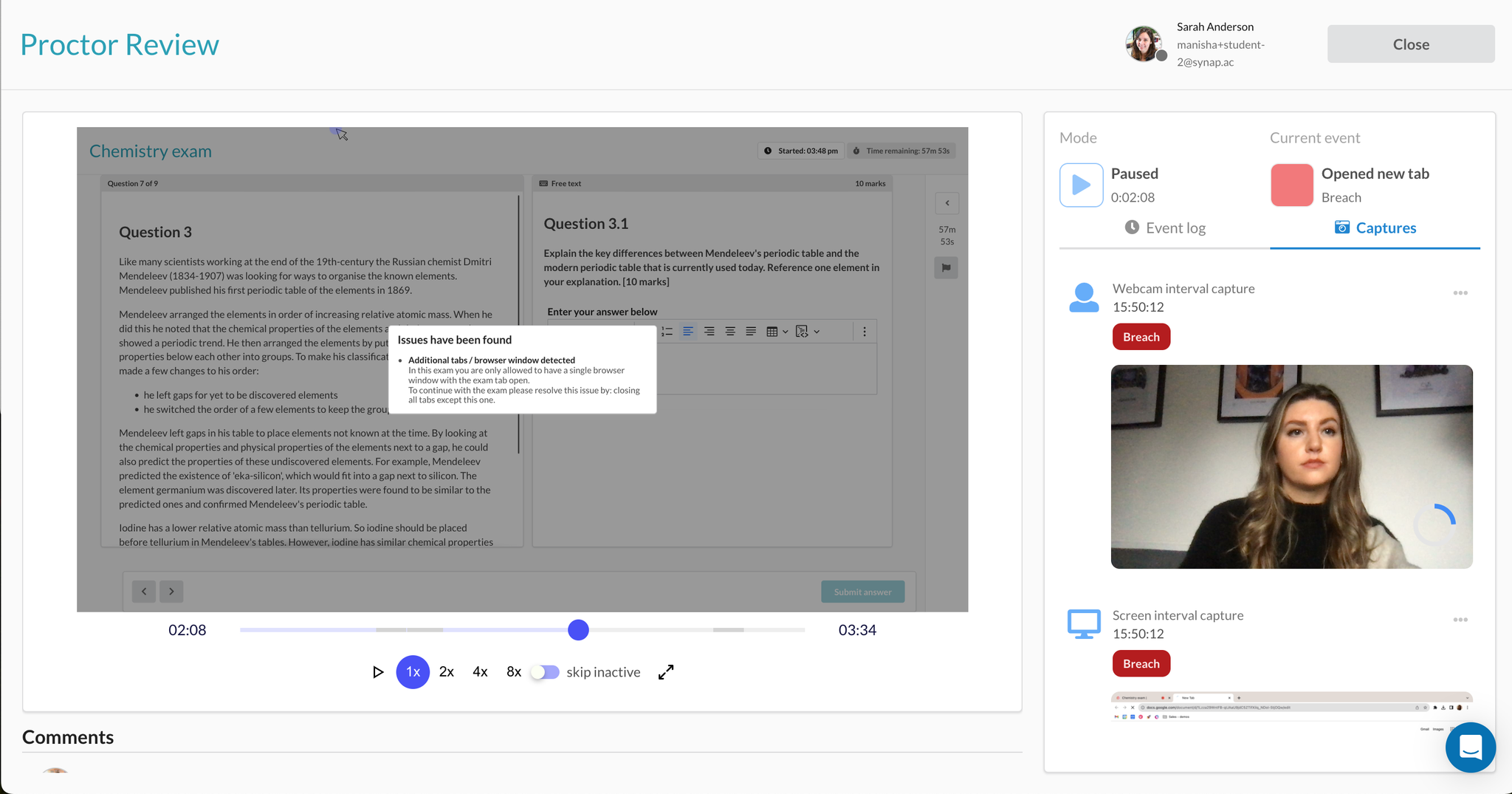
Proctoring is an ideal solution for closely monitoring candidates during exams. Synoptic captures webcam and screen snapshots or recordings for post-exam review, while the Chrome extension logs breaches such as leaving the exam window or opening unauthorised tabs. For high-stakes exams, the desktop app adds full device lockdown. Overall, online proctoring heightens the validity and integrity of online assessments.
21. Identity verification
Ensuring the correct candidate gains entry to the exam is achieved through ID checks. This critical step guarantees that only the authorised candidate, with the rightful access, participates in the exam, preventing any unauthorised individuals from taking the test.
See Synap's anti-cheat features in action
Every organisation's exam security needs are different. Whether you're running high-stakes professional certifications, university assessments, or corporate training programmes, Synap's anti-cheat features can be tailored to fit your requirements. Book a personalised demo with our team to see exactly how Synap can protect the integrity of your exams.