As the landscape of exam delivery shifts towards online platforms, ensuring the security of examinations becomes a paramount concern. Online proctoring emerges as a pivotal tool in addressing these challenges, providing a robust framework for maintaining integrity and security of online exams.
In this blog post, we explore the advantages of online proctoring and why it is preferred by organisations as an alternative for in-person proctoring. We also identify five proctoring types that organisations can adopt to enhance exam security, provide flexibility to candidates, and reduce overall exam costs.
Online proctoring safeguards exam integrity while slashing the costs and logistics of in-person testing.
What is proctoring?
Proctoring, at its core, involves the monitoring of candidates during exams, coupled with anti-cheat methods designed to reduce cheating. This multifaceted approach elevates exam security and instils confidence in the authenticity and credibility of assessment outcomes.
Why is online proctoring popular?
Organisations are increasingly turning to online proctoring solutions to address the high costs and logistical challenges associated with traditional in-person exams. The potential damage to exam credibility and a company's reputation often makes delivering exams without any proctoring impractical.
Here are four reasons why online proctoring has proven to be invaluable for organisations:
Cheaper costs
The expenses tied to in-person proctoring, including venue rentals and candidate travel reimbursements, can accumulate rapidly. Online proctored exams eliminate the need for physical testing venues, allowing candidates to take their exams remotely and significantly reducing overall costs.
Candidate preference
In the era of flexible and hybrid working arrangements, candidates are increasingly averse to spending extended periods traveling to in-person exam locations. Online proctoring enables candidates to take exams in the comfort of their chosen setting, often within the familiarity of their own homes.
On demand proctoring
Coordinating in-person exams across different locations, time zones, and countries poses logistical challenges for exam coordinators. Online proctoring tools offer remote proctors on demand, 24/7. This flexibility empowers candidates to choose a convenient exam time, irrespective of their timezone, without the need to pre-schedule.
Scalability
Scaling in-person exams faces constraints related to venue capacity and the availability of on-site proctors. Online proctoring addresses these limitations by providing a scalable remote exam solution. The virtual environment allows for a larger pool of proctors, facilitating the simultaneous monitoring of a high number of candidates during large-scale exams.
Let's explore five proctoring types that organisations can embrace to suit their exam security needs.
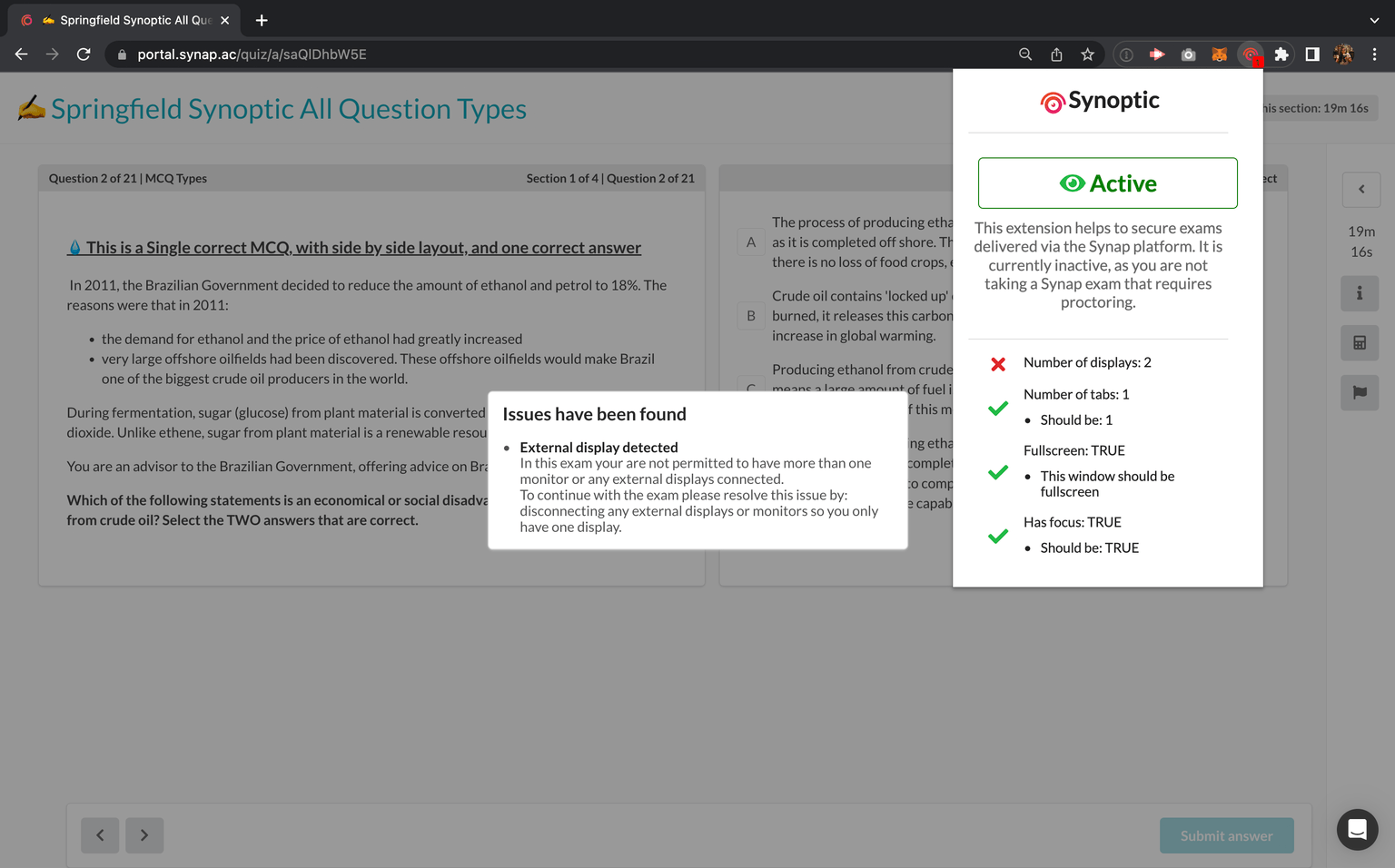
1. Lockdown mode
Delivering an online exam in lockdown mode via Synoptic's desktop app offers a robust security measure, ensuring candidates remain confined within the exam interface and preventing access to external browsers, desktop applications, or additional monitors.
This feature proves invaluable in addressing concerns related to test-takers trying to Google answers, or engaging in unauthorised communication such as messaging on WhatsApp during the exam.
Ideal for:
- Exams that are proctored in person, for example if you have someone walking around the exam room monitoring candidates.
- Remote exams that need enhanced anti-cheating measures but do not require video or screen monitoring.
- Organisations seeking a cost-effective method to deter cheating, as lockdown mode is often the cheapest proctoring option.
2. Webcam and laptop screenshots
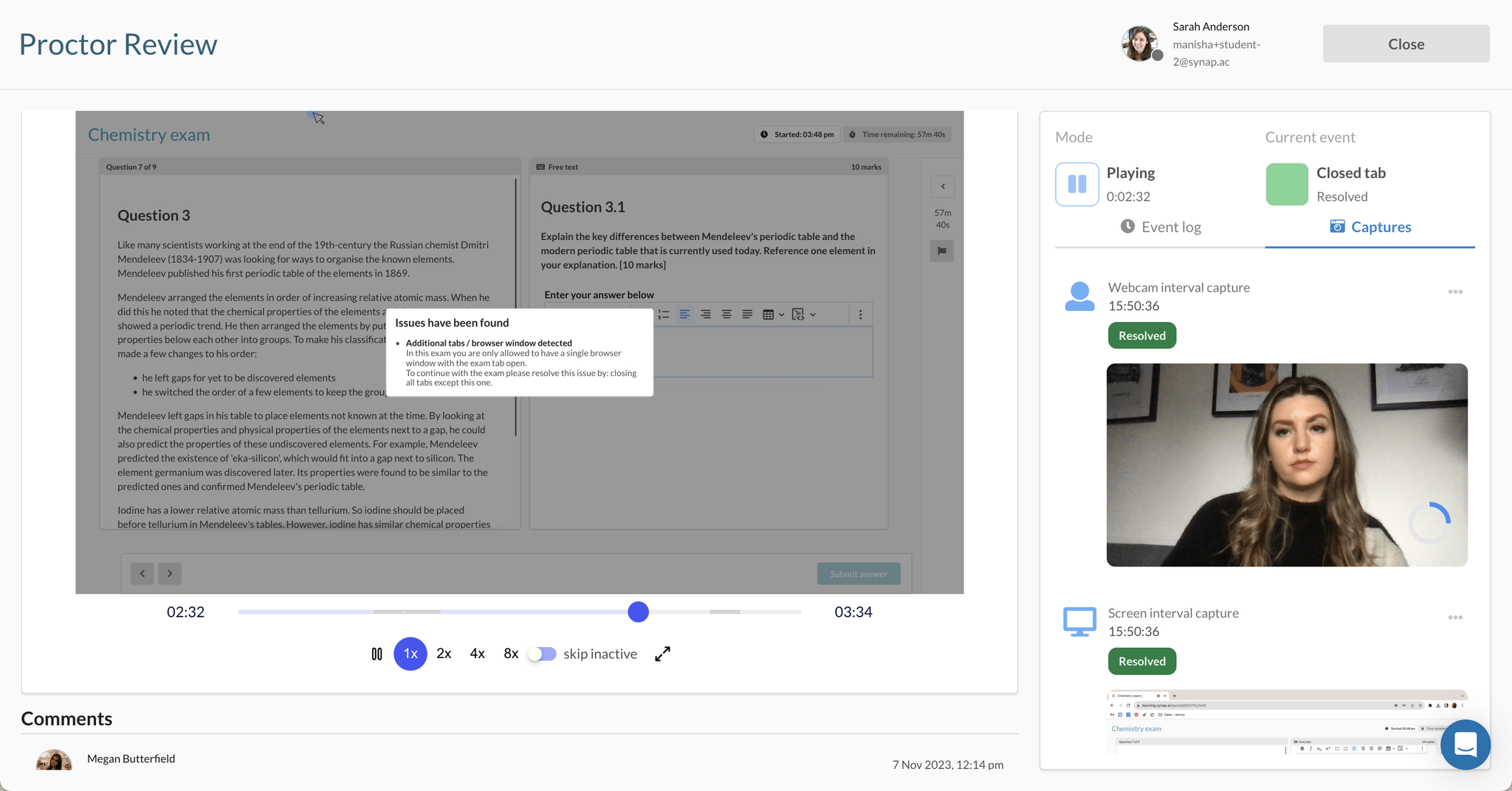
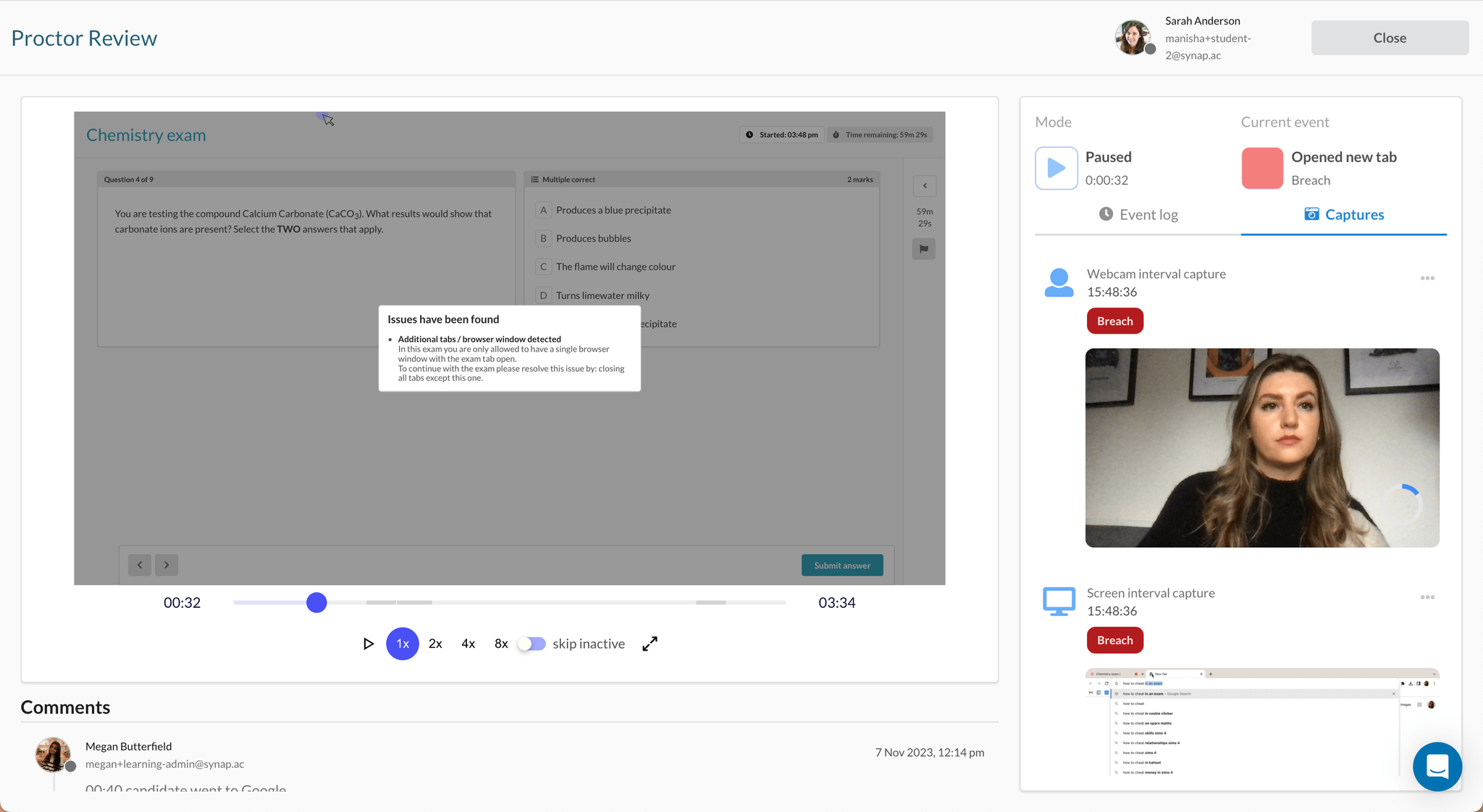
A widely adopted method for monitoring test-takers involves intermittent webcam and laptop screenshots, a feature commonly found in proctoring tools such as Synoptic's screenshot-based proctoring. This technique captures images of both the candidate and their surroundings, along with snapshots of their laptop screen every few seconds.
This method proves effective in identifying unauthorised presence in the room, usage of mobile devices, or attempts to search for answers online. Particularly beneficial in environments with limited internet bandwidth, intermittent screenshots consume a fraction of the bandwidth compared to continuous video monitoring.
Post-exam, educators can review the captured screenshots immediately. They can annotate timestamps, providing a comprehensive overview to confirm or reject the legitimacy of the candidate's proctoring status.
Ideal for:
- Low internet bandwidth environments.
- Exams where candidates need to use a tool such as custom software, Excel, an e-book, or course material.
- Candidates who use company laptops where downloading software is an issue, for example in IT or NHS settings.
- Organisations seeking a cost-effective alternative to continuous video monitoring.
3. Proctoring via Zoom or Teams
Using video conferencing tools such as Zoom or Teams is a useful method to monitor candidates in an exam. This approach typically involves a proctor observing the candidates and their environment, without seeing their screen activity.
Organisations who proctor via Zoom or Teams often implement other anti-cheat methods to enhance exam security. One such method is Synoptic's Chrome extension, compatible with both Zoom and Teams. It automatically detects actions such as exiting full screen, opening additional browser tabs, or connecting a second monitor, and presents a count of breaches to the proctors post-exam.
Additionally, proctors can leverage locking and unlocking exam attempts. By locking the exam upfront so candidates cannot start, they are required to join Zoom or Teams first, allowing the proctor to authenticate their identity. Only after confirming the right candidate's presence does the proctor unlock the exam.
Ideal for:
- Organisations who have the capacity, or already implement proctoring via Zoom or Teams.
- Organisations seeking a cost-effective alternative to continuous video monitoring.
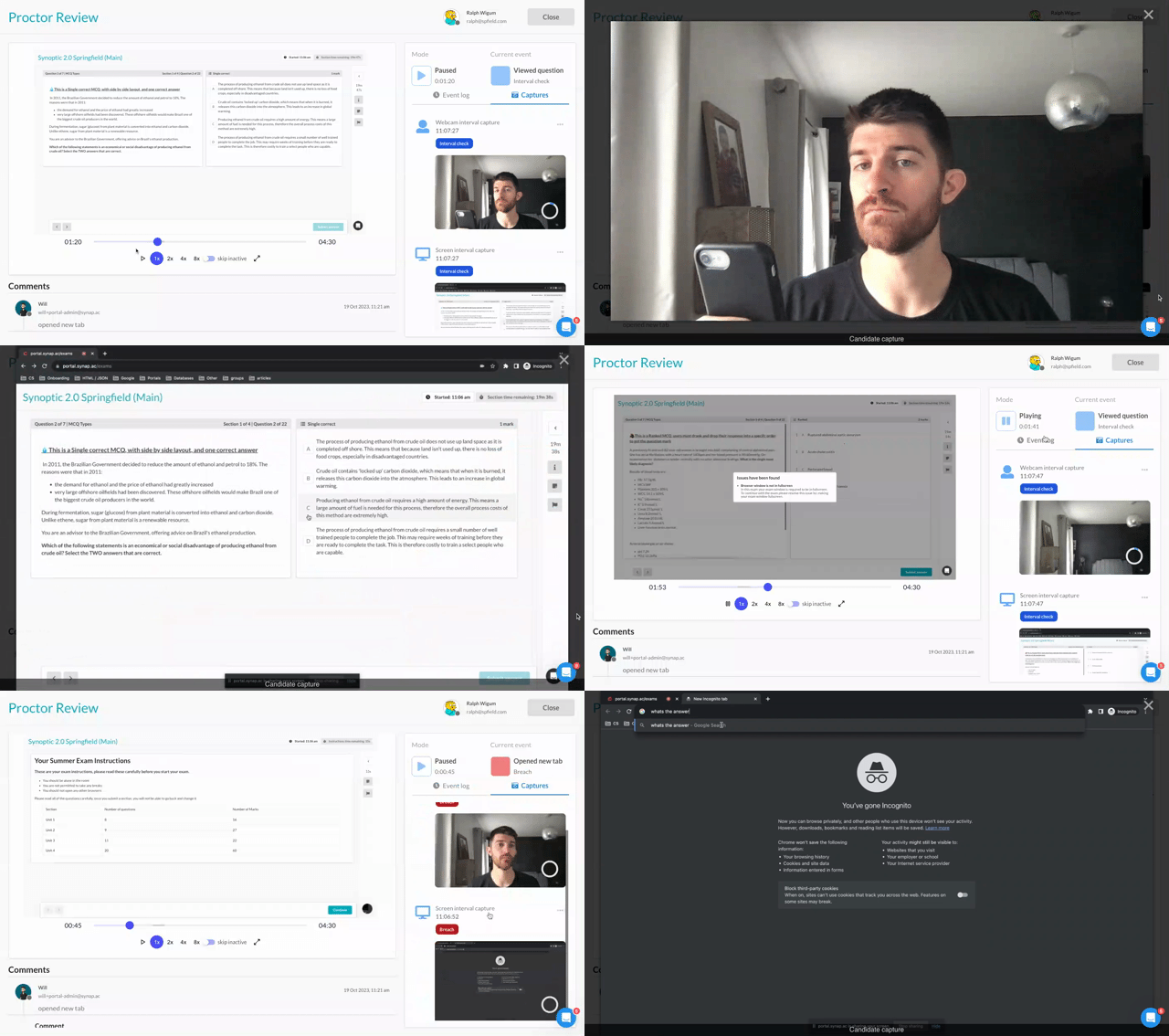
4. Continuous webcam and screen video recording
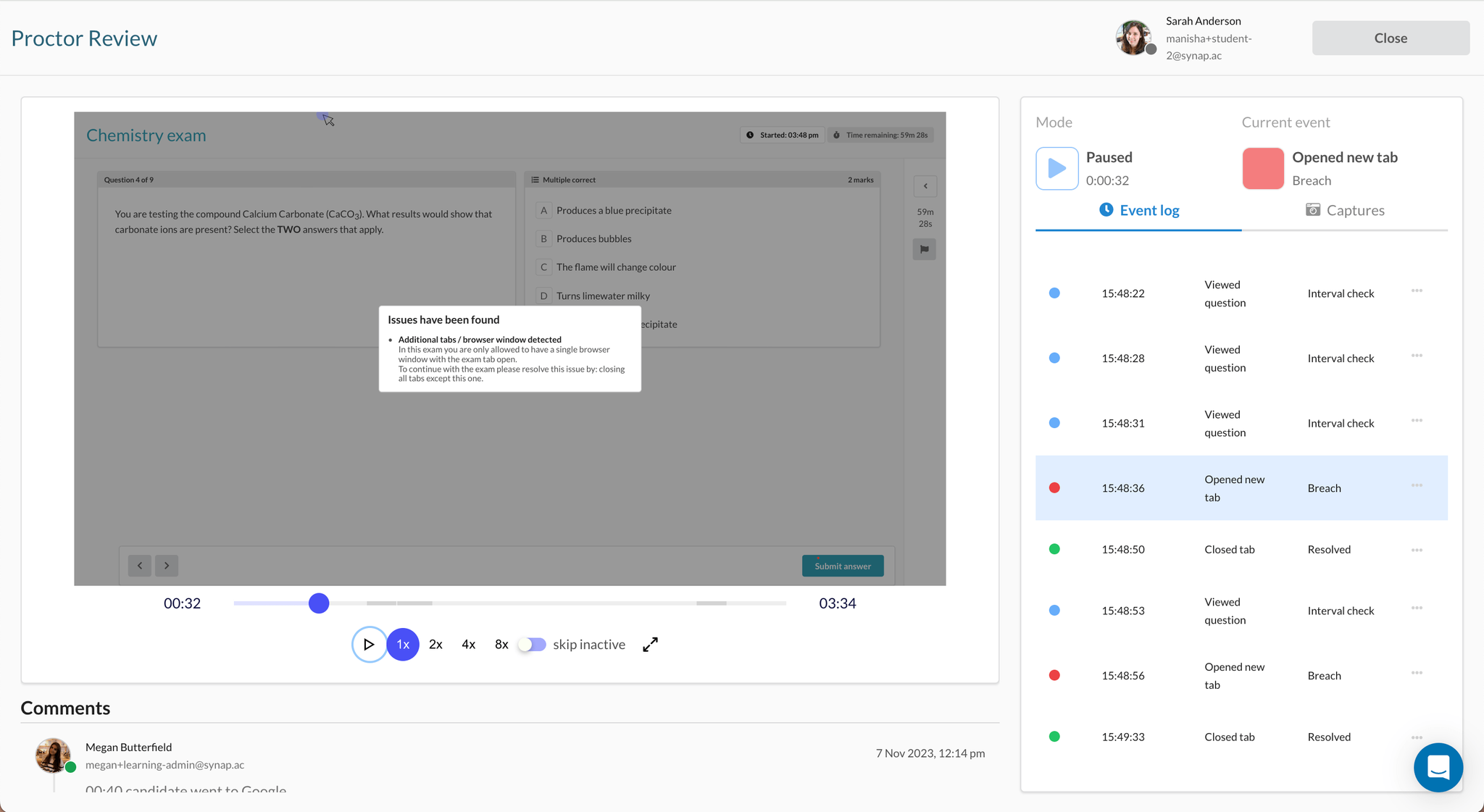
This advanced proctoring technique entails uninterrupted video recording of both the candidate's webcam and screen, capturing every action they perform throughout the exam. This method stands out as one of the most secure means of proctoring and reinforces the credibility and validity of high-stakes assessments.
To enhance exam security, continuous video monitoring is often coupled with the lockdown mode described in section 1. This dual-layered approach ensures candidates are unable to navigate to other web pages or utilise desktop applications during the examination.
Recorded proctoring footage can be securely stored for an extended duration, either for a number of years or indefinitely. This extended retention is especially critical for high-stakes exams subjected to external audits or reviews.
Ideal for:
- High-stakes or certification exams, where exam security, validity, and integrity are of paramount importance.
- Exams that require long-term storage of footage for auditing purposes.
5. AI proctoring
In the era of artificial intelligence, leveraging automated analysis can streamline the workload for an organisation's proctoring team. AI proctoring is often adopted alongside continuous video recording (section 4) and lockdown mode (section 1).
AI technology works by automatically flagging suspicious behaviour, such as the presence of an additional person in the room or the use of a mobile device by the candidate. This intelligent system allows proctors to focus on key events flagged by the AI, rather than sifting through hours of continuous video footage.
A proctoring report post-exam is a notable advantage of this approach. Reviewers can focus on candidates with the highest breach counts, streamlining the review process and maximising effectiveness in maintaining exam integrity.
Ideal for:
- High-stakes or certification exams.
- Organisations that have limited human resources to proctor exams themselves.
- Organisations that deliver a large number of exams.
Explore Synap's built-in proctoring options for secure online exams
Schedule a tailored demo to see how Synap's proctoring features work for exams hosted on the platform and find the right setup for your organisation. Book a demo today.

-min.png)